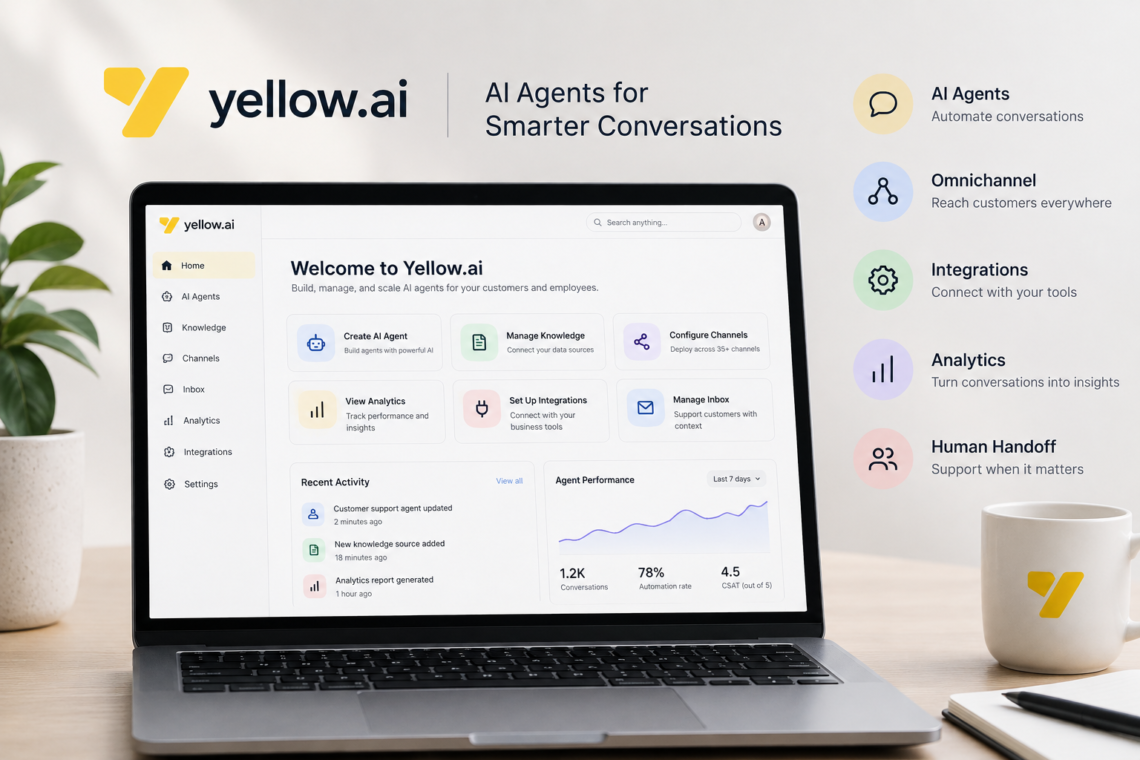
Yellow.ai is an enterprise AI platform designed to automate customer and employee interactions using AI agents. Instead of limiting automation to a simple chatbot that answers predefined questions, the platform is built to handle conversations, retrieve information, perform tasks, connect with business systems, and hand conversations to human agents when necessary.
The range of Yellow.ai features can make the platform difficult to understand at first. It includes AI agent building, conversational knowledge, voice and chat experiences, omnichannel communication, integrations, human-agent collaboration, analytics, testing, and AI-assisted development.
This guide explains the major features in practical terms, how they fit together, where they can be useful, and what businesses should consider before adopting the platform. Because Yellow.ai continues to update its platform, individual features and availability can change, so current capabilities and plan-specific restrictions should be verified in the official documentation before implementation.
What Is Yellow.ai?
Yellow.ai is an enterprise conversational and agentic AI platform. Its purpose is to help organizations automate interactions across channels such as web chat, messaging, voice, and email while connecting those interactions to business processes and systems.
The important distinction is that Yellow.ai is more than a conventional FAQ chatbot.
A traditional chatbot might recognize a question such as:
“What are your business hours?”
and return a predefined answer.
An AI agent can potentially handle a more complicated interaction, such as:
- Understanding what the customer wants.
- Retrieving information from an approved knowledge source.
- Asking for missing information.
- Calling a connected business system.
- Performing an action.
- Confirming the result with the customer.
- Escalating to a human when the request requires assistance.
That ability to combine conversation, knowledge, tools, and actions is central to the platform’s agentic approach.
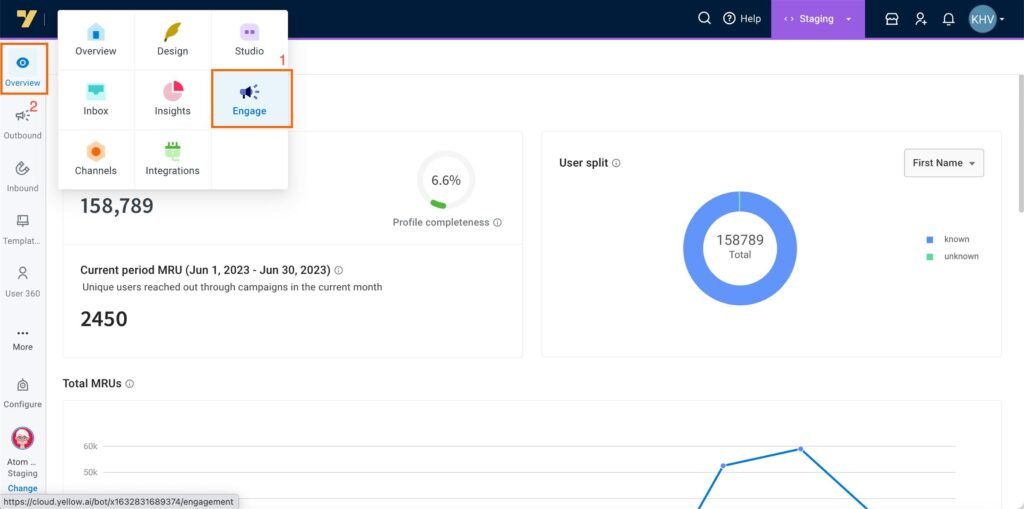
Key Yellow.ai Features at a Glance
| Feature | What it does |
|---|---|
| AI Agent Builder | Creates AI agents for business use cases |
| Conversational Knowledge | Gives agents access to business information |
| Agentic RAG | Combines information retrieval with reasoning and actions |
| Omnichannel Support | Deploys experiences across multiple communication channels |
| Voice AI | Enables conversational voice interactions |
| AI Copilot | Helps teams build, test, and manage agents |
| Human Handoff | Transfers conversations to human support agents |
| Inbox | Centralizes customer conversations and tickets |
| Integrations | Connects AI agents with business systems |
| Analytics | Measures conversations, performance, sentiment, and outcomes |
| Automated Testing | Tests agents and identifies problems before deployment |
| Multimodal Experiences | Supports richer interactions involving different types of content |
The exact feature set available to an organization can depend on its deployment, product version, configuration, and subscription.
1. AI Agent Builder
One of the most important Yellow.ai features is its AI agent-building environment.
Yellow.ai provides tools for creating agents without requiring every conversation to be manually programmed. Its current platform documentation describes a builder where organizations can configure agents, tools, widgets, voice capabilities, and testing.
This changes how businesses can approach conversational automation.
Instead of creating hundreds of rigid responses, a team can define an agent’s:
- Purpose
- Instructions
- Knowledge sources
- Tools
- Workflows
- Supported channels
- Escalation behavior
- Business rules
For example, an online retailer could create an AI agent responsible for order support.
The agent might answer questions about delivery, ask for an order number, retrieve relevant information through an integration, and explain the result to the customer.
The important point is that the agent is not simply generating text. A properly configured agent can be connected to the systems and workflows needed to complete a business process.
2. Conversational Knowledge and Agentic RAG
An AI agent is only useful if it can access reliable information.
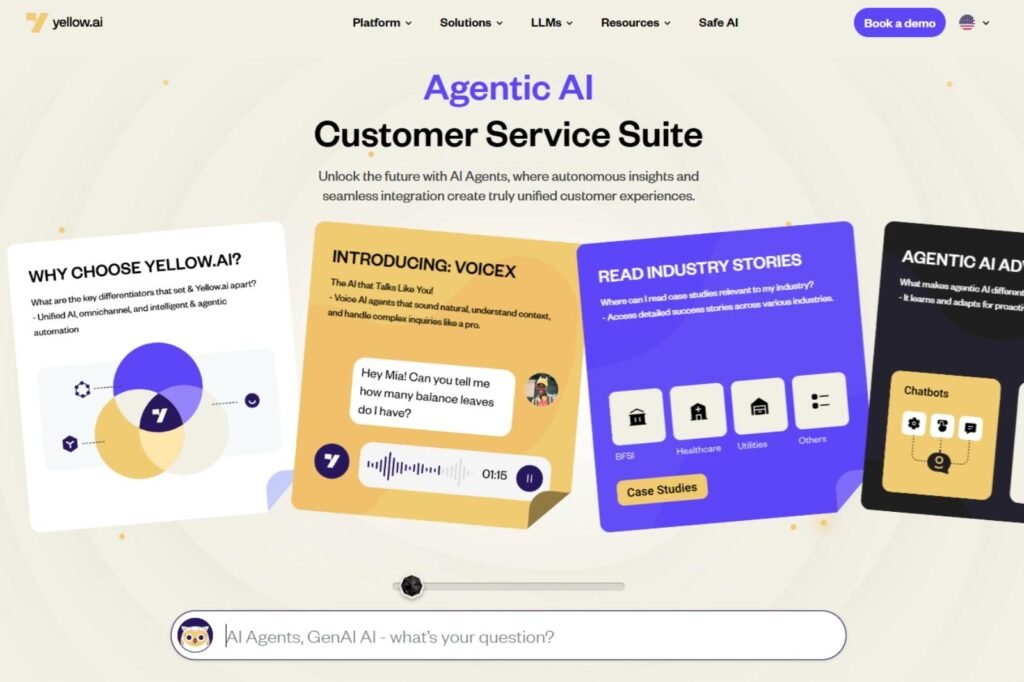
Yellow.ai provides conversational knowledge capabilities designed to let agents use business information when responding to users. Its platform describes an Agentic RAG approach that combines retrieval with reasoning and action.
RAG, or retrieval-augmented generation, generally means that an AI system retrieves relevant information from a knowledge source before generating an answer.
This can be particularly useful for organizations with information spread across:
- Product documentation
- Help-center articles
- Policies
- FAQs
- Internal knowledge
- Websites
- Business documents
Consider a travel company whose support agent needs to answer questions about baggage rules.
Rather than relying entirely on what the language model learned during training, the system can retrieve relevant company information and use that information when generating the response.
This approach can reduce the risk of an agent confidently answering from outdated or irrelevant knowledge. However, retrieval does not automatically guarantee accuracy. Businesses still need to maintain their knowledge sources and test how agents behave when information is missing or ambiguous.
3. AI-Powered Conversation and Context
Another important Yellow.ai feature is the ability to handle more natural, multi-turn conversations.
Traditional rule-based bots often depend on predefined paths:
Question → Button → Question → Button → Answer
AI agents can instead interpret less predictable language and use conversational context.
For example:
Customer: “My package hasn’t arrived.”
Agent: “I can check that. What’s your order number?”
Customer: “It’s 48392.”
The second message only makes sense because the system understands that the customer is continuing the previous conversation.
Yellow.ai’s documentation distinguishes its AI-driven automation from structured flows by noting that AI-based interactions can handle complex, multi-turn, open-ended conversations and use contextual information.
This makes contextual understanding particularly useful for support, troubleshooting, recommendations, and other conversations where customers do not follow a fixed script.
4. Omnichannel Communication
Customers rarely communicate with businesses through only one channel.
Yellow.ai supports deployment across multiple conversational channels, including web, WhatsApp, voice, and other messaging environments. Its documentation currently describes support for more than 35 conversational channels, while its platform materials highlight chat, voice, and email experiences.
This means an organization can build an AI-driven support experience that reaches customers through the channels they already use.
For example:
- A customer starts with a website chat.
- Another contacts the company through WhatsApp.
- A third customer calls the business.
- A support employee handles escalated cases through the Inbox.
The advantage is not simply having many channels. The more important question is whether the organization can maintain appropriate context and consistent information across those channels.
5. WhatsApp Integration
WhatsApp is particularly relevant for businesses that use messaging as a customer-service or sales channel.
Yellow.ai supports WhatsApp Business API integration. According to its documentation, businesses can use the integration for customer support, conversational marketing, campaigns, and sales. It also supports message types such as images, videos, files, quick replies, lists, and carousels.
A practical example would be an ecommerce business using WhatsApp for order support.
A customer could send:
“Where is my order?”
The AI agent could request the order number, retrieve the relevant information through an integration, and return the current status.
This is more useful than simply placing a customer-service phone number inside a WhatsApp conversation because the interaction can potentially be automated from beginning to end.
6. Voice AI
Not every customer wants to type.
Yellow.ai includes voice capabilities that allow organizations to build voice-based AI agents. Its documentation provides a dedicated voice agent builder, while recent platform updates have expanded voice functionality and testing capabilities.
Voice AI can be useful for scenarios such as:
- Customer service calls
- Appointment-related interactions
- Information requests
- Support triage
- Outbound notifications
- Call routing
A voice agent needs to do more than recognize words. It must interpret intent, respond naturally, deal with interruptions or unclear requests, and determine when a human should take over.
For that reason, voice automation should be tested more carefully than a simple text chatbot.
7. Human Handoff and Agent Assist
Automation does not mean every conversation should remain with AI.
One of the more practical Yellow.ai features is the ability to combine AI automation with human support. Yellow.ai describes human helpdesk escalation that transfers conversations while preserving conversational history and context.
This creates a hybrid model:
AI handles routine interactions → complex case appears → human agent takes over.
Yellow.ai’s Agent Assist capabilities can also help human support agents with AI-generated response suggestions, summaries, and other assistance.
For example, imagine a customer has already explained a billing problem to an AI agent.
Instead of forcing the customer to repeat everything to a human employee, the support agent can receive the existing conversation context.
That can make escalation considerably more practical than simply telling the customer to “contact support.”
8. Inbox for Human Support Teams
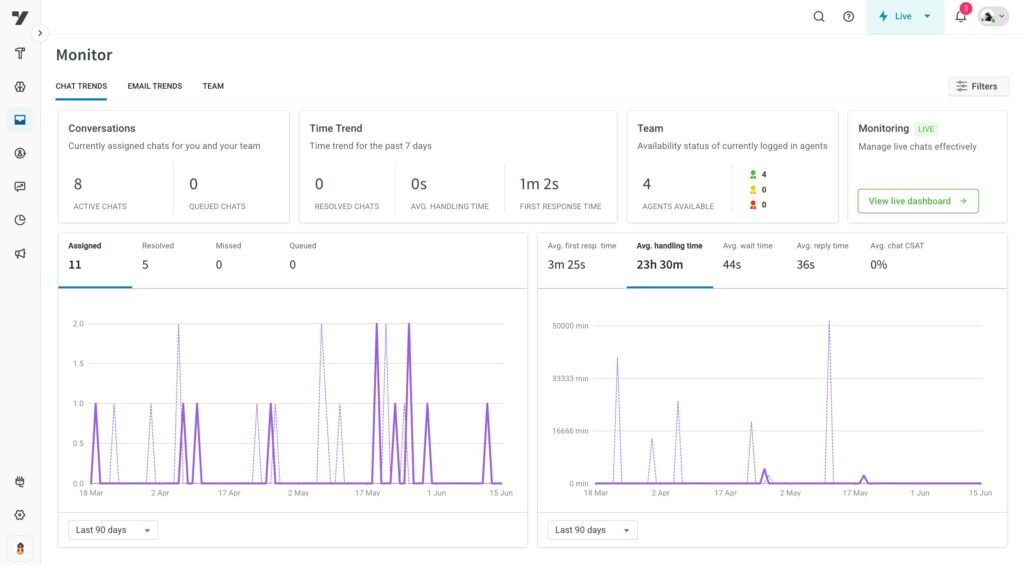
Yellow.ai’s Inbox provides a centralized environment for managing customer interactions.
Its current documentation describes functionality including live chats, email tickets, customer contacts, monitoring, analytics, and reporting. It also supports centralized context across multiple conversational channels.
This matters because AI automation is only one part of customer service.
A real support operation still needs to answer questions such as:
- Which conversations need human attention?
- Who is responsible for a ticket?
- Which cases are unresolved?
- How are support teams performing?
- What happened before the conversation was escalated?
An AI system that cannot fit into these operational processes can create more work rather than less.
9. AI Copilot
AI Copilot is another significant part of the Yellow.ai platform.
Yellow.ai’s documentation describes AI Copilot functionality for generating conversational flows from natural-language requirements. Instead of manually constructing every part of a flow, a developer or administrator can describe what they want and then modify the generated result.
This can be useful for teams that understand the business process but do not want to manually build every conversational component.
For example, a team could describe a basic returns workflow:
- Ask for the order number.
- Check whether the order is eligible.
- Ask for the reason for the return.
- Create the return request.
- Provide confirmation.
The AI-assisted builder can help turn that requirement into a starting point.
The generated workflow should still be reviewed and tested before it is used with customers.
10. Integrations With Business Systems
AI becomes considerably more useful when it can interact with the systems that run a business.
Yellow.ai supports integrations with business platforms and describes connections with systems such as Salesforce, Zendesk, Genesys, Workday, SAP, and other enterprise tools.
Integrations can allow an AI agent to work with information such as:
- Customer profiles
- Orders
- Support tickets
- Employee information
- CRM records
- Service requests
- Business workflows
Imagine a customer asking to change an appointment.
A chatbot that cannot access the scheduling system can only explain how to do it.
An integrated AI agent may be able to check the appointment, determine available alternatives, and initiate the appropriate workflow.
That difference—answering versus taking action—is one of the most important concepts when evaluating agentic AI platforms.
11. Analytics and Conversation Insights
Building an AI agent is only the beginning.
Organizations also need to know whether it is actually working.
Yellow.ai provides analytics capabilities for measuring conversations and identifying patterns. Its documentation describes quantitative metrics such as resolution time, customer satisfaction, automation rates, and goal completion, along with qualitative analysis and sentiment-related insights.
Analytics can help teams identify problems such as:
- Frequently repeated customer questions
- Conversations that end without resolution
- Poor-performing workflows
- Knowledge gaps
- Escalation patterns
- Changes in customer sentiment
For example, if thousands of customers ask questions about a particular product feature and the AI frequently transfers those conversations to humans, the business may have either a knowledge problem or a poorly designed workflow.
Analytics turns those conversations into evidence for improving the system.

12. Automated Testing and AI Quality Controls
Testing is one of the most important—and sometimes overlooked—Yellow.ai features.
AI agents can behave differently depending on how a user phrases a request. Testing therefore cannot always rely on checking a few predefined examples.
Yellow.ai introduced a dedicated Testing Lab for generating test cases with AI, importing cases from real conversations, analyzing failures, and exporting reports. Its platform also includes an AI Trust Centre focused on evaluation and safety.
This is important because an AI agent should be evaluated before being trusted with customer-facing tasks.
A useful testing process might check:
- Common questions.
- Unusual wording.
- Missing information.
- Contradictory information.
- Requests outside the agent’s scope.
- Escalation scenarios.
- Incorrect or unavailable knowledge.
- Tool or integration failures.
The goal is not to prove that an AI agent is perfect. It is to understand where it fails and design safeguards around those failures.
Also Read: Grok AI Video Generation Capabilities 2026
Real-World Examples of Yellow.ai Features
Ecommerce Customer Support
An ecommerce company could use an AI agent to handle order-status questions.
The customer provides an order number. The agent connects to the relevant business system, retrieves the available information, and explains the result.
If the customer reports a complicated delivery problem, the conversation can be escalated to a human.
Banking or Financial Services
A financial organization could use conversational AI for general support, such as answering questions about services, explaining processes, or routing requests.
More sensitive actions would require appropriate authentication, permissions, compliance controls, and human oversight.
The AI should not be treated as automatically trustworthy simply because it is connected to a financial system.
Employee Support
Yellow.ai can also be used for employee-facing automation.
An internal AI agent could help employees find information about company processes or interact with connected enterprise systems.
For example, an employee might ask where to find a particular HR policy. Instead of searching through multiple internal systems, the employee could ask the AI agent directly.
Travel and Hospitality
A travel company could use AI to answer customer questions, provide information about services, handle routine requests, and escalate complicated cases.
Voice capabilities can be particularly relevant when customers prefer speaking rather than typing.
Advantages of Yellow.ai
Broad Automation Capabilities
Yellow.ai goes beyond basic FAQ automation by combining conversational AI, workflows, integrations, knowledge, analytics, and human support.
Multiple Communication Channels
Businesses can deploy conversational experiences across several channels instead of building completely separate systems for each one.
AI and Human Collaboration
The platform supports a hybrid approach in which AI handles appropriate tasks while human agents remain available for cases that require judgment or intervention.
Enterprise Integrations
Connecting AI to CRM, ticketing, HR, and other business systems can make automation more useful than a standalone chatbot.
Testing and Analytics
Testing and analytics give teams mechanisms for monitoring performance rather than simply deploying an AI agent and hoping it works correctly.
Limitations and Things to Consider
Yellow.ai is not automatically the right choice for every business.
Implementation Can Be Complex
Enterprise AI involves more than creating a chatbot. Organizations may need to configure integrations, knowledge sources, authentication, permissions, workflows, testing, monitoring, and escalation policies.
AI Can Still Make Mistakes
Retrieval systems and integrations can improve reliability, but they do not eliminate the possibility of incorrect responses or inappropriate actions.
High-impact workflows should therefore have appropriate safeguards and testing.
Data and Privacy Require Attention
Connecting an AI system to customer or employee information creates privacy and security responsibilities.
Before deployment, organizations should review data handling, access controls, retention, authentication, compliance requirements, and the specific terms applicable to their implementation.
Yellow.ai describes enterprise security and compliance capabilities, but businesses should verify the current certifications, regulatory support, and contractual terms relevant to their particular use case.
Costs Depend on the Implementation
The cost of an enterprise AI deployment is not determined simply by whether the software has a particular feature.
Organizations should evaluate pricing based on their required channels, usage, integrations, support requirements, deployment model, and plan.
Some capabilities are also restricted to particular plans. For example, Yellow.ai’s documentation identifies certain generative-AI features as premium functionality.
How to Evaluate Yellow.ai for Your Business
Before choosing Yellow.ai, start with the business problem rather than the feature list.
Ask:
- What should the AI automate?
Identify a specific workflow rather than attempting to automate everything. - Where does the required information live?
Determine which knowledge bases, CRM systems, databases, or other tools the agent needs. - Which channels matter?
Decide whether customers need web chat, WhatsApp, voice, email, or another channel. - When should humans take over?
Define escalation rules before deployment. - How will success be measured?
Choose meaningful metrics such as resolution, escalation, customer satisfaction, or task completion. - What could go wrong?
Test incorrect inputs, missing information, unsupported requests, and integration failures.
This approach is more useful than selecting an AI platform simply because it has a long list of features.
Frequently Asked Questions About Yellow.ai Features
What are the main Yellow.ai features?
The major Yellow.ai features include AI agent building, conversational knowledge, Agentic RAG, omnichannel communication, voice AI, AI Copilot, business integrations, human handoff, Inbox, analytics, and automated testing. The exact availability can depend on the current product version and subscription.
Is Yellow.ai just a chatbot platform?
No. Yellow.ai includes chatbot-style conversational experiences, but its current platform is designed around AI agents that can use knowledge, tools, workflows, integrations, and human escalation.
Does Yellow.ai support WhatsApp?
Yes. Yellow.ai provides WhatsApp Business API integration for conversational support, marketing, campaigns, and sales use cases. It also supports several WhatsApp message formats.
Does Yellow.ai have voice AI?
Yes. Yellow.ai provides tools for building voice agents and has expanded voice capabilities across its platform.
Can Yellow.ai connect to CRM systems?
Yes. Yellow.ai provides integrations with enterprise systems, including CRM and customer-service platforms. Current documentation specifically references integrations such as Salesforce, Zendesk, and Genesys, among others.
Can Yellow.ai transfer a conversation to a human?
Yes. Yellow.ai supports human helpdesk escalation and can preserve conversation context during the handoff.
Is Yellow.ai suitable for small businesses?
It can be considered for smaller deployments, but many of its capabilities are oriented toward enterprise customer and employee automation. Businesses should evaluate the required integrations, channels, usage, pricing, and implementation complexity before choosing it.
Does Yellow.ai guarantee accurate AI responses?
No AI platform should be assumed to guarantee perfect responses. Yellow.ai provides knowledge grounding, testing, analytics, and other mechanisms intended to improve reliability, but organizations still need to maintain their information sources, test their agents, monitor performance, and establish safeguards.
Conclusion
The most important Yellow.ai features are not individual chatbot functions but the way different capabilities work together. AI agents can combine conversational understanding with business knowledge, tools, workflows, integrations, multiple channels, analytics, and human support.
For a simple FAQ, a conventional chatbot may be enough. For a business trying to automate a complete customer-service process, however, the ability to retrieve information, take actions, monitor conversations, and escalate difficult cases becomes much more important.
Yellow.ai is therefore best understood as an enterprise AI automation platform rather than simply a chatbot builder. Its value ultimately depends on how well an organization connects the platform to reliable knowledge, appropriate business systems, carefully designed workflows, and strong testing and governance practices.