An enterprise learning management system is a software platform that helps organizations deliver, manage, track, and evaluate employee training across departments, locations, and teams. Instead of relying on scattered documents, separate training sessions, and manual spreadsheets, businesses can use one system to organize learning activities and monitor progress.
Large organizations often need more than a place to upload training videos. They may need to onboard new employees, train managers, deliver compliance courses, support different languages, and ensure that workers in different locations receive the right training. An enterprise LMS is designed to help coordinate these activities at scale.
Choosing the right platform involves understanding how the software works, which features matter, how it differs from other learning tools, and what limitations to consider. This guide explains those areas and offers practical examples to help organizations make an informed decision.
What Is an Enterprise Learning Management System?
An enterprise learning management system (LMS) is a centralized platform for managing learning and training within a large or complex organization. It gives administrators a way to assign courses, organize learning materials, track completion, and generate reports, while employees can access the training relevant to their roles.
For example, a retail company with stores in several regions might use an enterprise LMS to train sales staff on customer service, teach supervisors how to handle workplace issues, and ensure that all employees complete required safety training.
The system can provide a consistent training experience while allowing different teams to have different learning requirements.
Common users include:
-
Large companies with multiple departments or business units
-
Organizations operating across several countries
-
Businesses with remote, hybrid, or frontline employees
-
Companies with ongoing compliance and certification requirements
-
Enterprises that train contractors, partners, or distributors
-
Organizations that need to measure training participation and outcomes
The term enterprise generally refers to the scale and complexity of the organization’s needs. It does not necessarily mean that only the largest corporations can use this software.
How Does an Enterprise LMS Work?
An enterprise LMS usually brings together the people, content, assignments, and reporting involved in employee training. The exact process depends on the software, but a typical workflow follows several steps.
1. Administrators organize learning content
Training teams upload or create materials such as videos, presentations, written lessons, assessments, and interactive activities. Some platforms also support external learning content or integrations with content libraries.
Courses can be organized by job role, department, skill, location, or business objective.
2. Employees receive relevant training
Administrators assign courses to individuals or groups. For instance, new employees may automatically receive onboarding courses, while managers may be assigned leadership training.
Some systems can use employee attributes, such as department or location, to help determine which learning activities are relevant.
3. Employees complete courses and assessments
Learners access training through a web browser or, where supported, a mobile application. Depending on the course, they may watch lessons, read documents, complete quizzes, participate in activities, or submit assessments.
Some LMS platforms also support instructor-led sessions, allowing organizations to manage classroom or virtual training alongside self-paced learning.
4. The platform records progress
The system can track information such as course enrollment, completion, assessment results, and training dates. Certain platforms also manage certificates, renewal schedules, and reminders.
The information available depends on the LMS configuration and the types of learning content it supports.
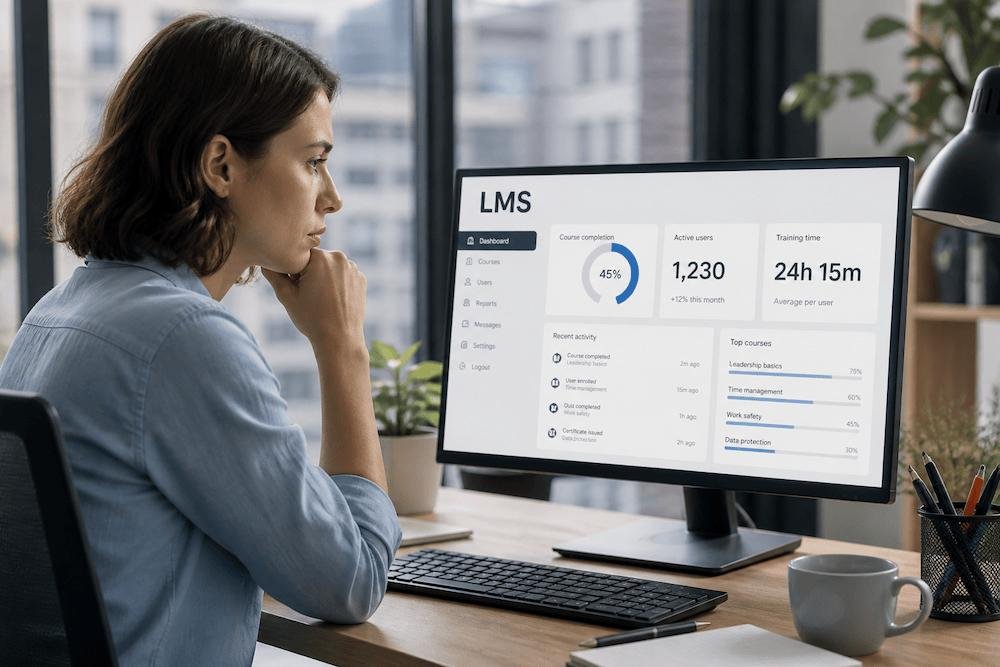
5. Administrators review reports
Learning managers can use reports to identify incomplete training, compare participation across teams, and monitor certification status. More advanced analytics may help organizations examine skill development and training effectiveness.
However, course completion alone does not prove that employees have mastered a skill or changed how they work. Organizations need appropriate assessments and performance measures to evaluate those outcomes.
Key Features of an Enterprise Learning Management System
Not every organization needs every available feature. The most useful enterprise LMS is one that supports the organization’s actual training requirements without adding unnecessary complexity.
Centralized course management
A central content library makes it easier to maintain training materials and distribute updated versions. Administrators can organize courses into learning paths, assign prerequisites, and retire outdated content.
This is particularly useful when employees in different locations need consistent information. However, organizations still need a process for reviewing course content and keeping it accurate.
Role-based learning paths
A learning path groups courses into a sequence designed for a particular role, skill, or objective.
For example, a new sales representative might complete product training, customer communication lessons, and a final product-knowledge assessment. A sales manager could follow a different path focused on coaching, forecasting, and team leadership.
Role-based learning helps employees focus on relevant training rather than searching through a large library of unrelated courses.
Compliance and certification tracking
Some organizations must document that employees have completed specific training. An enterprise LMS can help assign required courses, record completion dates, manage assessments, and send reminders.
Where certification renewals are necessary, the platform may support expiration dates and recurring assignments.
Organizations should verify whether the system provides the precise records, audit exports, retention controls, and reporting needed for their regulatory or internal requirements. Buying an LMS does not, by itself, guarantee compliance.
Reporting and analytics
Reporting features help administrators answer questions such as:
-
Which employees have completed mandatory training?
-
Which departments have overdue courses?
-
How did learners perform on assessments?
-
Which courses have low completion or engagement?
-
Are employees developing the skills the business needs?
More sophisticated analytics may connect learning data with other business systems. These connections need careful interpretation: a higher completion rate is useful information, but it does not automatically demonstrate improved productivity or better business results.
Integrations with business systems
Large organizations often use several systems to manage employee information, identity, collaboration, and performance. An enterprise LMS may integrate with:
-
Human resource information systems (HRIS): to synchronize employee and organizational details
-
Single sign-on (SSO): to simplify authentication and access management
-
Content authoring tools: to import or maintain digital learning materials
-
Video conferencing tools: to support virtual instructor-led training
-
Talent management systems: to connect learning with broader development processes
-
Reporting or business intelligence tools: to analyze learning data alongside other business information
Integration capabilities vary considerably. Before selecting a platform, confirm which systems it supports, whether the integration is native or requires additional development, and whether extra fees apply.
Mobile and multilingual access
Employees may work in offices, factories, retail stores, hospitals, or remote locations. Mobile access can make training more convenient for people who do not spend their workday at a desk.
For multinational organizations, language support is also important. Check whether the platform supports the required interface languages, localized courses, subtitles, and region-specific learning rules. A translated interface does not automatically mean that the training content is available in every language.
Security and administration controls
Enterprise learning platforms may store employee information, assessment results, training records, and other internal data. Relevant controls can include role-based permissions, access logs, data encryption, retention settings, and administrative reporting.
Security requirements should be assessed against the organization’s policies and applicable laws. It is also worth reviewing data hosting options, backup arrangements, incident-response procedures, and how the vendor handles access to customer data.
Enterprise LMS vs. Traditional LMS
An enterprise LMS is still a learning management system. The distinction usually lies in the complexity, scale, and administration requirements it is designed to handle.
| Area | Basic or small-business LMS | Enterprise LMS |
|---|---|---|
| Typical needs | Straightforward training delivery | Complex training across teams and locations |
| Administration | A small number of administrators | Multiple administrators with different permissions |
| Learning assignments | Simple course enrollment | Role-based rules and structured learning paths |
| Reporting | Basic completion reports | More detailed reporting and integrations |
| Integrations | Limited or standard connections | Often broader integration requirements |
| Governance | Simpler policies and workflows | More extensive access, audit, and data controls |
These are general tendencies, not strict rules. Some smaller LMS products offer advanced features, while some enterprise platforms require add-ons for capabilities that organizations might expect to be included.
The best comparison is based on actual requirements rather than the product label.
Enterprise LMS vs. Other Learning Technologies
Organizations sometimes confuse an LMS with related tools. Understanding the differences helps avoid purchasing software that solves the wrong problem.
LMS vs. learning experience platform
A learning management system focuses on organizing, assigning, delivering, and tracking learning. A learning experience platform (LXP) often places greater emphasis on discovery, recommendations, and helping employees explore learning resources.
The distinction is not absolute. Many modern platforms combine LMS administration with LXP-style discovery features.
LMS vs. HR software
Human resource software manages a broader range of employee processes, such as recruitment, payroll, benefits, and performance. An LMS specializes in learning activities and training records.
An organization may connect its LMS to an HR system so that changes in employee roles can trigger relevant training assignments.
LMS vs. talent management system
Talent management software may cover recruitment, performance reviews, succession planning, and employee development. Learning functionality may be included as one component or supplied through a separate LMS.
If an organization already uses a talent management suite, it should compare the built-in learning capabilities with those of dedicated platforms before buying additional software.
Also Read: AI Contextual Governance Framework
Real-World Examples of Enterprise LMS Use
The value of an enterprise LMS becomes clearer when considering specific workplace situations.
Example 1: Onboarding employees across multiple locations
A company hires new employees throughout the year. Without a central learning platform, local managers may deliver different versions of the onboarding process, and HR may struggle to confirm which steps each employee completed.
With an enterprise LMS, HR can create a standard onboarding path covering company policies, product information, security awareness, and role-specific training. Employees can complete the required modules, while managers review progress and provide practical instruction.
The platform helps standardize the process, although effective onboarding still requires communication, supervision, and support from colleagues.
Example 2: Managing mandatory safety training
A manufacturing business needs workers to complete safety training relevant to their roles. Office staff, warehouse employees, and machine operators may require different courses.
The LMS can assign training based on job responsibilities, record assessment results, and alert supervisors when required courses remain incomplete. Where refresher training is necessary, the organization can schedule repeat assignments.
This creates a more organized record of training activity. The company must still ensure that the training is accurate, suitable for the work, and consistent with applicable safety requirements.
Example 3: Training a distributed sales team
A business launches a new product across several regions. Sales representatives need to learn the product’s features, limitations, pricing rules, and common customer questions.
The organization can publish a product course, add a knowledge assessment, and provide localized materials where needed. Managers can review assessment results to identify areas where additional coaching is required.
This approach can reduce reliance on repeated live presentations, while leaving room for discussion and hands-on practice.
Example 4: Developing future managers
An organization wants to prepare experienced employees for leadership positions. It creates a learning path covering feedback, conflict resolution, team planning, and performance conversations.
Employees complete lessons and practice scenarios, then discuss what they learned with their managers. The LMS records participation, while managers assess how effectively employees apply the skills in the workplace.
This example highlights an important distinction: the platform can organize and document learning, but developing capable leaders also requires practice, feedback, and real responsibility.
Benefits of an Enterprise Learning Management System
An enterprise LMS can offer several advantages when it is implemented around clear learning objectives.
Consistent training across the organization
A centralized platform helps teams access the same approved training materials. This is valuable when an organization operates across multiple offices, regions, or business units.
Local differences may still require customized courses, but a shared system makes it easier to manage both standard and location-specific training.
Less manual administration
Automated assignments, reminders, enrollment rules, and completion records can reduce repetitive administrative work. Training teams may spend less time collecting spreadsheets and chasing employees for updates.
The amount of time saved depends on the quality of the initial setup and how well the platform integrates with existing systems.
Better visibility into training progress
Managers can identify overdue courses, review assessment performance, and understand which groups need additional support. This makes it easier to plan training activities and maintain records.
Support for employee development
Learning paths can help employees build job-related knowledge and prepare for new responsibilities. A well-organized learning program can also help employees understand which skills they should develop next.
An LMS supports this process, but career development still depends on relevant content, opportunities to practice, manager involvement, and employee motivation.
Greater flexibility
Self-paced courses allow employees to learn at different times, while blended programs can combine online modules with workshops and instructor-led sessions. This flexibility can be particularly useful for shift workers and distributed teams.

Limitations and Challenges to Consider
Enterprise learning software is not a complete solution to every training problem. Organizations should plan for the following challenges.
Implementation can be complex
A large organization may need to migrate existing courses, clean employee records, configure permissions, connect other systems, and train administrators. These tasks can require significant time and coordination.
A phased rollout is often more manageable than moving every department onto the new platform at once.
Costs extend beyond the subscription
The total cost may include licensing, implementation, integrations, content creation, migration, support, and ongoing administration. Some vendors price by user, active learner, usage, or selected features.
Before committing, ask for a breakdown of recurring and one-time fees, including costs that may arise as the workforce grows.
Employees may not engage with the training
Making a course available does not mean employees will find it useful. Long, generic modules can be difficult to fit into a busy workday, especially when managers do not provide time for training.
Keep courses relevant to actual job tasks, use realistic examples, and make expectations clear. Monitor feedback and assessment results rather than relying exclusively on completion rates.
Reporting does not guarantee learning outcomes
An LMS can show that someone opened a course, completed a module, or passed a quiz. Those records do not necessarily demonstrate that the person can perform the task correctly in a real situation.
Use practical assessments, supervisor feedback, and suitable workplace performance measures when the goal requires more than course completion.
Privacy and security need ongoing attention
Learning records may reveal employee performance, qualifications, and training history. Poor access controls or inappropriate data collection can create privacy risks.
Organizations should define who can access learning records, how long they are retained, what data is collected, and how the vendor protects it. They should also verify that their setup meets relevant legal and contractual requirements.
How to Choose the Right Enterprise Learning Management System
Selecting an LMS should begin with the organization’s training needs, not with a long list of vendor features.
1. Define your main training goals
Identify the problems the platform needs to solve. These might include improving onboarding, managing required certifications, developing technical skills, or training employees across multiple countries.
Write down the outcomes you want to measure. For example, a goal might be to improve the consistency of onboarding or reduce the number of overdue mandatory courses.
2. Map your learners and administrators
Estimate the number and types of users who will need access. Consider employees, contractors, external partners, managers, instructors, and administrators.
Also consider how learners access the internet, which devices they use, what languages they need, and whether they require accessibility accommodations.
3. Separate essential features from optional ones
Create a shortlist of requirements. For a company with complex training needs, essential features might include role-based assignments, certification tracking, detailed reporting, SSO, and HR system integration.
Features such as gamification, AI-powered recommendations, or advanced analytics may be useful, but only if they support a defined objective.
4. Evaluate integrations and data handling
Ask vendors to demonstrate how their platforms connect with your current systems. Confirm which integrations are included, what technical work is required, and how employee records are synchronized.
Review security documentation, data storage arrangements, access controls, backup policies, and contract terms before making a decision.
5. Test the learner and administrator experience
Arrange a demonstration or trial using realistic scenarios. Ask a new employee to find and complete a course, and ask an administrator to assign training, check progress, and generate a report.
A platform that looks impressive in a presentation may still be difficult to use in everyday work.
6. Calculate total cost and support requirements
Compare the full cost over the period you expect to use the system. Include implementation, migration, integrations, content, support, and potential growth in user numbers.
Ask about vendor support hours, service commitments, training for administrators, and the process for exporting learning records if you later change providers.
7. Run a pilot before full deployment
Test the platform with a representative group of learners and administrators. Collect feedback, identify technical problems, and check whether the reports provide useful information.
Use the pilot to adjust course structure, assignment rules, and communication before expanding to the rest of the organization.
What Role Does AI Play in Enterprise Learning Management?
Some learning platforms offer AI-related features, although availability and quality differ by vendor. These tools can support learning workflows, but organizations should evaluate them carefully.
Potential uses include:
-
Content recommendations: suggesting courses based on a learner’s role, interests, or development goals
-
Learning assistance: helping learners find relevant information or understand course material
-
Content creation support: helping training teams draft quiz questions, summaries, or initial course materials
-
Skills analysis: identifying possible skill gaps from available learning or workforce data
-
Administrative assistance: helping users search learning records or summarize selected reports
AI-generated training content can contain errors, omit important context, or present outdated information. Recommendations may also be inappropriate if the underlying employee data is incomplete or biased.
Organizations should ask how AI features use company data, whether information is shared with external providers, how outputs can be reviewed, and whether administrators can disable features they do not need. Human review remains important when training relates to safety, legal obligations, or high-impact workplace decisions.
AI features should be evaluated as part of the broader platform, not treated as a substitute for sound learning design.
Frequently Asked Questions
1. What is an enterprise learning management system used for?
An enterprise learning management system is used to organize and deliver employee training at scale. Common uses include onboarding, compliance training, certification tracking, professional development, product training, and learning progress reporting.
2. How is an enterprise LMS different from a regular LMS?
The underlying purpose is the same: managing learning. Enterprise LMS platforms generally focus more on complex organizational needs, such as multiple departments, advanced permissions, integrations, detailed reporting, and training across different locations. However, capabilities vary by product.
3. How much does an enterprise learning management system cost?
There is no single standard price. Costs depend on the vendor, number of learners, features, implementation needs, integrations, support, and pricing model. Organizations should request a tailored quote and compare total ownership costs rather than subscription prices alone.
4. Can an enterprise LMS integrate with HR software?
Many enterprise LMS platforms support integrations with HR systems. Depending on the integration, employee details and organizational changes may synchronize automatically, helping administrators assign appropriate courses. Confirm that the specific HR system and data fields you need are supported.
5. Does an enterprise LMS support compliance training?
Many platforms offer course assignments, completion records, assessments, reminders, and certification tracking. Organizations should verify that the system meets their particular documentation, reporting, retention, and audit requirements. Software alone does not guarantee regulatory compliance.
6. Is an enterprise LMS suitable for remote employees?
Yes. Web-based learning and supported mobile access can help remote and distributed employees complete training from different locations. Organizations should check device compatibility, connectivity requirements, accessibility, and offline capabilities if those matter to their workforce.
7. What is the difference between an LMS and an LXP?
An LMS primarily manages the delivery, assignment, and tracking of learning. An LXP typically emphasizes learning discovery, recommendations, and personalized exploration. Many modern platforms combine features from both categories, so compare the actual capabilities rather than relying only on product labels.
8. How can a company measure whether its LMS is effective?
Start by defining the intended outcome. Useful measures may include course completion, assessment performance, time to complete onboarding, certification status, learner feedback, and relevant workplace performance indicators. No single metric proves success; use a combination of measures that match the training objective.
Conclusion
An enterprise learning management system gives organizations a central way to deliver training, manage learning requirements, track progress, and support employee development. Its greatest value comes from connecting relevant learning with the real needs of the workforce.
The right platform should fit the organization’s size, systems, security requirements, and learning goals. Before choosing one, compare essential features, integration options, usability, support, and total cost. Then test the platform with real users and measure whether it improves the training process.
A successful LMS is not simply a place to store courses. It is part of a broader learning strategy that combines useful content, practical experience, employee support, and meaningful evaluation.