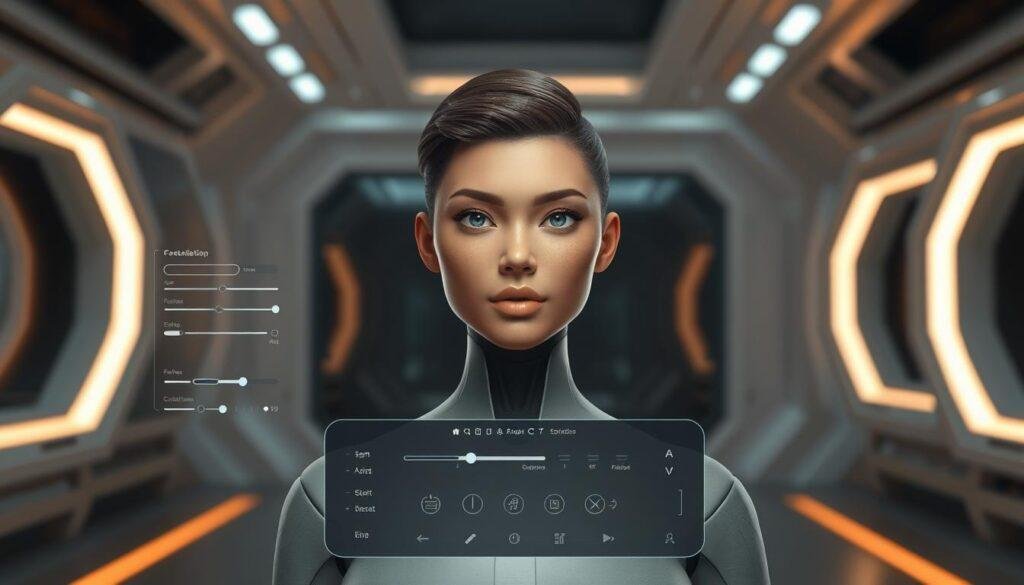
Creating a digital version of a person used to require specialized 3D software, animation skills, and considerable time. An AI avatar generator makes the process much simpler by using artificial intelligence to create or animate a digital character from text, images, video, or other inputs.
Depending on the tool, an AI avatar can be a realistic digital presenter, a stylized character, a talking portrait, or a virtual identity designed for social media, education, marketing, customer support, and entertainment.
This guide explains how AI avatar generators work, what types are available, how to create one, where they are useful, and what limitations you should consider before using one.
What Is an AI Avatar Generator?
An AI avatar generator is software that uses artificial intelligence to create a digital representation of a person or character.
The avatar may be generated from:
- A text description
- A photograph
- Several reference images
- A recorded video
- A voice recording
- A combination of text, images, and audio
The final result depends heavily on the generator. Some tools create a still avatar image, while others produce a complete talking video in which the avatar appears to speak a supplied script.
For example, you might provide a headshot and a short script. A video-focused generator can potentially create a digital presenter that appears to deliver that script without requiring you to record yourself on camera.
This makes an AI avatar different from a conventional profile-picture generator. The important distinction is that many modern avatar systems can create animated or interactive digital characters, not just images.
How Does an AI Avatar Generator Work?
The technology varies between platforms, but the basic process is relatively easy to understand.
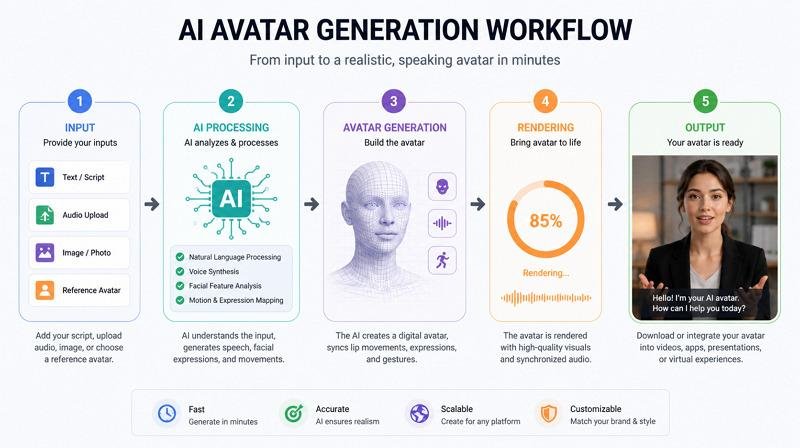
1. You provide an input
The first step is usually supplying something for the system to work with.
This might be:
- A photograph of a person
- A written description
- A video sample
- A voice recording
- A script
- A predefined avatar
The input gives the system information about the appearance, identity, or behavior you want to reproduce.
2. The AI analyzes the input
The system processes visual or audio information using machine-learning models.
For an image-based avatar, the model may analyze characteristics such as facial structure, expressions, lighting, and other visual features.
For a talking avatar, additional processing may be required to synchronize facial movement with speech.
3. The avatar is generated
The system then produces the requested digital representation.
For an image generator, this could be a single portrait.
For an AI video avatar, the output may contain facial expressions, head movement, lip synchronization, and speech.
The exact techniques vary considerably between products, so an AI avatar generator should not be assumed to use one universal method.
4. You refine the result
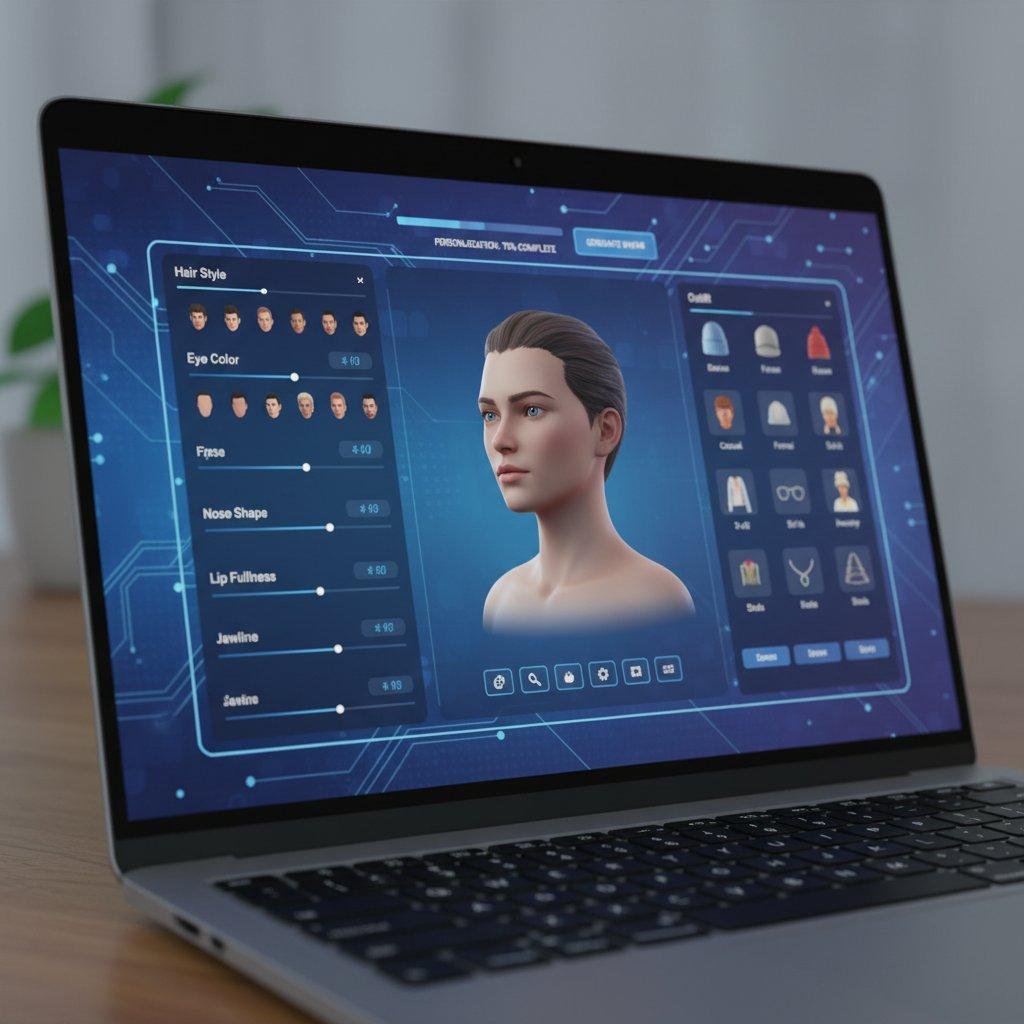
Many tools allow users to modify the avatar by changing elements such as:
- Clothing
- Background
- Voice
- Script
- Facial appearance
- Style
- Language
- Presentation format
The ability to make these changes is particularly useful when creating multiple videos or pieces of content from the same digital character.
Types of AI Avatars
Not every AI avatar serves the same purpose. Understanding the main categories can help you choose the right approach.
AI Avatar Images
These are static images rather than videos.
You might create a professional-looking digital portrait for:
- A social media profile
- A fictional character
- A website
- A presentation
- A virtual brand identity
The generator may create a completely fictional person or transform a supplied photograph into a particular visual style.
Talking AI Avatars
Talking avatars are designed to deliver spoken content.
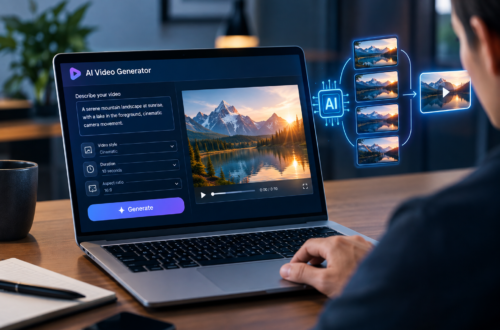
A typical workflow involves choosing an avatar, entering a script, selecting a voice, and generating a video.
These can be useful for instructional videos, internal communications, product explanations, and other situations where a presenter is needed but recording a person repeatedly would be inconvenient.

Personalized Digital Avatars
Some systems can create an avatar based on a real person’s appearance.
The person may provide photographs or video footage that the system uses as a reference.
This can be useful when someone wants to maintain a consistent digital presenter across multiple videos. However, permission and identity rights become especially important when an avatar represents a real person.
3D and Stylized Avatars
An AI avatar does not have to look photorealistic.
Some generators create:
- Cartoon characters
- Game-style characters
- 3D figures
- Anime-inspired characters
- Virtual influencers
- Fictional personalities
These are often more appropriate when realism is not the goal.
AI Avatar Generator vs. AI Image Generator
The two concepts overlap, but they are not identical.
| Feature | AI Image Generator | AI Avatar Generator |
|---|---|---|
| Main output | Images | Images, animated characters, or videos |
| Typical input | Text or image | Text, image, video, voice, or predefined avatar |
| Animation | Usually not the main purpose | Often supported |
| Speech | Generally not central | Common in talking-avatar tools |
| Main use | Visual content | Digital presenters and characters |
The distinction is not absolute. Some AI platforms offer both image generation and avatar creation, so the capabilities can overlap.
The more useful question is what you actually need: a picture of a character or a digital character that can communicate and act?
How to Create an AI Avatar
Creating one generally follows a straightforward workflow.
Step 1: Decide what the avatar is for
Start with the intended use.
For example, an avatar for a YouTube educational channel may need to look professional and remain visually consistent across videos. A gaming character may require an entirely different appearance.
Defining the purpose first prevents you from choosing a style that looks impressive but does not fit the project.
Step 2: Choose the avatar type
Decide whether you need:
- A static portrait
- A talking presenter
- A realistic digital human
- A fictional character
- A 3D avatar
- A stylized character
This choice can significantly affect which type of generator is appropriate.
Step 3: Prepare your source material
If you are creating a personalized avatar, use suitable source material.
A clear image with a visible face is generally more useful than a heavily filtered photograph. For video-based systems, following the platform’s recording requirements can also affect the final result.
If the avatar represents another person, obtain appropriate permission before using their likeness.
Step 4: Write the script or description
For an image, describe the appearance and setting you want.
For a talking avatar, write the actual dialogue.
A useful script should sound natural when spoken aloud. Long sentences, excessive jargon, and awkward punctuation can make generated speech less pleasant to listen to.
Step 5: Generate and review
Do not assume the first output is perfect.
Look for:
- Incorrect lip synchronization
- Unnatural facial expressions
- Strange hand or body movements
- Pronunciation problems
- Visual inconsistencies
- Incorrect text
- Unnatural pauses
Regenerate or edit the content when necessary.
Also Read: Is AI Bad for the Environment?
Real-World Examples of AI Avatar Use
Online Education
Imagine an online course about spreadsheet skills.
Instead of recording a presenter for every short lesson, a course creator could use a digital presenter to introduce individual topics while the main instructional content appears on screen.
The avatar does not replace the actual teaching material. Its value comes from providing a consistent presentation layer.
Internal Business Training
A company could create short training videos explaining software procedures, workplace processes, or product information.
A digital presenter can make these videos easier to standardize when the same information needs to be presented repeatedly.
However, sensitive or frequently changing procedures should still be reviewed by the relevant human team before publication.
Social Media Content
A creator might develop a recurring virtual character that appears in short videos.
Instead of changing the character every time, the creator can maintain a consistent appearance, voice, and personality.
This consistency can make the character easier for an audience to recognize.
Product Demonstrations
A company could use an AI avatar to introduce a product and then transition to a screen recording or product footage.
For example, a software company might have an avatar explain a new feature before showing the feature being used inside the application.
In this case, the avatar is primarily a presenter rather than the product itself.
Fiction and Entertainment
Writers, artists, and content creators can use avatar generators to visualize fictional characters.
A character might begin as a written description and become a recurring visual identity for videos, stories, or other digital projects.
The challenge is maintaining consistency when the same character must appear across many different scenes.

Benefits of Using an AI Avatar Generator
Faster Content Production
Once an avatar and workflow have been established, producing additional content can be faster than arranging a new recording session for every video.
This is particularly useful for content that follows a repeatable format.
Consistent Presentation
A digital presenter can maintain a relatively consistent appearance across multiple pieces of content.
That can be useful for educational channels, internal training, and recurring video series.
No Camera Required
An avatar can be useful for people who do not want to appear on camera.
Instead of recording themselves, they can use a digital representation to present information.
That does not necessarily make the content better, but it provides another production option.
Multiple Languages
Some avatar systems support multilingual scripts or voices.
This can potentially make it easier to adapt the same basic content for different audiences. The output should still be reviewed carefully because pronunciation, names, terminology, and cultural context can vary between languages.
Easier Experimentation
Creating different characters or presentation styles can be considerably easier with generative tools than building every character manually.
Creators can experiment with visual identities before committing significant production resources.
Limitations and Risks
AI avatars are useful, but they are not automatically realistic, accurate, or appropriate.
Unnatural Movement
Generated facial expressions, eye movement, gestures, or lip synchronization can sometimes look artificial.
Small errors may be particularly noticeable in close-up videos.
Voice and Pronunciation Problems
A generated voice may pronounce names, technical terms, abbreviations, or foreign words incorrectly.
This is one reason generated videos should be reviewed before publication.
Identity and Consent
Creating an avatar that resembles a real person introduces important questions about permission and identity.
Using someone’s face or voice without authorization can create legal, ethical, or reputational problems depending on the circumstances and applicable laws.
The safest approach is to use your own likeness, a properly licensed avatar, or a person who has explicitly agreed to the intended use.
Privacy
Personal photographs, videos, and voice recordings can contain sensitive biometric or identifying information.
Before uploading this material, check how the service handles submitted data, how long it retains it, whether the material can be used to improve its systems, and what deletion controls are available.
These policies can change, so verify the provider’s current terms and privacy documentation before uploading sensitive material.
Cost
Some avatar services offer limited free usage while charging for additional generations, higher-quality output, commercial features, or larger amounts of content.
Pricing and licensing conditions vary between providers and can change over time, so current pricing should always be checked directly with the service.
The Avatar Does Not Replace Good Content
A realistic digital presenter cannot fix a weak script.
If the explanation is confusing, repetitive, or inaccurate, making the presenter look more realistic does not solve the underlying problem.
The script, information, editing, and presentation still determine much of the video’s usefulness.
How to Get Better Results
A few practical habits can improve the quality of an AI avatar project.
Keep the script conversational. Write sentences that sound natural when spoken rather than copying dense written prose.
Use clear source images. When creating a personalized avatar, provide source material that follows the generator’s recommended requirements.
Keep visual consistency in mind. If an avatar will become a recurring character, establish its appearance, clothing style, voice, and general presentation early.
Review every generated video. Check pronunciation, expressions, synchronization, visual errors, and factual content.
Be transparent when appropriate. In some contexts, viewers may reasonably want to know that a presenter is digitally generated rather than a live recording.
Check licensing. Make sure you understand whether the generated avatar, voice, likeness, and final video can be used for your intended commercial or personal purpose.
Common Mistakes to Avoid
One common mistake is choosing an avatar simply because it looks realistic. Realism is not necessarily the same thing as usefulness. A simple illustrated character may work better for a children’s educational project than a photorealistic digital person.
Another mistake is generating videos without reviewing them. AI systems can produce incorrect pronunciation, visual artifacts, or unexpected results that may not be obvious from the generation settings.
It is also a mistake to treat an AI avatar as a substitute for human oversight. The avatar can deliver information, but someone should remain responsible for checking what it communicates.
Finally, avoid using another person’s face or voice casually. The fact that a technology can imitate a likeness does not automatically mean you have permission to use that likeness.
Frequently Asked Questions
What is an AI avatar generator?
An AI avatar generator is a tool that uses artificial intelligence to create a digital person or character. Depending on the system, it may produce an image, animation, talking video, or other form of digital avatar.
Can an AI avatar talk?
Yes. Many avatar-focused systems can generate talking avatars that deliver a written script using synthesized or selected voices. The exact features depend on the particular tool.
Can I create an AI avatar from my own photo?
Some generators support personalized avatars created from photographs or other reference material. The exact requirements vary, so check the service’s current instructions before uploading your image.
Is an AI avatar the same as a deepfake?
Not necessarily. An AI avatar can be a fictional character or an authorized digital representation created for legitimate purposes. A deepfake generally refers to manipulated or generated media that imitates a real person, often in a deceptive context. The technologies can overlap, but the terms are not interchangeable.
Can I use an AI avatar for YouTube videos?
An AI avatar can be used as part of a YouTube production, provided the content follows the platform’s applicable rules and the creator has the necessary rights to the avatar, voice, music, images, and other material used.
Are AI avatars free?
Some tools provide free or limited-use options, while others charge for additional generations or advanced features. Pricing, usage limits, and commercial licensing vary and should be verified with the provider before starting a project.
Can an AI avatar speak different languages?
Some systems support multiple languages and voices. However, multilingual output should be reviewed for pronunciation, terminology, and naturalness rather than assuming that translation or speech generation will always be accurate.
Can an AI avatar replace a real presenter?
It can replace some recording tasks, but it does not replace the judgment, expertise, and communication skills of a human presenter. Whether it is appropriate depends on the type of content and the audience.
Conclusion
An AI avatar generator can turn a photo, description, script, voice, or other input into a digital character or presenter. The technology can simplify certain types of video production, create consistent virtual characters, and provide an alternative to appearing on camera.
The most useful way to approach the technology is to start with the purpose rather than the visual effect. Decide what the avatar needs to communicate, choose an appropriate style, prepare good source material, and review the generated result carefully.
For professional use, privacy, consent, licensing, accuracy, and disclosure deserve just as much attention as appearance. A convincing avatar is only one part of a successful project; the information it delivers and the way it is used matter just as much.