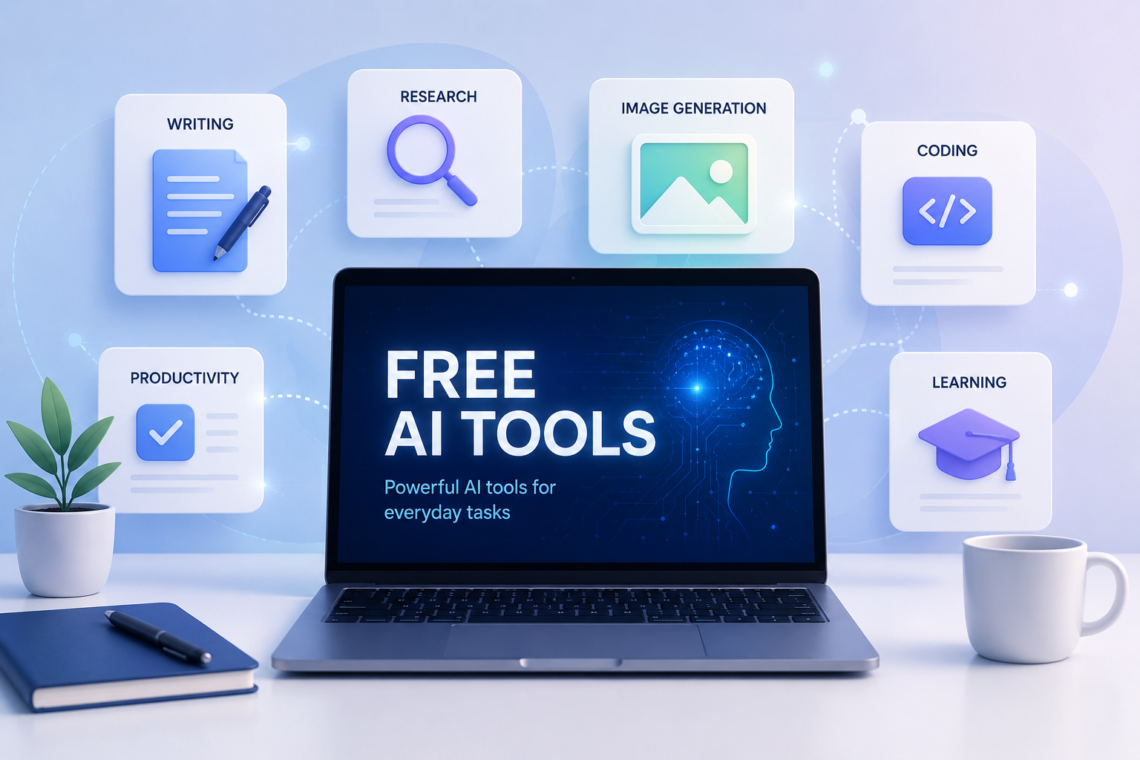
AI tools are no longer limited to expensive software or technical users. Many platforms now offer free access to AI for writing, research, studying, coding, image creation, design, productivity, and everyday problem-solving. The important distinction is that free AI tools often provide limited access rather than unlimited use.
For someone starting with AI, the challenge is not finding a tool. There are thousands of them. The harder question is knowing which type of tool to use, what its free plan actually includes, and when its answers or generated content should be checked.
This guide explains how free AI tools work, what you can realistically do with them, where their limitations appear, and how to build a practical AI toolkit without immediately paying for subscriptions.
What Are Free AI Tools?
Free AI tools are applications or online services that use artificial intelligence while allowing users to access at least some of their capabilities without paying a subscription fee.
They can perform very different tasks. For example:
- AI chatbots can answer questions, explain concepts, brainstorm ideas, and help with writing.
- AI research tools can search information and organize answers with sources.
- AI image generators can create images from written descriptions.
- AI writing tools can help draft, rewrite, summarize, or edit text.
- AI coding assistants can explain code and help developers solve programming problems.
- AI design tools can assist with graphics, presentations, social posts, and other visual content.
- AI productivity tools can help organize information, analyze files, or automate repetitive work.
The word free, however, needs some context.
A service may have a free plan with daily or monthly limits, restrict access to its most advanced models, place certain features behind a subscription, or provide free access only to selected tools.
For example, OpenAI’s current ChatGPT Free tier provides access to several capabilities, but individual tools such as image creation, file uploads, and data analysis have separate usage limits.

How Do Free AI Tools Work?
Most modern AI tools hide the technical complexity behind a simple interface.
Instead of writing code, you usually provide an instruction called a prompt. The AI processes that instruction using an underlying model and generates an output.
For example, instead of searching manually for an explanation of a programming concept, you could ask:
Explain recursion to a beginner using a simple Python example.
The tool interprets the request and generates a response based on its model and, in some cases, additional information retrieved from the web or connected data.
Different tools are optimized for different jobs. A chatbot designed primarily for conversation may not be the best choice for creating a presentation, while a design platform may be much better for visual work.
That is why choosing an AI tool based on the task is usually more useful than choosing one simply because it is popular.
Types of Free AI Tools You Can Use
1. Free AI Chatbots
General-purpose AI assistants are among the easiest AI tools for beginners.
They can help with:
- Explaining difficult subjects
- Brainstorming ideas
- Drafting emails
- Summarizing text
- Creating study questions
- Generating outlines
- Writing and debugging code
- Planning projects
- Analyzing information
ChatGPT is one example. Its current free tier includes capabilities such as web search, file and image uploads, data analysis, GPTs, and image creation, although these capabilities have usage limits that can change over time.
The key is to treat a chatbot as an assistant rather than an unquestionable source of truth.
2. Free AI Research Tools
Research-oriented AI tools are useful when you need to investigate a subject rather than simply generate text.
Perplexity, for example, offers a free Standard plan with basic searches and cited answers, while more advanced features and higher limits are available on paid plans.
These tools can be particularly useful for:
- Finding sources
- Exploring unfamiliar subjects
- Comparing information
- Identifying relevant webpages
- Getting an initial overview before deeper research
However, citations do not automatically make an answer correct. Important claims should still be checked against the underlying source.
3. Free AI Image and Design Tools
AI has also become useful for people who need visual content but do not have advanced design skills.
Canva, for example, provides AI-powered tools through its Free plan, although usage limits and access to advanced features vary by plan.
You might use an AI design tool to:
- Generate an initial visual concept
- Create social media graphics
- Remove a background
- Generate an image from a prompt
- Produce presentation material
- Develop design ideas
AI-generated visuals still need human review. Text inside generated images can contain errors, and generated designs may not always match the intended brand, layout, or visual identity.
4. Free AI Writing Tools
AI writing tools can be useful beyond simply asking a chatbot to “write an article.”
They can help with:
- Rewriting awkward sentences
- Improving clarity
- Creating outlines
- Summarizing long material
- Generating headline ideas
- Adjusting tone
- Finding repetitive wording
- Turning notes into a structured draft
The strongest use is often assistance rather than replacement.
For example, a writer could create the main ideas independently and then use AI to organize them. The writer remains responsible for accuracy, originality, and the final wording.
5. Free AI Coding Tools
Developers can use AI to speed up many routine programming tasks.
A free AI coding assistant or chatbot can help you:
- Understand unfamiliar code
- Explain an error message
- Generate a small function
- Convert code between languages
- Suggest debugging approaches
- Create test cases
- Explain APIs and programming concepts
But generated code should be tested.
An AI can produce code that looks convincing while containing a subtle bug, insecure practice, incorrect assumption, or incompatibility with the particular version of a library.
6. Free AI Tools for Students
Students can use AI tools as learning assistants rather than simply answer generators.
Useful applications include:
- Explaining difficult concepts in simpler language
- Creating practice questions
- Building revision plans
- Summarizing material for review
- Generating examples
- Comparing two concepts
- Practicing languages
- Reviewing drafts
A better prompt is often:
Explain photosynthesis step by step, then give me five questions to test whether I understood it.
That encourages learning instead of passive copying.

Free AI Does Not Always Mean Unlimited AI
One of the most common misconceptions is that a free AI tool gives you everything the service offers.
Usually, there is a difference between free access and full access.
A free plan may limit:
- Number of messages
- Image generations
- File uploads
- Advanced models
- Research features
- Processing speed
- Storage
- Automation
- API usage
These limits can also change.
Google’s Gemini documentation, for example, notes that usage limits can depend on factors such as the model, feature, prompt complexity, and conversation length.
Therefore, when an article or video says that a particular AI tool is “free,” check the provider’s current pricing or plan documentation before relying on that statement.
How to Choose the Right Free AI Tool
Instead of collecting dozens of AI websites, start with the task you want to accomplish.
Step 1: Define the task
Ask yourself what you actually need.
For example:
- “I need help understanding a topic.”
- “I need to research a company.”
- “I need an image for a blog post.”
- “I need help debugging Python.”
- “I need to clean up this paragraph.”
Step 2: Choose the appropriate category
Match the task to the tool.
| Task | Useful AI category |
|---|---|
| General questions | AI chatbot |
| Research | AI search/research tool |
| Writing | AI writing assistant |
| Images | AI image generator |
| Graphic design | AI design platform |
| Programming | AI coding assistant |
| Studying | AI learning assistant |
| Repetitive workflows | AI automation tool |
Step 3: Check the free-plan restrictions
Before building a workflow around a tool, check:
- What features are actually free?
- Are there usage limits?
- Does the free plan require an account?
- Are important features paid-only?
- Can the service change its limits?
This is particularly important if the tool becomes part of your work.
Step 4: Test it with a real task
Do not judge a tool solely from its homepage.
Give it a small, realistic task and evaluate the result.
For example, if you need an AI research tool, ask it a question that you already know reasonably well. Check whether the answer is accurate and whether its sources actually support its claims.
Also Read: Best LLM Optimization Tools for AI Visibility
Practical Ways to Use Free AI Tools
Researching a New Topic
Suppose you want to understand AI agents.
You could begin with an AI research tool to identify major concepts and sources. Then use an AI chatbot to ask for a beginner-friendly explanation of unfamiliar terms.
Finally, open the important primary sources yourself.
This creates a useful workflow:
Discover → Understand → Verify
The AI helps you move through information faster, but verification remains important.
Creating a Blog Article
A practical AI-assisted writing workflow could look like this:
- Define the audience and topic.
- Research the subject using reliable sources.
- Create your own key points.
- Use AI to organize an outline.
- Draft the article.
- Check factual claims against sources.
- Rewrite sections that sound generic or inaccurate.
- Add examples and original analysis.
- Proofread the final version.
This is more reliable than asking an AI tool to produce an entire article and publishing the result without checking it.
Studying for an Exam
Imagine you are studying networking.
Instead of asking an AI:
Give me the answers to my networking exam.
A better approach is:
Teach me the difference between TCP and UDP. Start with a simple explanation, then give me three practical examples and five questions without answers.
You can then attempt the questions yourself and ask the AI to evaluate your reasoning.
The tool becomes a tutor rather than a shortcut.
Creating a Simple Graphic
Suppose you need a graphic explaining three steps in an AI workflow.
A design platform with AI features can help generate an initial concept. You can then manually adjust the layout, wording, typography, and branding.
The AI handles some of the starting work; you control the final result.

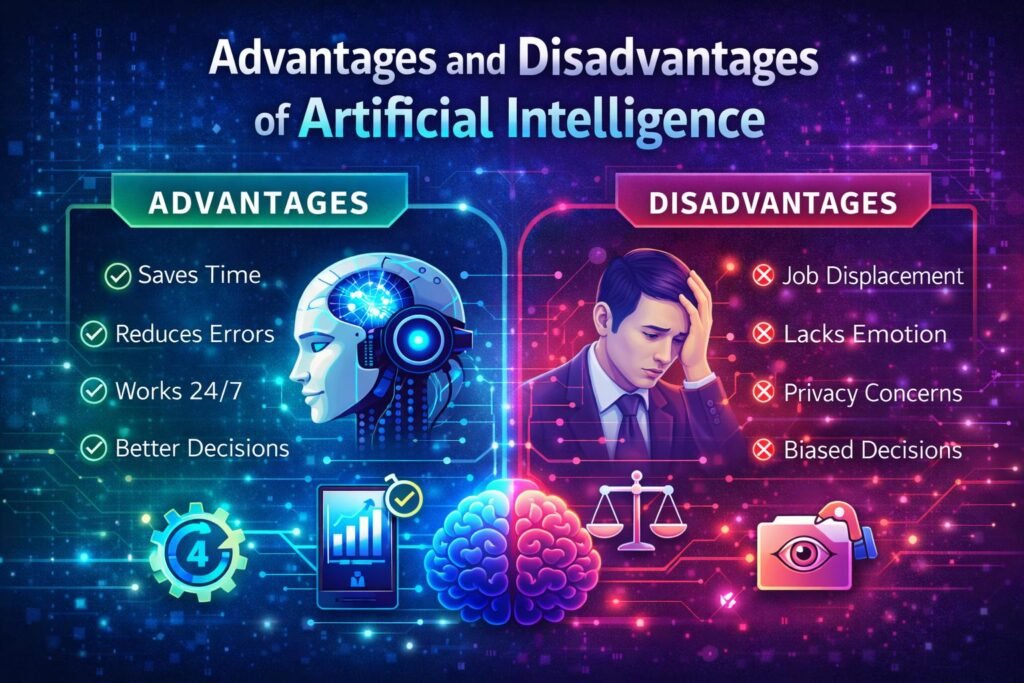
Advantages of Free AI Tools
Low Barrier to Entry
You can experiment with AI without immediately committing to a subscription.
This makes free plans particularly useful for beginners who are still learning what AI can and cannot do.
Useful for Learning
Students, writers, developers, researchers, and professionals can experiment with different workflows before deciding whether advanced features are worth paying for.
Faster First Drafts
AI can reduce the time needed to create an initial explanation, outline, design concept, or code draft.
The time saved is most valuable when humans still review and improve the output.
Easy Experimentation
Because many tools have free access, you can compare different approaches instead of assuming that one AI system is best for every task.
Limitations and Risks of Free AI Tools
Accuracy Is Not Guaranteed
AI systems can produce incorrect information confidently.
A polished response is not evidence that the underlying information is correct.
This matters especially for:
- Medical information
- Legal questions
- Financial decisions
- Technical security
- Academic research
- Current events
For high-stakes information, use authoritative sources and qualified professionals where appropriate.
Free Limits Can Be Restrictive
A tool may be excellent for occasional use but unsuitable for heavy daily work because of message, generation, storage, or feature limits.
Privacy Matters
Avoid putting sensitive information into an AI service simply because it is free.
Before uploading confidential documents or personal information, review the service’s privacy and data-use policies and consider whether the information needs to be uploaded at all.
AI Output Can Be Generic
If thousands of people use similar prompts, the resulting writing can feel predictable.
Human judgment is particularly important for articles, business communication, branding, and creative work.
Free Tools Can Change
Pricing, available models, usage limits, and features are not permanent.
A tool that offers a particular capability for free today may change its plan structure later. Always verify current details directly with the provider before making an important workflow dependent on a free feature.
Common Mistakes When Using Free AI Tools
Using One Tool for Everything
Different AI systems are optimized for different tasks. A better strategy is to build a small toolkit around your actual needs.
Trusting the First Answer
AI output should be treated as a starting point when accuracy matters.
Ask follow-up questions, request sources where appropriate, and verify important claims independently.
Sharing Sensitive Information
Free access does not mean you should upload confidential business documents, passwords, private customer information, or other sensitive material.
Focusing Only on the Price
A tool being free does not automatically make it useful.
The better question is:
Does this tool solve my problem reliably enough for my particular task?
Publishing AI Output Without Reviewing It
This is especially risky for websites and professional work.
Review facts, examples, wording, sources, and originality before publishing.
Frequently Asked Questions
What are free AI tools?
Free AI tools are applications that provide at least some AI-powered functionality without requiring users to pay. Many use a freemium model in which basic features are free while advanced capabilities or higher usage limits require payment.
Which free AI tools are best for beginners?
General-purpose AI chatbots are usually the easiest starting point because they can help with many different tasks. Research and design tools can then be added according to your specific needs.
Are free AI tools really free?
They can be, but “free” often means access to a limited plan. Features, usage limits, models, and other restrictions may differ from paid plans and can change over time.
Can I use free AI tools for work?
Yes, depending on the tool’s terms and your organization’s requirements. Before using one for professional work, check its current terms, privacy policies, commercial-use conditions, and any relevant data-handling rules.
Are free AI tools accurate?
Not necessarily. AI can generate incorrect or misleading information even when an answer sounds confident. Important information should be checked against reliable sources.
Can free AI tools create images?
Some can. For example, Canva provides AI-powered image and design capabilities on its Free plan, although usage limits apply and some advanced features require paid access.
Can I use free AI tools without creating an account?
It depends on the service. Some tools allow limited use without registration, while others require an account. For example, OpenAI currently allows ChatGPT to be tried without an account in supported regions, although saving conversations requires signing in.
Should I use several free AI tools instead of one?
Usually, a small combination is more useful than a large collection. Start with one general assistant and add specialized tools only when they provide a clear advantage for research, design, coding, writing, or another recurring task.
Conclusion
Free AI tools can provide surprisingly useful capabilities without requiring a paid subscription, but their value depends on how intelligently you use them.
The best approach is not to collect as many AI tools as possible. Identify the task first, choose a tool designed for that job, understand its free-plan limits, and evaluate its output critically.
Use AI to accelerate research, learning, writing, design, coding, and everyday work—but keep human judgment in the process. Verify important information, protect sensitive data, and remember that free access can come with limitations.
The most useful AI toolkit is therefore not the one with the most tools. It is the one that helps you do better work with less unnecessary effort while keeping you in control of the final result.