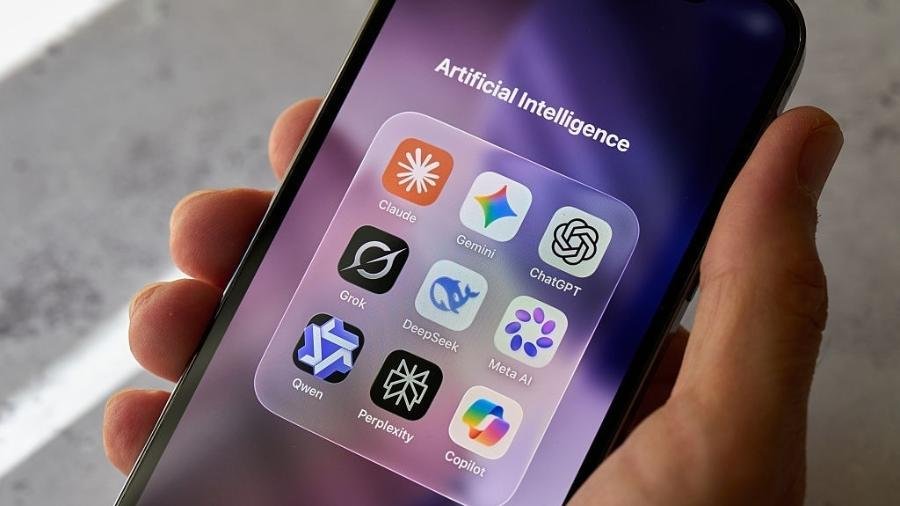
AI apps are software applications that use artificial intelligence to perform tasks that normally require human judgment, language skills, pattern recognition, or content creation. They can write and summarize text, generate images, analyze documents, translate languages, answer questions, automate repetitive work, and much more.
The term AI apps covers a wide range of tools rather than one specific type of application. A chatbot, an AI photo editor, a meeting transcription tool, and an AI-powered coding assistant can all be considered AI apps, even though they solve very different problems.
For someone new to AI, the number of available applications can be confusing. The useful question is not simply which AI app is popular, but what task you need to accomplish, what information the app requires, and how much human review the result needs. This guide explains the major categories, how these apps work, where they are useful, and what limitations to keep in mind.
What Are AI Apps?
An AI app is an application that incorporates one or more artificial intelligence technologies to perform a particular function.
Traditional software generally follows rules explicitly programmed by developers. AI applications can use machine learning models that have learned patterns from data and can then generate predictions, classifications, recommendations, or new content.
For example, a conventional calculator follows mathematical instructions to produce an answer. An AI writing application can instead analyze a request such as “turn these notes into a professional email” and generate a new piece of text based on patterns learned by its underlying model.
AI apps can use different types of AI, including:
- Natural language processing: Understanding and generating human language
- Machine learning: Identifying patterns in data and making predictions
- Computer vision: Analyzing images and video
- Generative AI: Creating text, images, audio, video, or code
- Speech recognition: Converting spoken language into text
- Recommendation systems: Predicting content or products a person may find useful
Many modern applications combine several of these capabilities.
How Do AI Apps Work?
The exact technology varies from one application to another, but most AI apps have several important components.
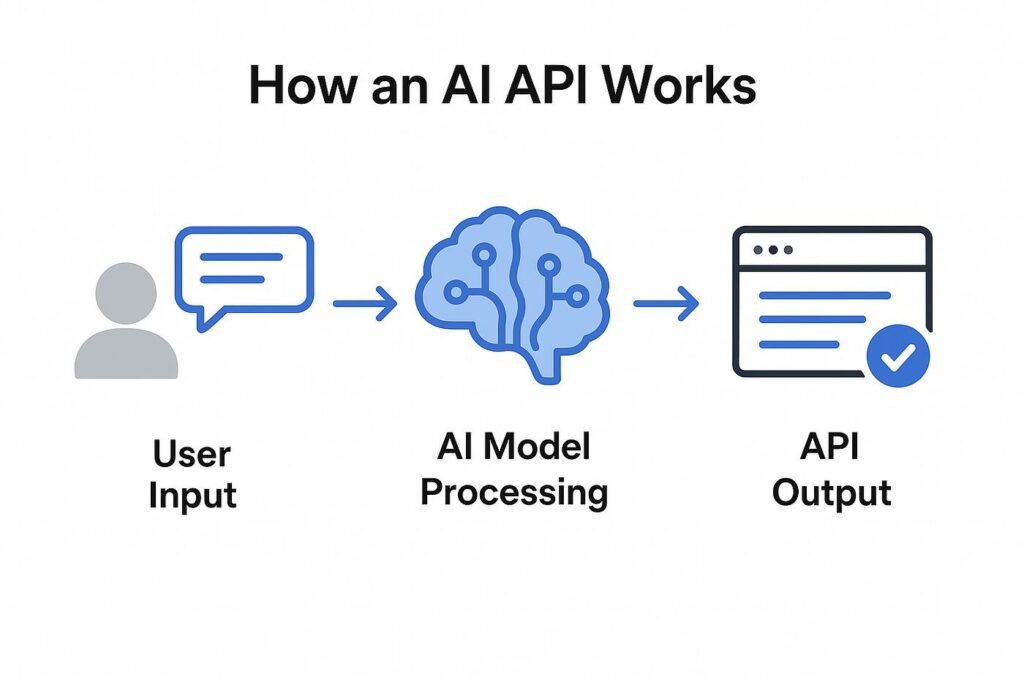
1. You provide an input
The input might be a question, document, photograph, voice recording, video, or set of instructions.
For example, you could upload a long PDF and ask an AI application to identify its main arguments.
2. The application processes the input
The app sends your input through an AI model or another machine-learning system. Depending on the application, this could involve analyzing language, recognizing objects in an image, transcribing audio, retrieving information, or generating content.
3. The model produces an output
The application returns something based on its processing. This could be:
- An answer to a question
- A written draft
- A summary
- An edited photograph
- A transcription
- Computer code
- A translation
- A recommendation
- A generated image or video
4. You review the result
This step is particularly important.
AI output can be useful without being automatically correct. Some systems can misunderstand instructions, produce inaccurate information, omit important details, or generate plausible-sounding statements that are unsupported.
The amount of checking required depends on the task.
A rough brainstorming session may require little review, while financial, legal, medical, academic, or business-critical information requires substantially more care and verification.
Main Types of AI Apps
There is no single standard classification for AI applications, but grouping them by what they help users accomplish makes the landscape easier to understand.
AI Writing and Chat Apps
These applications work primarily with language.
They can help users:
- Draft emails
- Summarize articles and documents
- Brainstorm ideas
- Rewrite text
- Explain difficult subjects
- Translate content
- Create outlines
- Extract information from documents
- Answer questions
Their usefulness often depends on how clearly the user describes the task and provides relevant context.
For instance, instead of asking an AI app to “write an email,” you can provide the recipient, purpose, important points, desired tone, and approximate length. More useful context generally gives the application a clearer target.
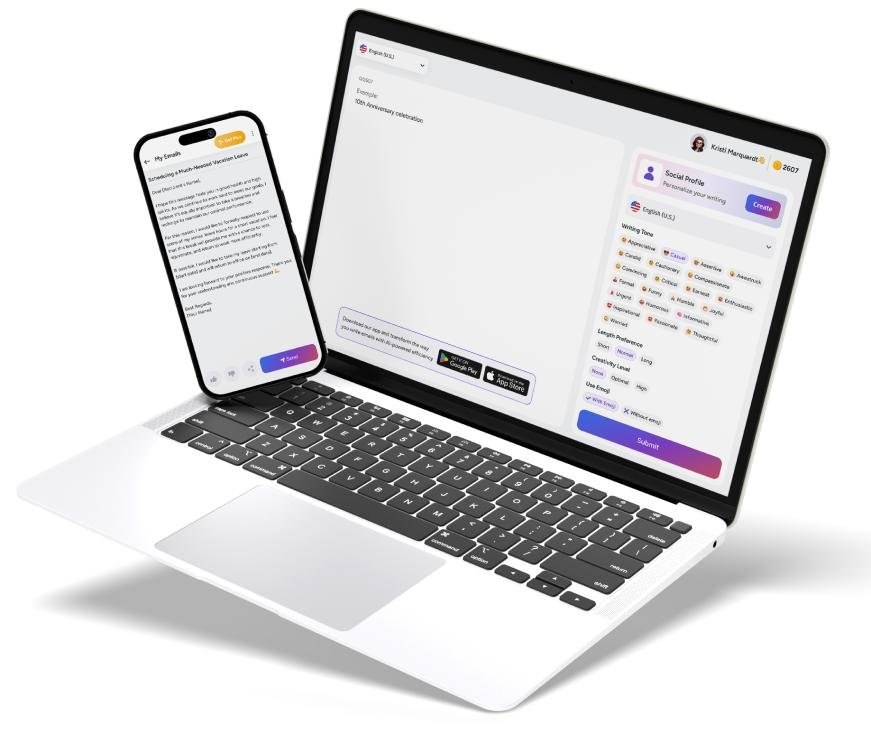
AI Image Apps
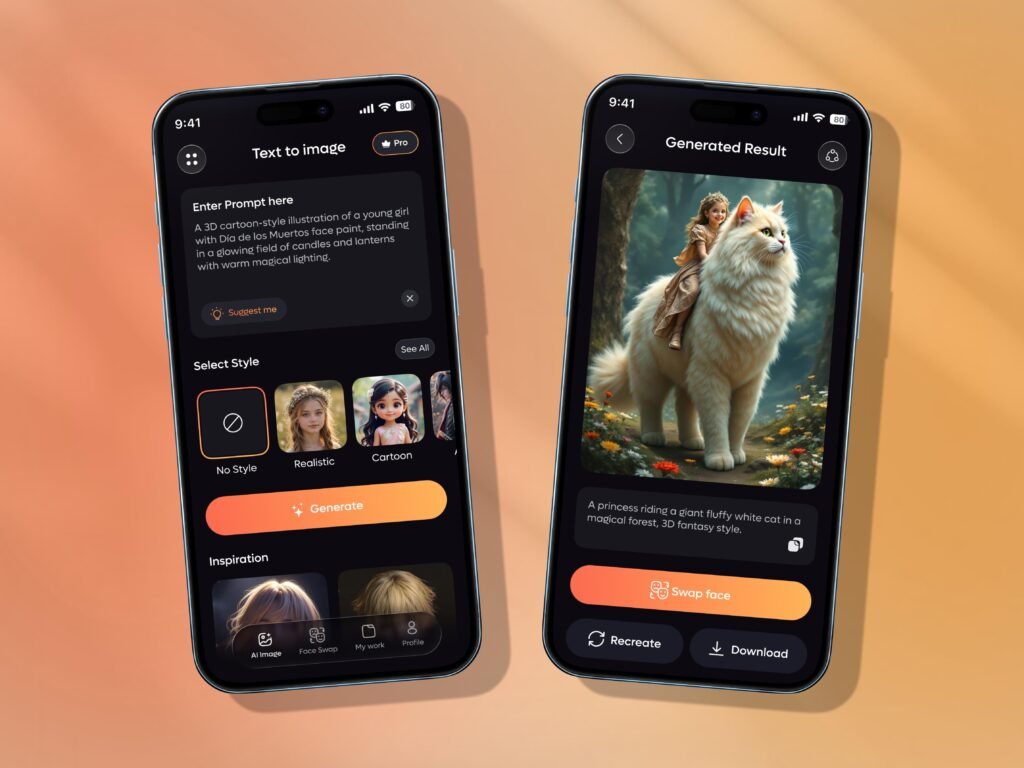
AI image applications can analyze or generate visual content.
Depending on the app, they may allow you to:
- Remove unwanted objects
- Change backgrounds
- Improve image quality
- Generate an image from a description
- Create variations of an existing image
- Add or modify visual elements
- Apply certain editing effects
These tools can be useful for designers, marketers, website owners, photographers, and ordinary users who want to make quick edits without advanced image-editing skills.
However, generated or edited images should be checked carefully, especially when accurate text, recognizable people, products, logos, or technical details are involved.
AI Video Apps
AI video tools can assist with different parts of the video-production process.
Some applications can generate video from prompts, while others focus on editing, subtitles, transcription, voice generation, background removal, or converting longer recordings into shorter clips.
A content creator, for example, might use AI to transcribe a 30-minute interview, identify sections worth turning into short videos, generate captions, and then manually refine the final clips.
AI Voice and Audio Apps
AI is also used extensively for audio-related tasks.
Common applications include:
- Speech-to-text transcription
- Text-to-speech conversion
- Voice cleanup
- Audio enhancement
- Automatic subtitles
- Voice generation
- Podcast editing
A practical example is a meeting transcription application that records a permitted meeting, converts speech into text, and creates a searchable transcript.
Privacy and consent become especially important when applications process recordings or voices belonging to other people.
AI Coding Apps
AI coding assistants can help developers understand, write, modify, and troubleshoot software.
They may assist with:
- Generating code
- Explaining unfamiliar code
- Finding possible bugs
- Writing tests
- Converting code between languages
- Creating documentation
- Suggesting implementation approaches
They can reduce the amount of routine coding work, but generated code still needs to be reviewed and tested. A program that looks reasonable can contain security problems, incorrect assumptions, or subtle bugs.

AI Productivity Apps
Some AI apps focus on everyday organization rather than content generation.
They can help with:
- Summarizing meetings
- Organizing notes
- Searching information
- Extracting tasks from conversations
- Managing documents
- Creating reports
- Automating repetitive workflows
The value here often comes from connecting AI with existing software rather than using an AI model by itself.
For example, an application might take information from incoming documents, extract specific fields, place them into a spreadsheet, and notify a team member when something requires attention.
Also Read: AI Avatar Generator
What Can You Actually Do With AI Apps?
The most useful way to understand AI apps is through practical tasks.
Example 1: Researching a Topic
Suppose you are researching a technology topic.
An AI app could help you:
- Break the subject into smaller questions.
- Create an initial outline.
- Explain unfamiliar terminology.
- Summarize documents you provide.
- Compare concepts.
- Identify areas that require additional verification.
The important distinction is between research assistance and evidence. An AI-generated explanation is not automatically a reliable source. Important factual claims should be checked against authoritative or primary sources.
Example 2: Creating Content
A website owner could use AI to turn rough notes into a structured draft.
The workflow might look like:
Notes → outline → first draft → fact checking → editing → final publication
AI can help with the middle stages, but human editing remains valuable for accuracy, originality, tone, and judgment.
Example 3: Working With Documents
Imagine receiving a 100-page business document.
Instead of manually searching every page, an AI application may be able to identify sections discussing a particular topic, summarize relevant passages, and answer questions based on the document.
This can save time, particularly when the goal is to locate information rather than read the entire document immediately.
Example 4: Customer Support
A company could use an AI application to answer common customer questions using approved company information.
For example, a customer might ask about return procedures. The system can identify the question, retrieve the relevant policy, and provide an answer.
A good implementation also needs a way to hand unusual or sensitive cases to a human employee.
Benefits of AI Apps
AI applications can provide several practical advantages.
Faster completion of routine tasks
Tasks such as summarization, transcription, formatting, and basic content transformation can take significantly less manual effort when appropriate AI tools are available.
Lower technical barriers
Some applications allow people without specialized skills to perform tasks that previously required technical knowledge.
Someone who has never used professional image-editing software, for example, may be able to make a basic background adjustment through a simple AI interface.
Help with brainstorming
AI can quickly generate possible approaches, questions, structures, and alternatives. This can be useful when someone knows the goal but is unsure how to begin.
Personalization
Some AI systems can adapt responses to the information supplied by the user. This makes them useful for tutoring, writing assistance, planning, and other tasks where context matters.
Automation
AI can become particularly useful when combined with automation. Instead of simply answering a question, an AI-powered workflow can process information and trigger another action.
This is where AI applications can move from being standalone assistants to components of larger business processes.
Limitations and Risks of AI Apps
AI apps are useful, but they are not infallible.
AI can generate incorrect information
Generative AI systems can sometimes produce inaccurate answers or unsupported details. A confident writing style does not guarantee factual accuracy.
For important information, verify claims using reliable sources.
Privacy matters
Before uploading confidential material, check how the application handles user data, whether uploaded information is retained, and what privacy controls are available.
Avoid casually submitting passwords, financial credentials, private customer information, confidential business documents, or other sensitive material.
Output quality depends on the input
An unclear request can produce an unclear result.
For example, “make this better” gives an AI application little information about what “better” means. Specifying the audience, purpose, tone, length, and constraints creates a much clearer task.
Costs can vary
Some AI apps have free tiers, while others use subscriptions, usage limits, credits, or paid API access. Features can also change over time, so current pricing and limits should be checked on the provider’s official website before making a purchasing decision.
Human judgment remains important
AI can generate options, summarize information, and automate parts of a workflow, but it does not remove the need for judgment.
A human still needs to decide whether the output is appropriate for the situation.
How to Choose the Right AI App
With so many applications available, choosing one based solely on popularity can be misleading.
Instead, start with the task.
Step 1: Define the problem
Ask what you actually want to accomplish.
Do you need to:
- Write?
- Research?
- Edit images?
- Create video?
- Transcribe audio?
- Analyze documents?
- Code?
- Automate a workflow?
Step 2: Check the application’s actual capabilities
Two AI apps may both advertise themselves as writing tools while having very different features.
Look at supported file types, integrations, output formats, usage limits, and other capabilities that matter to your particular task.
Step 3: Consider privacy
If you will upload documents, recordings, customer information, or other sensitive material, investigate the provider’s data practices before using the service.
Step 4: Test the output
Use a realistic example rather than judging an application only from its marketing page.
Check whether the results are accurate, consistent, editable, and useful for your workflow.
Step 5: Calculate the real cost
A free application may be enough for occasional use. A paid tool may make more sense if it saves substantial time or provides capabilities you use frequently.
Common Misconceptions About AI Apps
“Every AI app is basically a chatbot”
Not at all.
Some AI applications have conversational interfaces, but many operate behind the scenes. A photo editor, fraud-detection system, transcription service, or recommendation engine can use AI without looking anything like a chatbot.
“AI apps always give the same answer”
Not necessarily.
Generative systems can produce different outputs from similar prompts. Results can also change when the application’s underlying model, instructions, data sources, or features change.
“AI eliminates the need for expertise”
AI can make certain tasks easier, but expertise can become even more important when evaluating the result.
A knowledgeable user can recognize errors, provide better instructions, and determine when an AI-generated answer is unsuitable.
“The most expensive AI app is automatically the best”
Price does not establish whether a tool is appropriate for a particular task.
A simple application may be sufficient for one workflow, while another user may need advanced integrations or higher usage limits.
The right choice depends on the problem being solved.
A Practical Way to Start Using AI Apps
If you are new to AI, avoid trying dozens of applications at once.
Start with one recurring problem.
For example:
- Choose a task you perform regularly.
- Find an AI application designed for that task.
- Test it with a low-risk example.
- Compare the AI-assisted process with your normal workflow.
- Check the output for errors.
- Keep the tool if it genuinely improves the process.
This approach makes it easier to understand where AI provides real value instead of simply collecting a large number of tools.
Frequently Asked Questions About AI Apps
What are AI apps?
AI apps are software applications that use artificial intelligence technologies to perform tasks such as generating content, analyzing information, recognizing images, processing speech, making predictions, or automating workflows.
What are AI apps used for?
AI apps can be used for writing, research, image editing, video creation, transcription, coding, document analysis, customer support, productivity, and many other tasks.
Are AI apps free?
Some AI apps offer free versions or limited free access, while others require subscriptions, usage credits, or payment. Pricing and feature limits vary by provider and can change, so current details should be checked before subscribing.
Can AI apps be trusted?
They can be useful, but their output should not automatically be treated as correct. AI applications can make mistakes, misunderstand context, or generate unsupported information. Important results should be independently checked.
Are AI apps safe for private information?
That depends on the application’s data practices and settings. Before uploading private or confidential information, review the provider’s privacy and data-retention policies and use appropriate controls.
Do AI apps replace human workers?
AI apps can automate or assist with parts of many jobs, but whether they replace particular tasks or roles depends on the technology, organization, industry, and type of work involved. In many workflows, AI is used as an assistant rather than as a complete replacement for people.
What is the best AI app?
There is no single AI app that is best for every task. A writing assistant, image editor, coding tool, and transcription application solve different problems. The useful comparison is between the capabilities of a tool and the specific task you need to complete.
Conclusion
AI apps are best understood as a broad category of software rather than a single type of technology. They can help with language, images, audio, video, coding, research, productivity, and automation.
Their greatest practical value comes from using them for clearly defined tasks rather than treating AI as a solution to everything. Choose an application based on what you need it to do, pay attention to privacy and cost, and review important outputs for accuracy.
As the AI app ecosystem continues to develop, individual tools and features will change. The underlying skill that remains useful is knowing what task you are trying to solve, which AI capability fits that task, and where human judgment still matters.