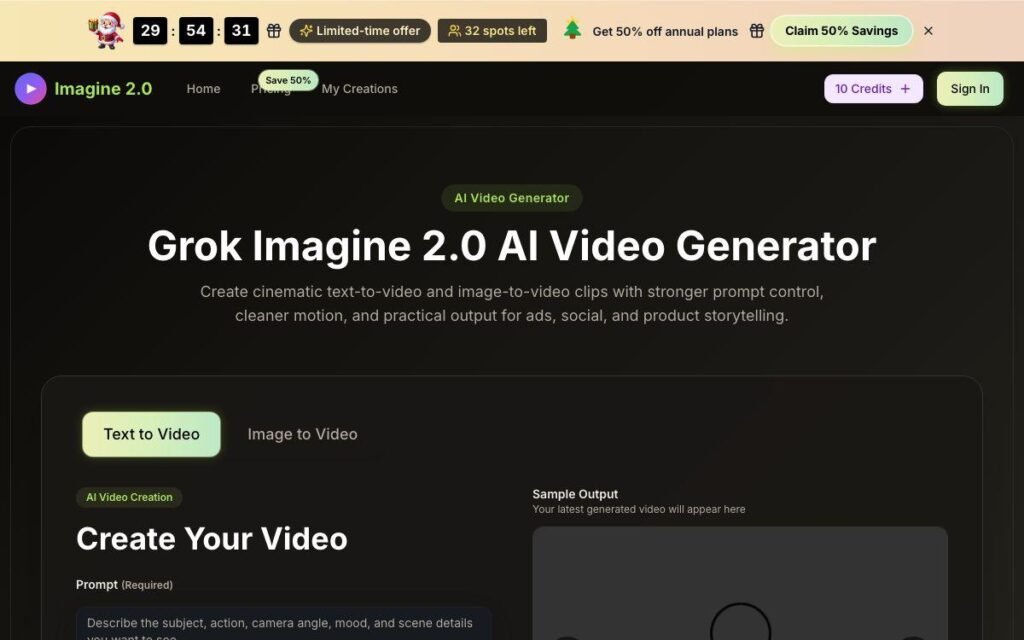
AI video generation has moved beyond simple experiments. Modern generative models can create short video clips from written descriptions, animate images, and help creators develop visual content without traditional cameras, actors, or complex editing software.
One topic attracting attention is Grok AI video generation capabilities 2026. Readers searching for this topic usually want to know exactly what Grok can do with video, whether it can generate videos directly, how its capabilities compare with other AI video tools, and what limitations they should understand before relying on it for serious creative or business work.
The answer requires some care because AI products change quickly. Features, access levels, pricing, generation limits, and model capabilities can change over time. Any specific feature availability in 2026 should therefore be verified through an official, up-to-date source before making a purchasing or production decision.
This guide explains the concept of Grok AI video generation, the capabilities users may encounter, how AI video generation works, practical use cases, important limitations, and the questions creators should ask before using generative video in a real workflow.
Understanding Grok AI Video Generation Capabilities 2026
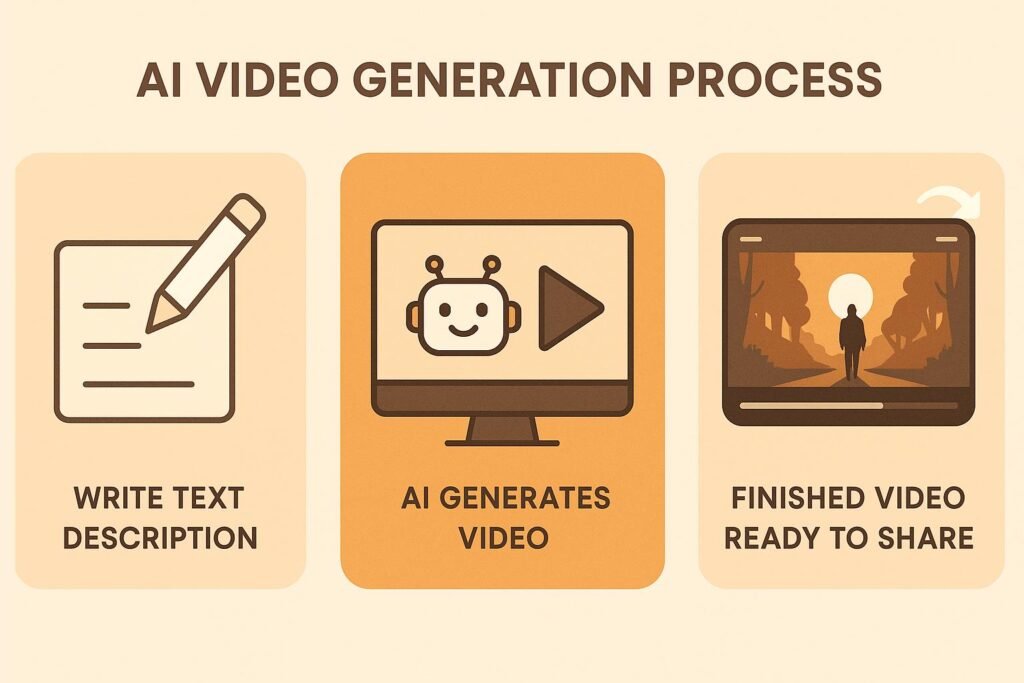
At its simplest, AI video generation means using an artificial intelligence system to create or transform video content based on an input.
That input might be:
- A written prompt
- An image
- Existing video footage
- A combination of text, images, and editing instructions
Depending on the version of a product and the features available to a particular user, an AI system may generate a completely new video clip or assist with part of the production process.
When discussing Grok AI video generation capabilities 2026, it is important not to assume that every feature associated with AI video generation is automatically available inside Grok itself. AI systems can be connected to other models, services, or media-generation tools, and product capabilities may change.
Before using Grok for a specific video task, verify four things:
- Whether direct video generation is currently available.
- Whether the feature is available in your country and account tier.
- What types of input the feature accepts.
- What restrictions apply to generated content.
This distinction prevents a common mistake: confusing a viral demonstration, a limited rollout, or an integrated third-party capability with a feature available to every user.
What Can AI Video Generation Actually Do?
The exact capabilities available through a particular platform can vary, but AI video generation generally falls into several major categories.
Text-to-Video
Text-to-video generation creates a video from a written description.
For example, a prompt might say:
A small delivery robot moves through a rainy futuristic city at night, cinematic lighting, camera tracking from behind.
The AI interprets concepts such as:
- The subject: a delivery robot
- The environment: a futuristic city
- The weather: rain
- The time: night
- The camera movement: tracking from behind
- The visual style: cinematic
It then attempts to generate a sequence of frames that visually represents those instructions.
The major challenge is not creating one attractive image. The system must maintain consistency across many frames.
Image-to-Video
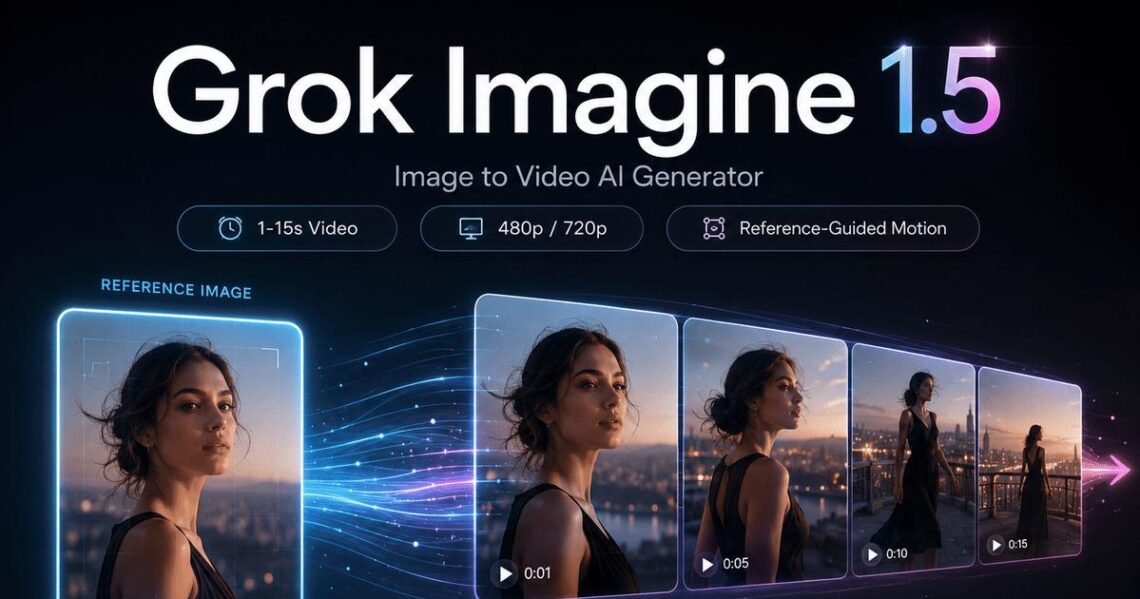
Image-to-video starts with a still image and adds motion.
For example, a company could begin with an illustration of a humanoid robot standing in a laboratory. An AI video system might animate:
- Head movement
- Camera movement
- Background activity
- Lighting changes
- Hand gestures
- Environmental effects
This can be useful when a creator already has a strong visual reference and wants more control over the starting appearance.
Video Transformation and Editing
Some AI systems can also help transform existing footage.
Possible tasks include:
- Changing the visual style
- Replacing or modifying backgrounds
- Extending a scene
- Generating additional frames
- Adding visual effects
- Creating alternate versions of a shot
These capabilities can be particularly useful in a production workflow because creators do not always need to generate an entire video from scratch.
How Grok-Related AI Video Generation May Fit Into a Workflow
A useful way to think about Grok is not only as a possible source of media generation, but also as a planning and creative assistant within a video workflow.
For example, suppose a technology publication wants to create a 30-second video about a new concept in robotics.
The workflow could look like this:
Step 1: Develop the Concept
A user asks for several video concepts based on a topic.
For example:
Create three visual concepts for a short video explaining how warehouse robots use computer vision.
The AI can help structure the concept around a clear visual story.
Step 2: Create a Scene List
The idea is converted into individual scenes.
For example:
- Wide shot of a modern warehouse.
- Robot identifies a package.
- Visual representation of camera-based object detection.
- Robot moves the package to the correct location.
- Final shot explaining the efficiency benefit.
Breaking a project into scenes is often more practical than attempting to describe an entire complex video in one prompt.
Step 3: Write Generation Prompts
Each scene can receive a separate prompt.
Instead of writing:
Make a cool video about robots.
A more useful prompt would be:
Wide cinematic shot inside a modern automated warehouse. Several mobile robots move between shelves while workers remain in the background. Natural industrial lighting, realistic materials, smooth forward camera movement, 16:9 composition.
Specific prompts give a generation system clearer instructions.
Step 4: Generate or Source Visual Clips
The scene descriptions can then be used with an available AI video-generation capability or a dedicated video model.
Step 5: Review the Results
The generated clip should be checked for problems such as:
- Inconsistent characters
- Unnatural movement
- Incorrect objects
- Changing text
- Strange hands or facial features
- Unexpected camera behavior
- Visual details that change between frames
Step 6: Edit the Final Video
Individual clips can be assembled using video-editing software.
This hybrid approach is often more practical than expecting a single AI prompt to create a polished, complete production.
How AI Video Generation Works
AI video generation is complex, but the basic idea is easier to understand when separated into stages.
A generative model receives information about the requested scene. The system then uses patterns learned during training to produce visual content matching that description.
For video, the model must deal with two related problems.
The first is appearance.
It must determine what the scene should look like:
- People
- Objects
- Clothing
- Buildings
- Lighting
- Colors
- Backgrounds
The second is temporal consistency.
The generated content must remain reasonably coherent as time passes.
If a person is holding a red cup in one frame, the cup should not suddenly become a blue bottle in the next frame unless the prompt calls for that change.
This is one reason video generation is generally more challenging than generating a single image.
A model may produce an excellent individual frame while still struggling to maintain consistent motion over a longer sequence.
Real-World Examples of AI Video Generation
The practical value of AI-generated video depends heavily on the task.
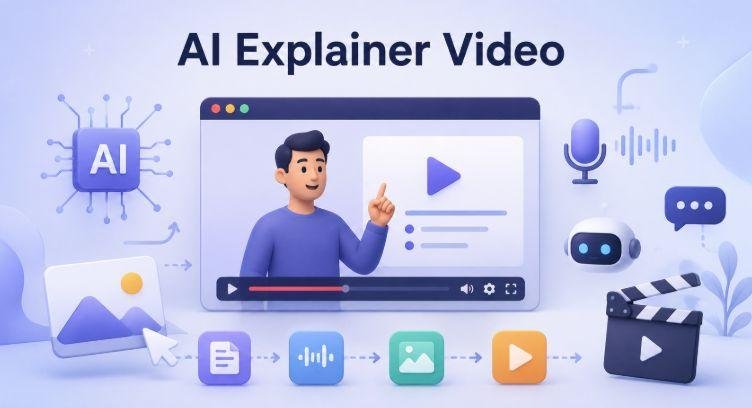
Example 1: Explainer Videos
A technology website wants to explain quantum computing to beginners.
Instead of filming an expensive custom animation, the production team could generate short visual scenes representing:
- Data moving through a computer
- Abstract representations of qubits
- Scientists working in a laboratory
- Futuristic computing environments
The final video could combine AI-generated visuals with a human-written script and narration.
The important point is that the AI-generated visuals support the explanation rather than replacing factual research.
Example 2: Product Concept Videos
A startup has designed a concept for a smart home device but does not yet have a finished physical prototype.
The team could create visual scenes showing:
- The device on a kitchen counter
- A person interacting with it
- A close-up of its interface
- The product being used in different environments
This can help communicate a concept internally or demonstrate a visual direction.
However, the video should not be presented as proof that the product already exists or performs functions that have not been developed.
Example 3: Social Media Content
A creator wants a short science-fiction clip for a social media post.
The project might involve several five- or ten-second scenes:
- A spacecraft approaching a planet
- A robot walking through a damaged city
- A close-up of an alien landscape
Short scenes are generally easier to manage than one long, complicated generation because each result can be reviewed independently.
Example 4: Storyboarding Before Production
A filmmaker is planning a live-action commercial.
Before hiring actors and renting locations, the team can use AI-generated visuals to explore different creative directions.
For example, they can test:
- A nighttime version of the scene
- A different camera angle
- A futuristic environment
- Alternative costume ideas
The generated material acts as a visual planning tool rather than the final commercial.
Example 5: Educational Visualization
An educator is explaining how a solar eclipse occurs.
AI-generated video could help create a visual sequence showing the movement and relative positions of the Sun, Moon, and Earth.
However, scientific content should still be checked carefully. A visually convincing animation can contain inaccurate proportions, motion, or physical relationships.
Also Read: Enterprise Knowledge Management Tools
Advantages of Grok AI Video Generation and Similar Tools
If current access and features support the required task, AI video generation can offer several advantages.
Faster Creative Experimentation
Traditional video production can require planning, locations, equipment, performers, and post-production.
AI-generated clips can make it easier to explore an idea before committing to a full production.
Lower Barrier to Visual Creation
A person who understands an idea but lacks advanced animation skills may still be able to describe a scene and create an initial visual result.
This does not eliminate the value of professional filmmakers or animators. Instead, it can make early experimentation more accessible.
Rapid Variations
A creator can test multiple versions of the same concept.
For example:
- Morning versus nighttime
- Realistic versus animated
- Wide shot versus close-up
- Urban versus rural setting
This can speed up creative decision-making.
Useful for Short Visual Sequences
Generative video can be particularly useful for:
- B-roll concepts
- Short social clips
- Background visuals
- Abstract sequences
- Storyboards
- Product concepts
The technology may be less suitable when precise, long-duration consistency is essential.
Limitations and Problems to Consider
AI video generation is powerful, but users should not assume that every output is accurate, stable, or ready for publication.
Visual Inconsistency
Objects, faces, clothing, and backgrounds may change unexpectedly between frames.
This can make a clip unsuitable for scenes requiring strict continuity.
Difficulty With Precise Instructions
A prompt may request a specific action, but the generated result can interpret it differently.
For example, asking for:
A scientist places a glass sample into a testing machine.
might produce a visually similar action without accurately representing the intended equipment or sequence.
Text and Interface Errors
Generated text can be incorrect, distorted, or inconsistent.
For this reason, important text such as:
- Product names
- Instructions
- Statistics
- User interface labels
should be reviewed carefully and often added during conventional editing.
Factual Accuracy Is Not Guaranteed
A realistic-looking video can still depict something incorrectly.
This is especially important for:
- Medical education
- Science communication
- News content
- Historical material
- Technical demonstrations
Visual realism should never be confused with factual verification.
Privacy and Sensitive Content
Users should consider whether they have the right to upload and process:
- Personal photographs
- Client materials
- Confidential documents
- Private video footage
The applicable terms, data practices, and privacy controls should be checked before uploading sensitive material.
Copyright and Ownership Questions
Generative AI can raise questions about:
- Training data
- Input ownership
- Output rights
- Commercial use
- Brand and character similarity
The legal rules and platform policies may differ by jurisdiction and service.
Businesses should review the current terms of the specific tool they use rather than assuming that every AI-generated output can automatically be used for any purpose.
Common Mistakes When Using AI Video Generation
Trying to Generate an Entire Film With One Prompt
A complex production usually works better when divided into scenes.
Generate, review, and refine each shot separately.
Writing Extremely Vague Prompts
A vague request gives the model too much room for interpretation.
Include useful details about:
- Subject
- Location
- Action
- Camera perspective
- Lighting
- Style
- Duration or pacing, where supported
Assuming the First Result Is Final
The first generation should usually be treated as a draft.
Compare variations and refine the prompt.
Using AI Visuals as Evidence
A generated video should not be presented as evidence of a real event unless the footage actually documents that event.
This is particularly important for journalism, science, history, and product demonstrations.
Ignoring Platform Rules
Policies regarding public figures, copyrighted material, realistic synthetic media, commercial use, and sensitive content can change.
Always review the current rules of the service being used.
Practical Applications for Businesses and Creators
AI video generation can fit into several types of workflows.
| Application | How AI Video Can Help | Important Limitation |
|---|---|---|
| Marketing concepts | Creates early visual ideas | Output may not match final branding |
| Education | Produces visual illustrations | Facts must be independently verified |
| Social media | Generates short creative clips | Consistency may vary |
| Storyboarding | Tests scenes before filming | Not a replacement for production planning |
| Product visualization | Shows conceptual products | Must not misrepresent an unfinished product |
| Internal presentations | Adds custom visual sequences | Sensitive information requires caution |
The best use case is often one where speed and experimentation matter more than frame-perfect control.
How to Get Better Results
A structured prompting process can improve results with Grok-related video generation or other AI video tools.
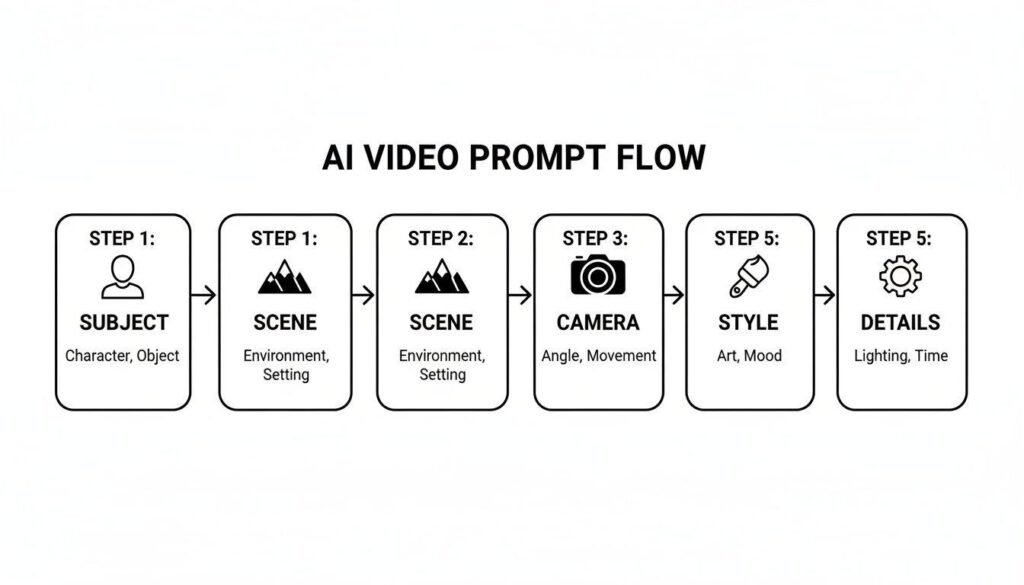
1. Describe One Scene at a Time
Keep the request focused.
Instead of describing ten events, create separate prompts for separate shots.
2. Define the Main Subject Clearly
Specify:
- Who or what is present
- Appearance
- Clothing or design
- Position
- Important objects
3. Describe the Action
Explain what happens.
For example:
The robot slowly lifts the package and turns toward the camera.
This is clearer than simply saying:
A robot in a warehouse.
4. Add Camera Information
Where the tool supports it, describe the desired shot:
- Close-up
- Wide shot
- Aerial view
- Tracking shot
- Slow zoom
- Static camera
5. Control the Visual Environment
Mention relevant details such as:
- Indoor or outdoor
- Time of day
- Weather
- Lighting
- Realistic or stylized appearance
6. Review Every Clip
Check the output before publishing.
Look for visual mistakes, misleading details, accidental brand similarities, and continuity problems.
Frequently Asked Questions
What are Grok AI video generation capabilities in 2026?
The exact capabilities depend on the version of Grok, account access, region, and features available at the time. Users should verify current functionality through an official, up-to-date source before assuming that direct text-to-video, image-to-video, editing, or other video-generation features are available.
Can Grok create videos from text prompts?
That depends on the capabilities currently available to the user’s version of Grok. If direct text-to-video generation is offered, the quality and available controls may vary. Current availability should be verified through official product documentation.
Can AI video generation create a complete movie?
AI can assist with creating individual scenes, visual concepts, and short clips, but a complete polished film requires much more than generation. Story development, continuity, editing, sound, dialogue, factual review, and creative direction still matter.
Is AI-generated video always accurate?
No. AI-generated video can look convincing while containing incorrect objects, actions, text, scientific details, or historical information. Important claims should be verified independently.
Can businesses use AI-generated videos commercially?
Possibly, but the answer depends on the platform’s current terms, the type of content, applicable law, and the materials used as inputs. Businesses should review the current commercial-use and ownership policies before publication.
What is the biggest limitation of AI video generation?
One major challenge is consistency. A character, object, environment, or action may change unexpectedly across frames, especially in complex or longer scenes.
How can I improve an AI video prompt?
Describe the subject, environment, action, camera view, lighting, and visual style clearly. Generate one scene at a time and refine the prompt based on the result.
Conclusion
Understanding Grok AI video generation capabilities 2026 requires looking beyond simple claims that an AI can “make videos.” The useful questions are what generation features are currently available, what types of input they support, how much control the user has, and whether the output is reliable enough for the intended purpose.
AI video generation can be valuable for storyboarding, short creative clips, educational visuals, product concepts, and rapid experimentation. At the same time, generated video can suffer from inconsistency, factual errors, privacy concerns, and legal or policy restrictions.
The most effective approach is to treat generative video as part of a larger creative workflow. Use AI to explore ideas and create visual material quickly, then apply human review, factual verification, editing, and judgment before publishing the final result.