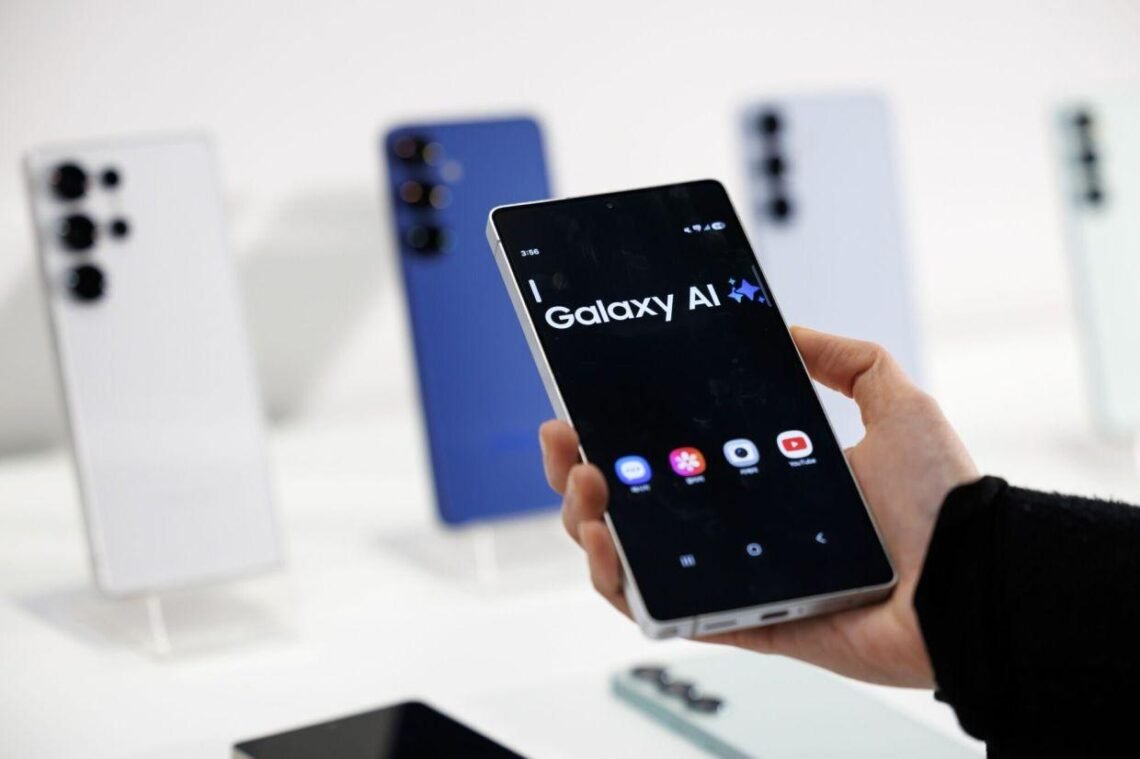
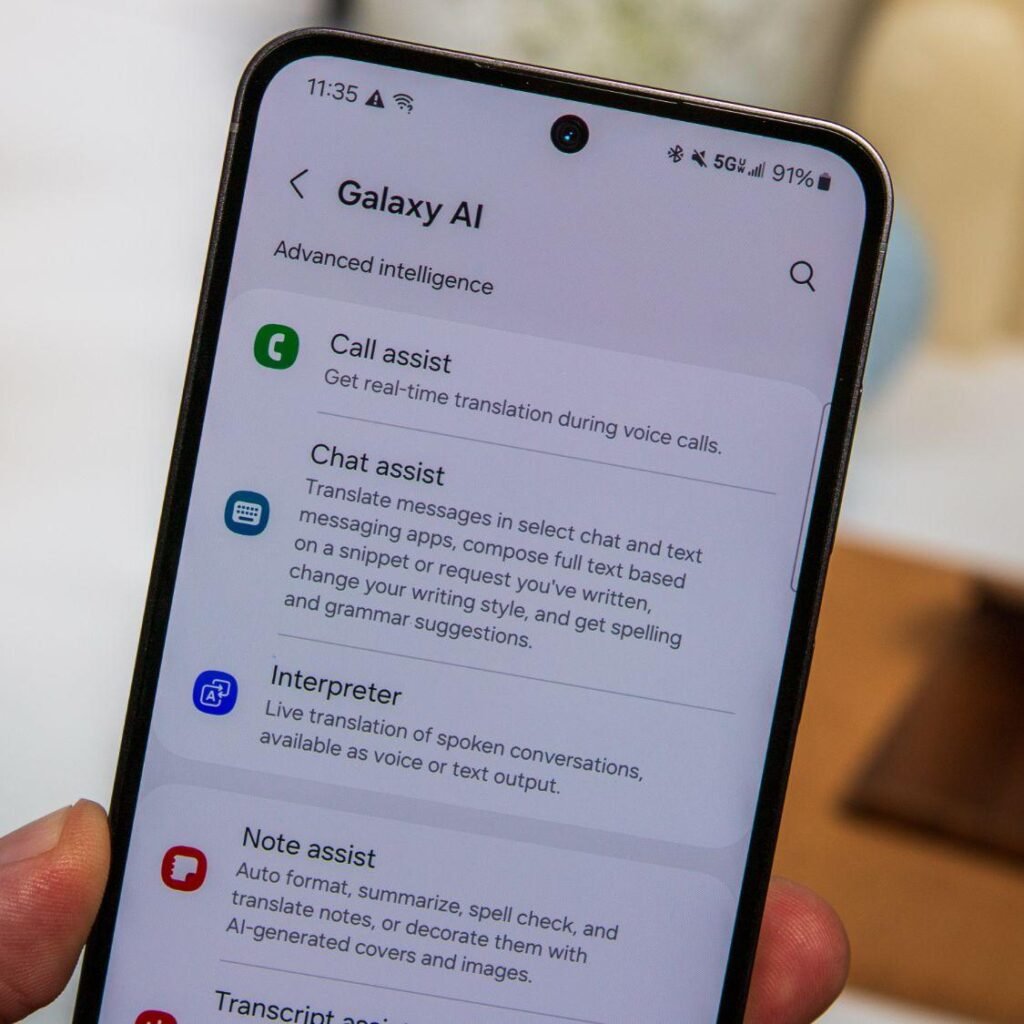
Samsung’s Galaxy AI is a collection of artificial intelligence features built into compatible Galaxy smartphones, tablets, and other devices. Rather than being a single chatbot or standalone app, Galaxy AI is integrated into everyday parts of the Galaxy experience, including the camera, phone calls, Samsung Notes, messaging, web browsing, and photo editing.
That distinction matters. Galaxy AI is designed less as a tool you open when you want to “use AI” and more as a set of features that appear while you are already doing something on your phone. You might circle an object on the screen to search for it, summarize a long note, translate a conversation, or remove an unwanted object from a photograph.
In this Galaxy AI review, we’ll look at what Samsung’s AI features actually do, where they are useful, how they work, their limitations, privacy considerations, supported devices, and whether Galaxy AI is a reason to choose a Samsung Galaxy device.
What Is Galaxy AI?
Galaxy AI is Samsung’s name for a collection of AI-powered features integrated into its Galaxy ecosystem.
It was introduced with the Galaxy S24 generation and has since expanded to additional Galaxy phones, tablets, and wearables. Samsung now offers Galaxy AI features across several generations of devices, although the exact features available depend on the model, software version, region, and sometimes the app being used.
The important thing to understand is that Galaxy AI is not one technology.
It combines different types of AI-assisted functionality, including:
- Text generation and rewriting
- Translation
- Speech transcription
- Note summarization
- Image editing
- Object recognition and visual search
- Context-aware suggestions
- AI-assisted browsing
- Personalized information and summaries
- Creative image and drawing tools
Some processing can happen directly on the device, while other features use cloud-based processing. Samsung also provides settings that allow users to restrict AI processing to the device for supported features.
Galaxy AI Review: What Does It Actually Do?
The easiest way to evaluate Galaxy AI is to look at what happens when you use it in everyday situations.
Circle to Search
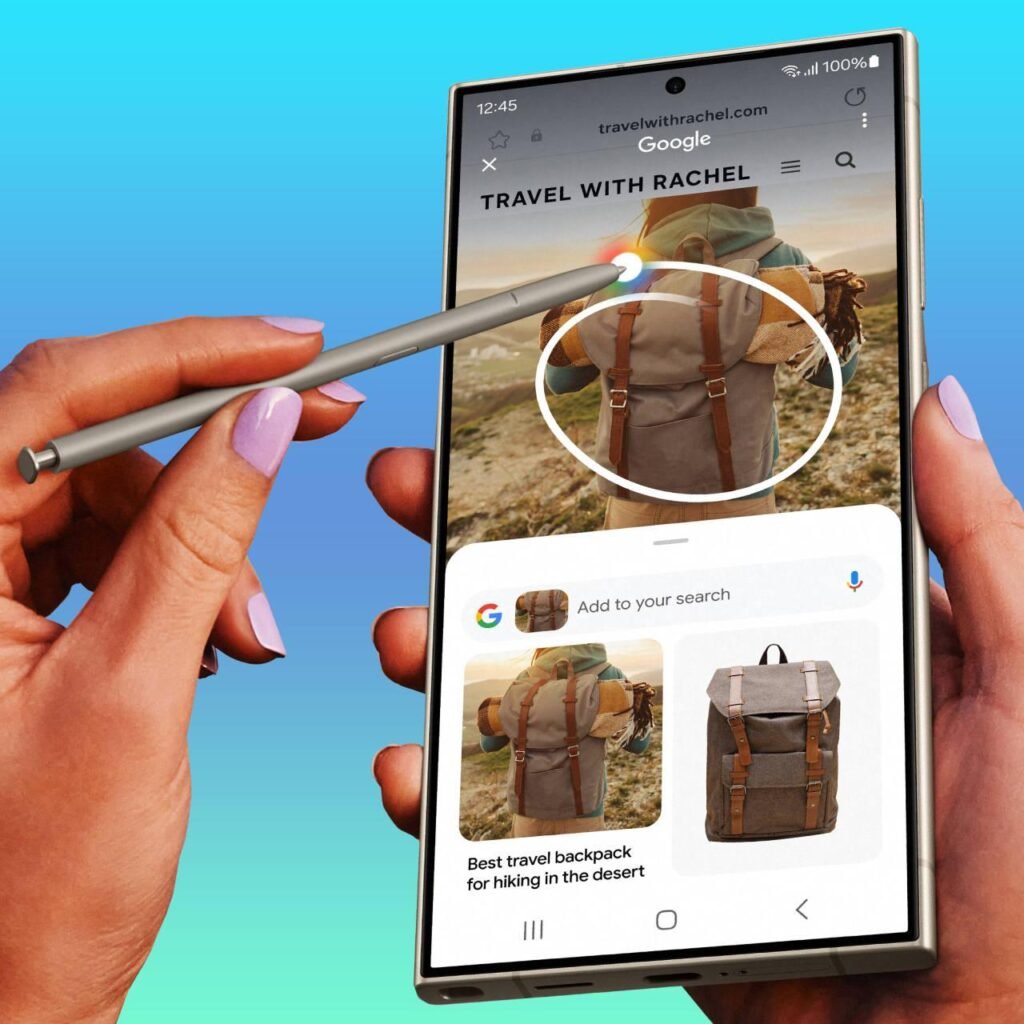
Circle to Search is one of the most practical Galaxy AI-related features.
Instead of leaving the application you are currently using and manually describing something to Google, you can activate Circle to Search and select an object, image, or piece of text on the screen.
For example, imagine you are watching a video and see a pair of shoes you like. You can activate Circle to Search and select the shoes. Google can then provide search results related to what you selected.
It can also be useful when reading an article, looking at a photograph, or encountering an unfamiliar object.
There are limitations. Circle to Search requires an internet connection, and it may not work in applications that restrict screen capture, such as some banking or video-streaming apps. Results can also vary depending on the clarity and uniqueness of what you select.
Writing Assist
Writing Assist is aimed at people who frequently write messages, posts, emails, or other short pieces of text on their phones.
Depending on the supported application and device, Galaxy AI can help with:
- Grammar and spelling
- Tone adjustments
- Rewriting
- Formatting
- Suggested wording
- Translation
For example, you could write a quick message in a casual style and use AI to make it sound more professional.
This is particularly useful on a smartphone because typing and editing long messages on a small screen can be inconvenient.
However, users should still review the result. AI rewriting can change the meaning or tone of a sentence, especially when the original wording is ambiguous.
Note Assist
Samsung Notes is another area where Galaxy AI makes practical sense.
Note Assist can summarize, format, translate, and organize notes. It can also work with voice recordings and imported PDFs in supported configurations.
Consider a student who has taken several pages of notes during a lecture.
Instead of manually reorganizing everything, the user can use AI assistance to create a more structured version. A professional could similarly use it to turn rough meeting notes into something easier to review.
The feature doesn’t eliminate the need to check the original material, though. A summary is a condensed interpretation, so important details can be missed.
Live Translation and Interpreter
Galaxy AI also focuses heavily on communication.
Samsung provides translation features for calls and conversations, including Live Translate and Interpreter on supported devices.
The basic idea is straightforward: the phone helps people communicate when they speak different languages.
For travelers, international communication, or conversations with someone who speaks another supported language, this can be considerably more useful than a feature that simply generates text.
But translation should not automatically be treated as perfect. Technical terminology, slang, accents, background noise, and unusual expressions can all create problems.
For important conversations, users should verify critical information rather than assuming an AI translation is flawless.
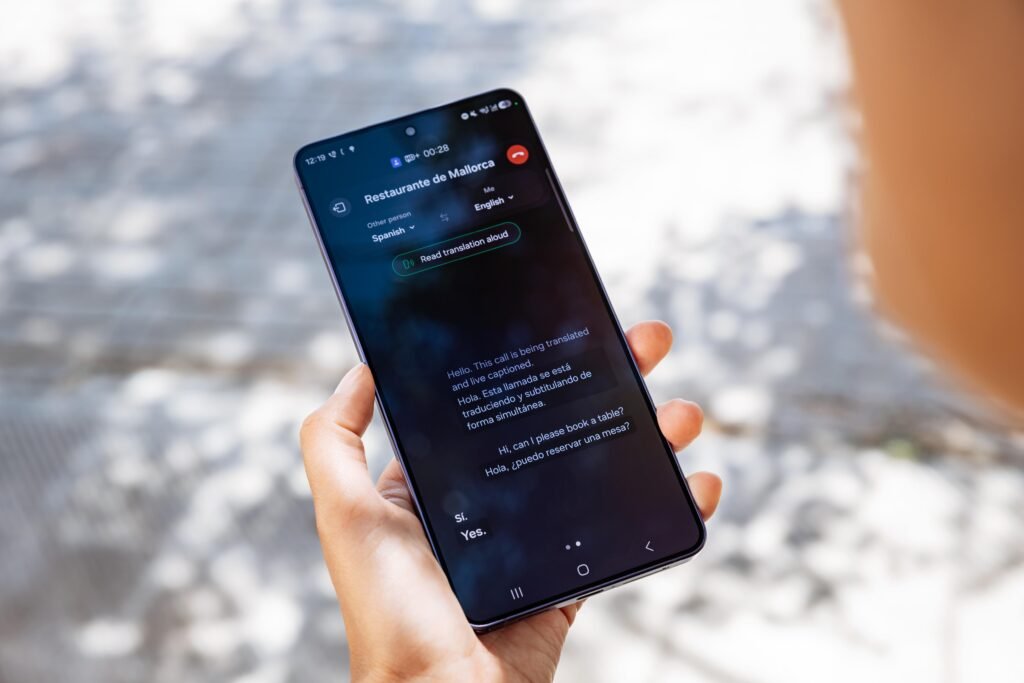
Photo Assist and Generative Editing
Galaxy AI has a significant focus on photography.
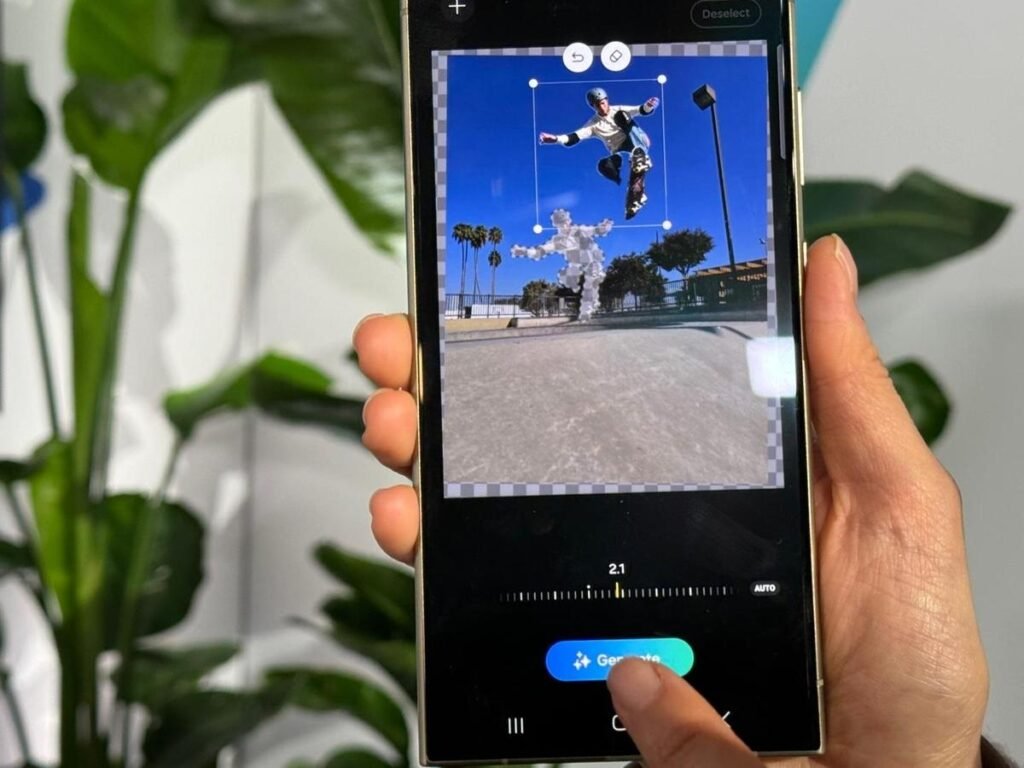
Photo Assist can help with tasks such as removing objects, moving subjects, adjusting images, and generating content to fill areas of an edited photograph. Samsung notes that Generative Edit requires an internet connection and that generated results are resized to up to 12MP.
Imagine taking a photograph in a crowded tourist location.
Someone walks into the background just as you take the picture. Instead of opening a separate image-editing application, you can use Galaxy AI tools within the Galaxy experience to attempt to remove the unwanted person.
This is convenient, but it is important to understand what the feature is doing.
The resulting image can contain AI-generated pixels that were not present in the original photograph. That can be perfectly acceptable for casual photography, but it matters more when accuracy or authenticity is important.
How Does Galaxy AI Work?
There isn’t one single Galaxy AI model responsible for everything.
Different features use different technologies and processing methods.
Some tasks can be handled on the device, while others depend on cloud processing. Samsung specifically identifies examples of on-device functions and cloud-based functions, and provides a setting for restricting supported AI processing to the device.
A simplified example looks like this:
You take a photo → select an object → Galaxy AI analyzes the image → the editing system determines what should change → the phone generates or modifies pixels → you review the result.
A translation feature follows a different process:
You speak → speech is recognized → the content is processed for translation → translated speech or text is produced.
This explains why Galaxy AI shouldn’t be thought of as a single chatbot hidden inside Samsung’s phones.
It is better understood as an ecosystem of AI-powered functions connected to different parts of the operating system and Samsung applications.
Also Read: Azure AI Fundamentals
Galaxy AI and Gemini: Are They the Same Thing?
No.
This is an important distinction when evaluating Galaxy AI.
Galaxy AI refers to Samsung’s collection of AI features and experiences across its devices. Google’s Gemini, meanwhile, is Google’s AI assistant and model family.
The two can work together on supported Galaxy devices. For example, newer Galaxy software has introduced cross-app actions involving Google Gemini.
That means a Samsung phone can provide both Samsung-developed AI features and Google-powered AI experiences.
For someone buying a Galaxy phone specifically for AI, it is therefore worth looking beyond the “Galaxy AI” label and checking which individual features are actually available on the particular model.
Galaxy AI Supported Devices
One of the biggest misconceptions about Galaxy AI is that every Samsung phone gets exactly the same AI experience.
It doesn’t.
Samsung’s current compatibility information includes a wide range of Galaxy S, Z, Tab, and A-series devices, but Samsung explicitly notes that features can vary according to model and software version.
Galaxy AI originally debuted with the Galaxy S24 series, while newer generations such as the Galaxy S25 and S26 families provide newer and expanded capabilities.
Some older Galaxy devices can also receive selected AI functions through software updates.
Before buying a device specifically for Galaxy AI, check Samsung’s current compatibility list rather than assuming that a phone advertised as “AI-powered” includes every Galaxy AI feature.
What Makes Galaxy AI Useful?
Galaxy AI’s biggest advantage is integration.
You don’t generally need to open a separate AI website and copy information between applications.
Instead, AI assistance appears where you are already working.
Example 1: Traveling
Suppose you’re traveling internationally.
You receive a message in another language, need to understand a conversation, and want to photograph signs or objects you don’t recognize.
Galaxy AI can potentially help with translation, visual search, and communication without requiring several separate applications.
Example 2: Work
Imagine recording a meeting or writing rough notes afterward.
Transcript and Note Assist features can help convert spoken information into text and organize notes, depending on the device and supported configuration.
The benefit isn’t that AI replaces the meeting.
It reduces some of the tedious work that happens afterward.
Example 3: Photography
You take a good photograph but notice an unwanted object in the background.
Photo Assist can provide editing tools that attempt to remove or reposition elements.
For casual social-media photography, that can save time compared with opening a dedicated editing application.
Advantages of Galaxy AI
Convenient integration
The strongest part of Galaxy AI is that many features are built into applications people already use.
Useful everyday applications
Translation, writing assistance, note summaries, search, and photo editing have obvious practical uses.
Less app switching
Many tasks that previously required separate applications can be performed within the Galaxy ecosystem.
Growing device support
Samsung has expanded AI features beyond its newest flagship phones, although the feature set differs by device.
Some on-device processing
Not every AI operation necessarily has to be processed in the cloud. Samsung identifies several on-device functions and provides controls for supported processing options.
Limitations of Galaxy AI
Galaxy AI is useful, but it isn’t a reason to assume that every AI feature will produce perfect results.
Feature availability varies
The same Galaxy AI feature may not be available on every Galaxy phone.
Software version, device model, region, language, and application can affect availability.
AI can make mistakes
Translations, summaries, generated text, image edits, and AI recommendations can contain errors.
The more important the information, the more important it is to verify the output.
Some features require internet access
Several Galaxy AI capabilities depend on an internet connection, particularly cloud-based functions such as certain image-editing operations.
Account requirements can apply
Samsung says that getting the full Galaxy AI experience may require signing into a Samsung account and Google account, depending on the feature.
Free does not necessarily mean every AI feature is free forever
Samsung states that its basic Galaxy AI features are free, while enhanced Samsung AI features and third-party AI features can have different terms and may involve fees.
Anyone considering a device primarily because of its AI features should therefore check the current terms rather than assuming all features will remain free.
Privacy and Galaxy AI
Privacy is one of the most important issues to consider when reviewing any AI system that interacts with personal information.
Galaxy AI can process information from activities such as writing, photographs, notes, calls, and other interactions, depending on which features you use.
Samsung distinguishes between on-device and cloud-based processing and provides a control for supported features that allows users to choose whether data can be processed on the device only.
That doesn’t mean every AI feature works entirely offline.
It means users have some control over how supported AI functions process their data.
If privacy is a major concern, check the settings for individual Galaxy AI features instead of assuming that everything happens locally on the phone.
Is Galaxy AI Worth It?
For most Galaxy users, Galaxy AI is best viewed as a collection of useful conveniences rather than the single reason to buy a phone.
If you frequently translate languages, edit photos, organize notes, search for things on your screen, or rewrite messages, the features can save meaningful time.
If you rarely use those functions, the AI branding alone probably shouldn’t determine your purchase.
The most compelling argument for Galaxy AI is integration. Samsung has put AI into many everyday interactions rather than treating it as a separate chatbot.
That approach makes AI less noticeable—but potentially more useful.
Conclusion
Galaxy AI is more practical than its marketing label might initially suggest.
Its strongest features are not necessarily the most flashy ones. Circle to Search, translation, note assistance, writing tools, transcription, and photo editing address ordinary problems that Galaxy users encounter regularly.
At the same time, Galaxy AI has clear limitations. Features differ between devices, some require internet access or account sign-ins, AI-generated results can be inaccurate, and cloud processing raises legitimate privacy questions.
So, is Galaxy AI worth using?
Yes, if you already own a compatible Galaxy device and want convenient AI assistance built directly into your phone. But if you’re deciding which phone to buy, don’t choose a device based on the Galaxy AI name alone. Compare the specific features, hardware, software support, privacy controls, and long-term update situation.
Most importantly, treat Galaxy AI as an assistant rather than an authority. It can make many everyday tasks faster, but its results still deserve human judgment.
Frequently Asked Questions About Galaxy AI
What is Galaxy AI?
Galaxy AI is Samsung’s collection of AI-powered features integrated into compatible Galaxy smartphones, tablets, and other devices. It includes tools for communication, writing, photography, productivity, translation, search, and personalization.
Is Galaxy AI free?
Samsung’s basic Galaxy AI features are provided free of charge, but Samsung notes that enhanced Samsung AI features and third-party AI features can have different terms and may involve fees.
Is Galaxy AI the same as ChatGPT?
No. Galaxy AI is Samsung’s broader collection of AI-powered device features. ChatGPT is a separate AI service. Galaxy devices can also integrate with other AI services, including Google’s Gemini on supported devices.
Does Galaxy AI work without the internet?
Some AI functions can operate on the device, while others require cloud processing or an internet connection. The exact behavior depends on the feature. Samsung provides settings for supported features that can restrict processing to the device.
Which Samsung phones have Galaxy AI?
Galaxy AI is available on numerous Galaxy S, Z, and Tab devices, with newer models receiving the broadest selection of features. Samsung’s current compatibility list also includes selected A-series devices, but availability varies by model.
Can Galaxy AI edit photos?
Yes. Supported Galaxy devices offer AI-powered photo tools that can remove or move objects, generate missing image areas, and perform other edits. Some generative editing features require an internet connection.
Is Galaxy AI accurate?
Accuracy depends on the specific feature and the information being processed. AI can make mistakes in translations, summaries, generated text, searches, and image edits, so important results should be checked rather than accepted automatically.
Should I buy a Samsung phone just for Galaxy AI?
Usually, no. Galaxy AI is a useful bonus, but the best purchase decision should consider the entire device, including performance, cameras, battery life, display, software support, price, and the particular AI features you expect to use.