

Every automation conversation eventually reaches the same question: rpa vs ai — which one should you choose? The two terms are used almost interchangeably in sales pitches and headlines, and that causes real problems. Teams buy a robotic process automation tool expecting it to read messy documents, or they ask an AI model to perform the same clicks in the same order ten thousand times a day, and both end up disappointed with the wrong tool for the job. Getting the rpa vs ai choice right starts with knowing what each tool actually does.
The confusion is understandable, because rpa vs ai is not a contest between two versions of the same thing. They are different technologies that solve different problems. RPA is software that follows a fixed set of steps, exactly as a person would, clicking the same buttons and copying the same fields. AI is software that interprets information, makes judgements and produces answers that vary with the input. One repeats; the other reasons.
This guide compares rpa vs ai across seven practical differences, so you can tell them apart in plain language. You will learn what each one is, where each one wins, what each one costs to run, how they work together in the same process, and the five mistakes that cause most automation projects to stall. By the end you will have a simple five-step test you can apply to any task in your own work. Use it whenever an rpa vs ai decision lands on your desk.
What Is RPA?
RPA stands for robotic process automation. Despite the word robotic, there is no physical machine involved. An RPA bot is a piece of software that operates other software the way a person would: it opens applications, logs in, clicks buttons, types into fields, copies values from one screen to another, and moves files between folders. It follows a script that someone recorded or wrote, step by step, and it repeats that script exactly the same way every time. That literal, step-by-step behaviour is the first thing to grasp in any rpa vs ai comparison.
Think of an RPA bot as a very fast, very literal colleague who never gets tired and never improvises. Give it a process where the steps are always the same — take the invoice number from this email, open the finance system, enter the number in that field, save, and send a confirmation — and it will do it hundreds of times a day without a break. Change one step without telling it, move a button, or give it a document in an unexpected format, and it will stop, fail, or do the wrong thing with total confidence. That is why, in the rpa vs ai debate, RPA is praised for reliability and criticised for rigidity in the same breath.
RPA works best on work that is:
- Repetitive: the same task happens many times a day or week, so the saving compounds.
- Rule-based: every step can be written down as a clear instruction with no judgement calls.
- Structured: the inputs arrive in the same format every time, such as a fixed spreadsheet or a standard form.
- Digital: the work happens inside software systems, not on paper or in person.
- Stable: the screens and systems it touches do not change often.
Typical RPA jobs include copying data between systems, processing standard invoices, updating customer records, generating routine reports, and moving files through approval steps. The technology has been around for years, it is well understood, and the leading vendors — UiPath, Automation Anywhere and Blue Prism among them — sell mature platforms with recording tools that let a non-developer build a first bot by demonstrating the task once. For each of these, the rpa vs ai answer is the same: if the steps never change, RPA is hard to beat.
What Is AI Automation?
AI automation uses artificial intelligence — usually a large language model, sometimes combined with document understanding or image recognition — to do work that requires reading, interpreting or deciding. Instead of following a fixed script, the AI reads the input, works out what it means, and produces an output that fits that particular case. The same request phrased two different ways can produce two different, both correct, answers. That ability to interpret is what sets the AI side of rpa vs ai apart.
The clearest way to see the difference in the rpa vs ai comparison is to look at what happens with messy input. Give an RPA bot a stack of supplier invoices in five different layouts and it will fail on four of them, because the field it needs is in a different place each time. Give the same invoices to an AI automation step and it will read each one, find the vendor, the invoice number, the date and the total wherever they appear, and return them in a consistent format — because it understands what an invoice is, not just where a number sits on a page.
In the rpa vs ai comparison, AI automation is the right tool when the work involves:
- Unstructured input: emails, PDFs, scanned documents, chat messages and free text that never arrive in the same shape twice.
- Judgement: classifying a message, deciding which team should handle a case, or summarising a long document.
- Language: drafting replies, extracting names and dates, or answering questions from a knowledge base.
- Variation: every case is slightly different, so a fixed script would need endless exceptions.
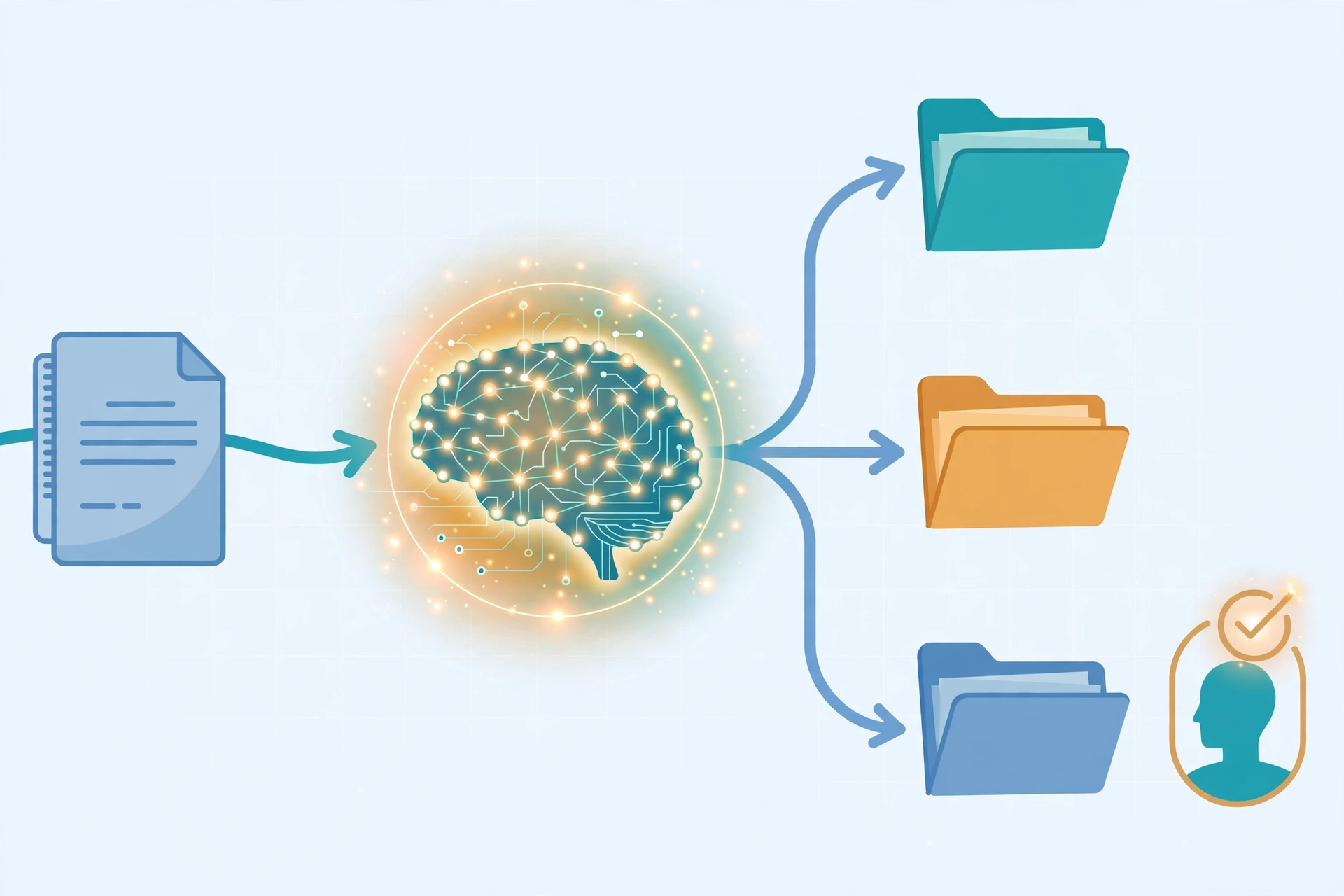
In practice, AI automation usually appears inside a workflow rather than on its own. A common pattern is an AI step that reads and classifies, followed by ordinary software — sometimes an RPA bot — that performs the resulting actions. That combination is where most of the value sits, and it is covered in detail later in this guide. It is the pattern most rpa vs ai decisions end up following.
RPA vs AI: 7 Key Differences
The table below summarises the seven differences that matter most when you compare rpa vs ai. Each one is explained in the sections that follow.
| Difference | RPA | AI automation |
|---|---|---|
| How it decides | Follows fixed rules and steps | Reasons over context and chooses its steps |
| Data it handles | Structured, predictable input | Structured and unstructured input |
| Behaviour when things change | Stops or breaks until fixed | Adapts, but can make mistakes |
| Predictability | Same input, same output, every time | Output can vary between runs |
| Setup and maintenance | Scripts need rebuilding after changes | Prompts and models need tuning |
| Cost shape | Licences per bot, plus maintenance | Usually priced by usage or task |
| Human involvement | Runs alone once built | Needs review where mistakes cost money |
1. How They Decide
This is the fundamental difference in the rpa vs ai debate. An RPA bot is given a sequence: open this, click that, copy this value, paste it there. It never asks why, and it never chooses a different route. An AI system is given a goal and the tools to reach it: read this email, work out what the customer wants, and draft a reply. It decides its own steps, and it may take a different path each time.
That difference decides everything else. If the work can be fully described in advance, rules are cheaper and more reliable. If the work requires reading a situation and deciding, rules are not enough, and that is where AI earns its place. That is the rpa vs ai rule of thumb: fixed work takes rules, judgement work takes AI.
2. The Data They Can Handle
RPA needs clean, consistent inputs. A spreadsheet with the same columns, a form with the same fields, a screen that looks the same every day. AI automation is built for the messy remainder: the email with the order details buried in the third paragraph, the scanned invoice with a coffee stain, the customer message that mixes a complaint with a question about delivery. That messy middle is where the rpa vs ai choice is usually won or lost.
Most real business data is messy. That is why the rpa vs ai question so often ends in a hybrid answer: AI reads and interprets the messy input, and RPA — or an API — executes the clean, repeatable steps that follow.
3. How They Behave When Things Change
RPA is fragile in a specific way. It depends on the exact layout of the screens it touches, so a redesigned form, a renamed button or a new pop-up can break a bot that worked perfectly yesterday. Fixing it means updating the script, which is why maintenance consumes such a large share of RPA budgets. Budget for that fragility whenever you make an rpa vs ai decision.
AI automation is more resilient to surface changes — a reworded email does not break it — but it fails in a different way. It can misread an unusual case, invent a plausible-sounding detail, or handle an edge case confidently and wrongly. The failure is quieter, which is why AI steps need monitoring and a human checkpoint where the stakes are high.
4. Predictability of the Output
Run the same input through an RPA bot a thousand times and you will get the same output a thousand times. That determinism is exactly what regulated work needs: an audit trail where every action can be replayed and explained.
AI output is probabilistic. Ask the same question twice and you may get two differently worded answers, both correct, or one correct and one subtly wrong. For drafting, summarising and classifying, that variation is acceptable. For moving money, changing a legal record or sending a binding commitment, it is not — unless a person checks the output first. That is a genuine rpa vs ai trade-off, not a flaw in either tool.
5. Setup and Maintenance
Building an RPA bot is mostly a recording and scripting exercise. You demonstrate the task, tidy up the steps, and test it against real cases. The ongoing work is maintenance: every time a connected system changes, someone has to update the bot, and a large fleet of bots means a steady stream of small fixes. Count that maintenance when you compare rpa vs ai options.
Building an AI automation step is mostly a writing and testing exercise. You write the instruction, give the model examples of good output, and test it against real cases. The ongoing work is tuning: the instruction needs refining when the model misreads a new kind of input, and the outputs need sampling so drift is caught early. Neither approach is maintenance-free; they simply need different kinds of attention. Plan for both kinds of upkeep in your rpa vs ai budget.
6. Cost Shape
RPA is usually sold as licences per bot or per process, plus the cost of the people who build and maintain the bots. Once a bot is running, each additional run costs almost nothing, which makes RPA attractive for very high volumes of identical work. At very high volumes, that flat cost is the rpa vs ai argument for RPA.
AI automation is usually priced by usage — per task, per page processed, or per thousand tokens of model output. That makes it cheap to start and easy to scale, but the cost grows with volume, and a process that runs ten thousand times a day can become expensive. When you compare rpa vs ai on cost, always model the cost at your real volume, not at the demo volume.
7. What Happens Without a Human
A finished RPA bot can run unsupervised for routine work, because its behaviour is fully specified. An AI step should not run unsupervised where a mistake would cost money, damage a relationship or break a rule. The practical pattern is a confidence threshold: the AI handles the clear cases on its own and hands the uncertain ones to a person, with the context already gathered. That division — automation for the routine, people for the judgement — is the one that survives contact with real work. That division is the safest rpa vs ai pattern for high-stakes work.
Also Read: How to Automate Tasks with AI
When to Use RPA
Choose RPA when the task is stable, the data is clean, and you need the exact same result every time. The strongest cases share three traits: high volume, fixed rules, and systems with no better way to connect. Those three traits are the rpa vs ai shortcut for spotting RPA work.
Good RPA candidates include:
- Data entry between systems: copying order details from a sales system into a finance system, hundreds of times a day.
- Invoice and payment processing: handling standard invoices that arrive in a fixed format from known suppliers.
- Report generation: pulling the same figures from the same systems on the same schedule.
- Legacy systems with no API: the one scenario where RPA still clearly wins, because the bot can operate a screen that nothing else can reach.
- Regulated, auditable steps: processes where every action must be replayed exactly and logged.
RPA is the wrong choice when the input varies, when the process needs judgement, or when the underlying systems change every few weeks. In those cases the bot will spend more time in maintenance than it saves in labour. That maintenance trap is the most common rpa vs ai regret.
When to Use AI Automation
Choose AI automation when the bottleneck is reading, understanding or deciding — the parts of a process where a person currently has to look at something and think before acting. If your team spends its day triaging inboxes, reading documents, classifying requests or drafting replies, that is AI automation territory. If that describes your team’s day, the rpa vs ai answer is AI automation.
Good AI automation candidates include:
- Email and message triage: classifying incoming requests by topic and urgency, and drafting replies for the routine ones.
- Document processing: extracting names, dates, amounts and clauses from contracts, invoices and forms in any layout.
- Customer support drafting: summarising a conversation and drafting a response in the right tone, ready for a person to approve.
- Meeting and call notes: turning recordings into summaries with owners and deadlines.
- Content and research: summarising long documents, comparing options, and drafting first versions from a brief.
AI automation is the wrong choice where the input is perfectly structured, the steps never change, and the result must be identical every time. There, a simple rule or an RPA bot will be cheaper, faster and easier to audit.
How RPA and AI Work Together
The most useful answer to rpa vs ai is usually “both, in sequence”. Real processes are rarely pure: the first half is messy and the second half is mechanical. AI reads and decides; RPA — or an API — executes. A supplier invoice is the classic example. The AI step reads the PDF, whatever its layout, and extracts the vendor, the invoice number, the date and the total, with a confidence score for each field. If the confidence is high, an RPA bot enters the figures into the finance system and files the document. If the confidence is low, the case goes to a person with the extracted figures already filled in, so the review takes seconds instead of minutes.
For a deeper explanation of how the two technologies complement each other, read UiPath’s guide to the differences between AI and RPA, which explains when each one earns its place and how they work in tandem.
This hybrid pattern also solves the two weaknesses described above. The RPA bot no longer breaks on messy input, because the AI normalises it first. The AI step no longer needs to perform screen actions it cannot do reliably, because the bot handles them. And the person stays in charge of the one step where a mistake would cost money — the approval — instead of doing the reading and the typing as well. That is the rpa vs ai hybrid at its best: each tool doing only what it does well.

5 Mistakes to Avoid When Choosing Between RPA and AI
- Automating a broken process: if the manual version has unnecessary steps and unclear rules, automating it just produces the same waste faster. Fix the process on paper first, then choose the technology. Fix the process first, and the rpa vs ai choice becomes far easier.
- Choosing the tool before the task: buying an RPA platform and then hunting for things to automate with it, or the reverse, guarantees mismatches. Describe the task first — what goes in, what decision is made, what comes out — and the choice of rpa vs ai usually makes itself.
- Expecting AI to be deterministic: treating an AI step like a script, with no review and no confidence threshold, is how confident wrong answers reach customers. Build the human checkpoint in from the start.
- Expecting RPA to handle messy input: feeding an RPA bot documents in five layouts and being surprised when it fails four times out of five. If the input varies, put an AI step in front of it.
- Ignoring the maintenance bill: RPA bots need script updates when systems change; AI steps need prompt tuning and output sampling. Budget for both, or the automation quietly rots and people go back to doing the work by hand.
How to Decide: A Simple 5-Step Guide
Use this test on any task you are considering automating. It takes five minutes and it settles the rpa vs ai question for that specific task, which is the only level at which the question has a useful answer.
Step 1: Write Down the Steps
Describe the task as if you were explaining it to a new colleague. Where does the input come from, what decisions are made, and where does the output go? If you can write every step as an instruction with no judgement words — “if the amount is over 500, send it to finance” — RPA can probably do it. If the description contains words like “usually”, “probably” or “use your judgement”, AI is involved. That wording test is the fastest rpa vs ai check there is.
Step 2: Look at the Input
Collect ten real examples of the input. If all ten look the same, RPA is viable. If they vary in layout, wording or completeness, you need an AI step to read them first. This is the fastest test in the whole guide, and it is the one most teams skip. In rpa vs ai terms, ten identical examples mean RPA; ten different ones mean AI first.
Step 3: Ask What a Mistake Costs
If a wrong output would move money, change a legal record or mislead a customer, the process needs a human checkpoint no matter which technology you choose. If a wrong output is merely an inconvenience that is easy to spot and fix, automation can run with lighter oversight.
Step 4: Count the Volume
Work out how often the task happens and how long it takes a person. A task that happens twice a month is rarely worth automating at all. A task that happens two hundred times a day justifies real investment — and at that volume, the cost shape in difference six above matters: RPA is cheap per run once built, while AI automation is priced by usage. Run those numbers before you settle an rpa vs ai choice.
Step 5: Start with the Hybrid
For most real processes, the safest first version is AI reading and classifying, a bot or an API executing, and a person approving. Run it on real cases for two weeks, measure the time saved, the error rate and the exception rate, and only then decide which parts can run unsupervised. That evidence beats any vendor comparison, because it is measured on your work, not theirs. That evidence is the only rpa vs ai comparison that truly matters.
Frequently Asked Questions
Is RPA a form of AI?
No. RPA follows fixed rules that a person wrote; it does not learn, reason or adapt. Modern RPA platforms include AI features such as document understanding, which blurs the product picture, but the underlying RPA bot itself is still a script. That distinction is the heart of the rpa vs ai comparison: one repeats instructions, the other interprets information.
Will AI replace RPA?
Not in the near term, and the leading vendors say so themselves. AI is poor at the thing RPA does best: performing the exact same steps in the exact same order, thousands of times, in systems with no API. What is changing is the balance. AI now handles the reading and deciding that used to sit in front of the bot, and the bot handles the clicking and typing that AI cannot do reliably. The combination, often called intelligent automation or agentic automation, is where the industry is heading.
Which is cheaper, RPA or AI automation?
It depends on volume and on the shape of the work. RPA usually means licence costs per bot plus maintenance, with almost no cost per run once built, so it wins on very high volumes of identical work. AI automation is usually priced by usage, so it is cheaper to start and cheaper at low volumes, but the cost grows with every run. Always model both at your real volume before deciding. That modelling step is essential to any honest rpa vs ai cost comparison.
Can RPA and AI be used together?
Yes, and in most serious automation work they already are. The standard pattern is AI first — read, classify, extract, decide — and RPA second — enter the result into systems, move files, send confirmations. A person approves the steps where a mistake would be expensive. This hybrid is more robust than either technology alone. That hybrid is the most robust rpa vs ai pattern in serious automation work.
Do I need to know how to code to use RPA or AI automation?
Not for a first version. RPA platforms offer recording tools that build a bot from a demonstration, and AI automation tools offer visual workflow builders where the AI step is a written instruction rather than code. Coding becomes useful when you want a custom integration, a complex branch, or fine control over how the AI step behaves — but it is not a precondition for starting.
Conclusion
The rpa vs ai question has no single winner, because the two technologies do different jobs. RPA is the right tool when the work is fixed, the data is clean, and the result must be identical every time. AI automation is the right tool when the work involves reading, judging and handling input that never arrives in the same shape twice. Most real processes need both, in sequence, with a person approving the steps where a mistake would cost money.
Apply the five-step test to one task this week. Write down the steps, look at ten real examples of the input, ask what a mistake would cost, count the volume, and build the hybrid version first. The hours you save will not arrive as one dramatic windfall; they will arrive quietly, a few minutes at a time, every single day — and the system you build will keep working because you chose the right tool for each part of the job, instead of forcing one technology to do work it was never built for. That is how the rpa vs ai choice pays off — quietly, every day.