
A student’s week is a long list of small jobs that never quite ends. There are lectures to attend, readings to get through, notes to organise, problem sets to finish, essays to draft, and exams to revise for — and most of it has to happen around part-time work, commuting, and a social life. The studying itself is only part of the load; the organising, summarising, and formatting around it takes hours that never show up on a timetable. That is where AI tools for students earn their place.
AI tools for students are built to take on that surrounding work. Used well, they explain a concept in a second way when the textbook does not click, turn a pile of lecture notes into flashcards and practice questions, summarise a long reading into something you can actually revise from, check the grammar in an essay, and help you find the source behind a claim instead of just trusting a chatbot. They do not replace the learning. They clear away the repetitive middle steps so more of your time goes to understanding the material.
This guide covers the 11 best AI tools for students in 2026, organised by the job each one does, followed by a simple way to choose your own stack, a free starter setup that costs nothing, what these tools actually cost when you do pay, and the mistakes that waste money or get students into trouble with academic integrity rules. Every tool here offers a free tier or trial, so you can test each one on real coursework before paying for anything. Prices and plan names change often, so check the vendor’s own pricing page on the day you decide.
What AI Tools for Students Actually Do
AI tools for students are software that uses artificial intelligence to take over a defined task inside a study workflow. A general assistant such as ChatGPT or Claude explains a difficult concept, drafts a study plan, or turns your notes into practice questions. A research tool such as Gemini Notebook works through your own sources and answers questions about them with citations. A flashcard tool such as Quizlet turns notes into cards and quizzes you on them at the right intervals. A writing tool such as Grammarly checks the essay you already wrote. A coding assistant such as GitHub Copilot explains code line by line while you learn to write it yourself.
Across all of these jobs, the best AI tools for students share one trait: they make the learning more active instead of more passive. The useful way to think about them is by job, not by brand. Studying breaks down into a small set of repeating jobs: understanding, memorising, researching, writing, organising, and practising. There is now at least one capable AI tool for every one of those jobs, and the strongest tools are the ones that fit the way you already study rather than the ones with the longest feature list.
Students are adopting them fast. The Digital Education Council’s 2026 survey reports that 92% of students use AI and 67% say they use it daily or weekly, which makes AI tools part of normal study behaviour rather than a side experiment. UNESCO’s guidance on generative AI in education takes a human-centred position on the same shift: AI should support human learning, protect learner agency and data privacy, and never replace the thinking that education is supposed to develop. You can read that position in full here: UNESCO’s guidance on generative AI in education.
The Jobs AI Handles Well
- Explaining concepts: A difficult idea explained a second or third way, at your level, with an example from your own subject.
- Practice and quizzing: Turning notes, slides, or a chapter into practice questions, flashcards, and mock tests you can actually test yourself with.
- Summarising sources: Turning a long reading, lecture transcript, or set of notes into a short summary you can revise from.
- Research starting points: Finding background on a topic, comparing angles, and pointing to sources you can verify.
- Drafting and editing help: Structuring an essay outline, tightening a paragraph you already wrote, or catching grammar and tone problems.
- Organisation: Keeping notes, deadlines, readings, and revision plans in one searchable place.
The Jobs That Still Need You
- The understanding itself: No tool can learn a concept for you. Reading an AI summary is not the same as being able to explain the idea yourself in an exam.
- Judgement about sources: AI output sounds confident even when it is wrong, so every fact, figure, and quote in your work still needs a human check against a real source.
- Academic honesty: Your institution’s rules decide what counts as acceptable help. Submitting AI-written work as your own can fail an assignment or worse, so check the policy before you use any tool on assessed work.
- Your own thinking: If a tool writes every essay and answers every question, you stop practising the skills the qualification is meant to certify. Use AI to practise more, not to practise less.
- Accountability: When a fact turns out wrong or a citation turns out invented, the marker looks to you, not to the tool. Anything submitted in your name is your responsibility.
11 Best AI Tools for Students in 2026
The tools below are organised by job, starting with the general assistants almost every student uses daily, then moving through research, revision, tutoring, writing, organisation, and subject-specific help. Each of these AI tools for students earns its place by doing one job well, and each entry explains what the tool is best for and how a student would actually use it.
1. ChatGPT — Best for Explanations, Study Plans and Practice Questions
What it does: ChatGPT is the general-purpose AI assistant most students reach for first. It explains concepts, drafts and rewrites text, brainstorms essay angles, summarises documents, builds study plans, and answers quick questions, all in one chat window.
How students use it: Asking it to explain a topic step by step, turning a chapter into ten practice questions, drafting a revision timetable for the two weeks before an exam, or summarising a long article before a seminar. Its study mode is built for exactly this: instead of giving the answer straight away, it guides you through the problem with hints, knowledge checks, and progress tracking.
Worth knowing: Study mode is included on the free plan, though uploads, image creation, voice chats, and deep research are limited there. A cheaper Go plan sits below the full Plus plan. Because it is a general tool, the quality of the output depends heavily on the quality of your prompt — give it context, your subject, and a clear instruction about what you want it to do. It is one of the most widely used AI tools for students, so help and worked examples are easy to find.
2. Google Gemini — Best for Homework Help Inside Google Apps
What it does: Gemini is Google’s AI assistant, built into Docs, Drive, Gmail, and Search. It handles homework help that breaks an uploaded problem down step by step, study notebooks built from course materials, and personalised quizzes.
How students use it: Dropping a past paper into Gemini and asking it to walk through the hardest question, summarising a long document stored in Drive, or turning a set of lecture slides into a quiz the night before a test. It works best for students who already live in Google Docs and Gmail, because it can reach their files without exporting anything.
Worth knowing: There is a free plan with limits, and Google offers eligible university students aged 18 and over a one-year student plan at no cost, redeemable until 31 December 2026. Eligibility is verified each year and a payment method is required at sign-up, so set a reminder to cancel if you do not want to be charged after the year ends. For students already working in Google apps, it is one of the most convenient AI tools for students.
3. Gemini Notebook — Best for Studying from Your Own Notes and Sources
What it does: Gemini Notebook, Google’s AI research notebook formerly called NotebookLM, answers questions using only the sources you upload — PDFs, websites, YouTube transcripts, audio files, or Google Docs — with citations to the exact passage. It can also turn your sources into an audio overview, a spoken summary in the style of a short podcast episode.
How students use it: Uploading the week’s readings, lecture slides, and your own notes, then asking for the throughlines: what the lecturer keeps returning to, how two authors disagree, and what a practice exam is likely to test. It is also useful for getting up to speed on an unfamiliar topic before a seminar, because it only answers from material you trust.
Worth knowing: The free tier is generous, with 100 notebooks and 50 sources per notebook. Its limit is the source set: it answers from what you upload and gives no response when the answer is not in those sources, which is exactly what makes it trustworthy for revision. That source-only approach is what makes it one of the most trusted AI tools for students revising from their own materials.
4. Claude — Best for Long Essays and Careful Writing
What it does: Claude, built by Anthropic, is a general AI assistant with a particular strength in long-form writing and careful, detailed work. It handles long documents well and tends to follow detailed instructions closely.
How students use it: Working through a full essay draft to tighten the argument, preparing a detailed reading summary from several sources, or writing careful, nuanced copy for a sensitive topic. Students who work with long readings often keep Claude alongside ChatGPT and choose between them by task.
Worth knowing: A free tier is available with limits, and the Pro plan costs around $20 a month. Its document handling makes it a strong choice when the work involves reading something long first — a textbook chapter, a research paper — and writing something careful second. For long readings and careful drafts, it is one of the strongest AI tools for students.
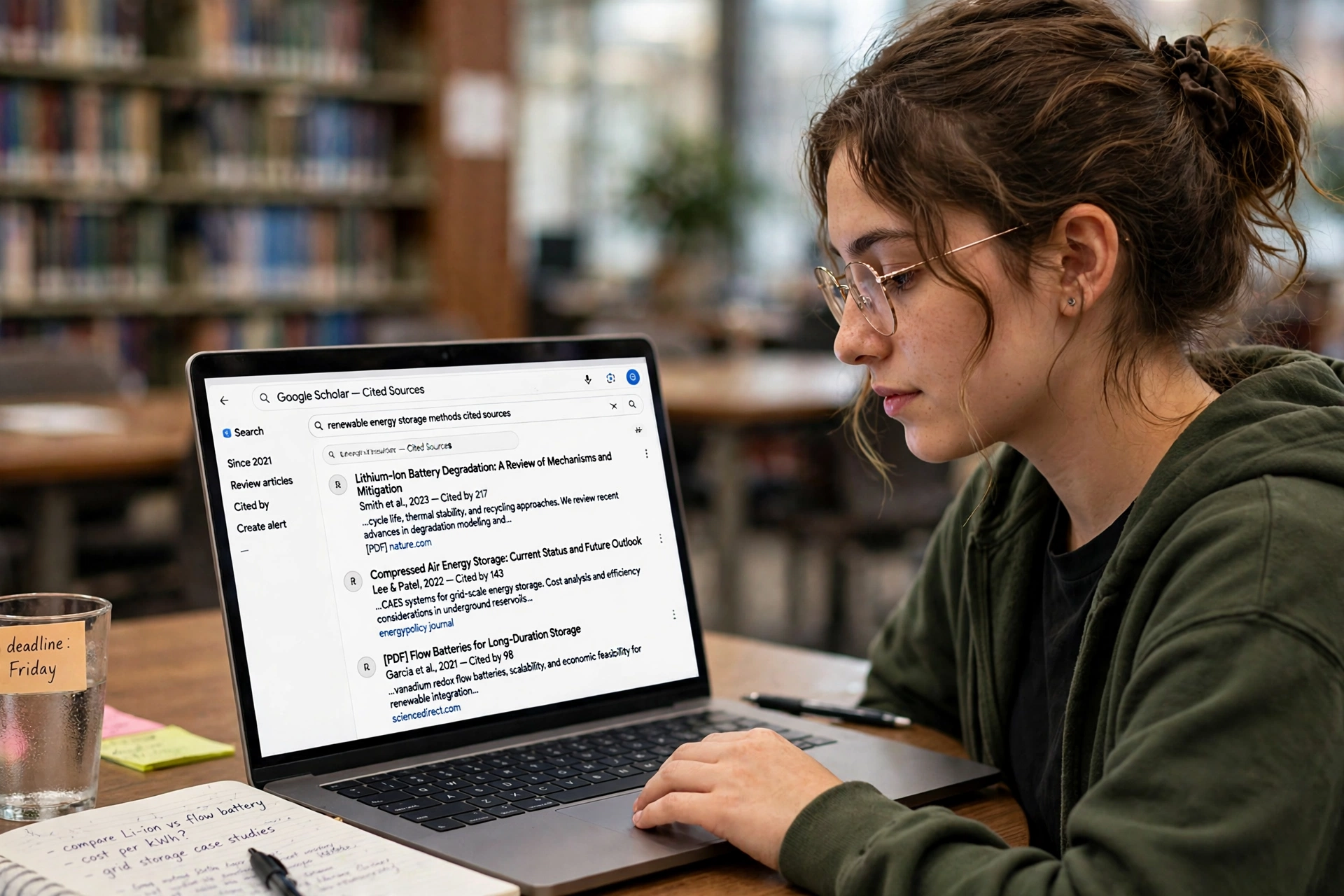
5. Perplexity — Best for Research with Citations
What it does: Perplexity is an AI-powered search engine whose answers carry citations and links to the original sources. Instead of a plain paragraph, you get an answer you can trace back to where it came from.
How students use it: Starting research for an essay, checking a claim before citing it, or finding the primary source behind a statistic. Because every answer shows its sources, it is a much safer starting point than a chatbot that answers from memory, and it teaches the habit of verifying before writing.
Worth knowing: A free tier is available with a limited number of Pro searches each day. Verified students can get the Education Pro plan for $10 a month, which is worth checking if you research heavily. Always open the cited source itself before quoting it — a citation is only useful if you have read what it points to. For essays that need real sources, it is one of the most useful AI tools for students.
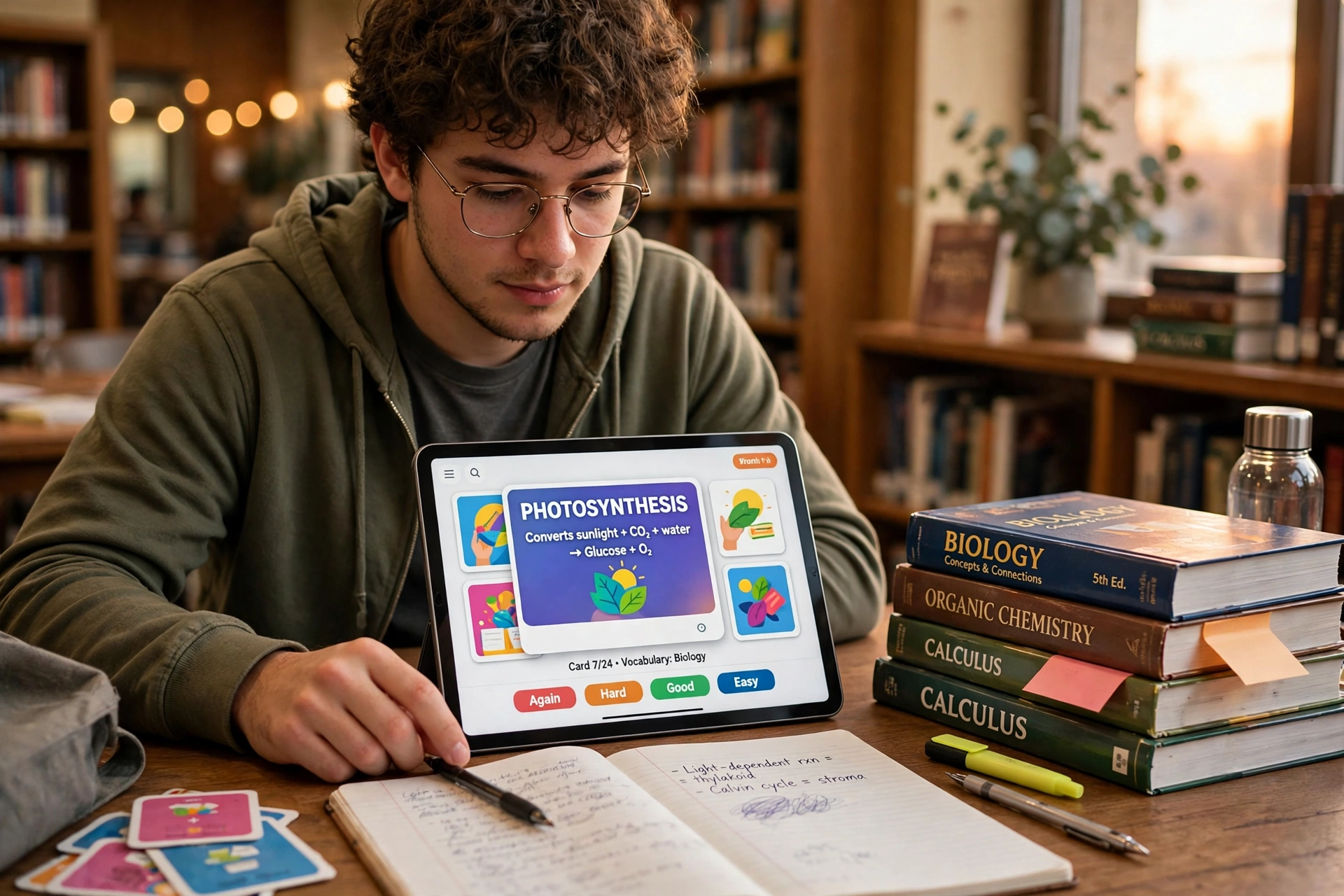
6. Quizlet — Best for Flashcards and Active Recall
What it does: Quizlet turns notes into flashcards and practice tests, with AI features to speed up creation. It has grown from a simple flashcard app into an AI-powered learning platform that adapts to your study habits.
How students use it: Turning a vocabulary list, a set of definitions, or a chapter summary into a deck of cards, then testing yourself with learn mode, matching games, and practice tests. Spaced repetition — being shown a card again just as you are about to forget it — is one of the best-supported study techniques there is, and Quizlet automates the scheduling for you.
Worth knowing: A free tier is available with daily limits, and the Plus plan costs around $35.99 a year. Pre-made decks from other students can save time, but check them against your own course: a deck made for a different syllabus can teach you the wrong definitions. For memorisation, it remains one of the best-known AI tools for students.
7. Khanmigo — Best for Guided Tutoring That Makes You Think
What it does: Khanmigo, from Khan Academy, is a guided AI tutor that works Socratically: it asks questions, gives hints, and nudges you towards the answer instead of handing it over. It also offers writing support that coaches rather than writes.
How students use it: Working through a maths problem you are stuck on, getting writing feedback that points out what to fix rather than fixing it for you, or preparing for a test with a tutor that checks your reasoning at each step. It fits school and early-college learners best, and it is the closest thing on this list to a patient human tutor.
Worth knowing: Learner access is paid and currently limited to the United States, so check availability in your country before building a study plan around it. Its strength is also its limit: it is deliberately slower than a chatbot that just gives answers, because the learning happens in the struggle. For guided practice, it is one of the most tutor-like AI tools for students.
8. Grammarly — Best for Polishing Essays and Reports
What it does: Grammarly is an AI writing assistant that checks grammar, punctuation, and tone as you type, and suggests clearer rewrites for awkward sentences. It improves work you already wrote rather than replacing the writing itself.
How students use it: Running a finished essay through it before submission to catch the errors spellcheck misses, checking the tone of an email to a lecturer, or tightening a lab report so the argument reads clearly. It works inside Docs, Word, and the browser, so it checks your writing wherever you write it.
Worth knowing: A free version is available, and the Pro plan costs around $12 a month on annual billing. It will not fix a weak argument or missing evidence — use it as a final polish, not as a substitute for planning and research. For a final polish, it is one of the most widely used AI tools for students.
9. Notion AI — Best for Notes and Organisation
What it does: Notion combines notes, databases, and task lists in one workspace, and its AI features summarise pages, draft text, and answer questions about your own notes. It is the organisational hub of a study stack rather than a single-purpose tool.
How students use it: Keeping lecture notes, reading summaries, assignment deadlines, and revision plans in one searchable place, then asking Notion AI to summarise a page of messy notes into clean revision material, or to turn a list of tasks into a plan for the week.
Worth knowing: Notion is free forever for solo use, and eligible students get the Plus plan free. The standalone AI add-on has been retired, so full AI access now needs the Business plan rather than a separate add-on — check the current pricing page before paying. Its real value is organisation: if your notes are scattered across five apps, no AI feature will save you. For keeping everything in one place, it is one of the most flexible AI tools for students.
10. Wolfram Alpha — Best for Checking Maths and Science Work
What it does: Wolfram Alpha is a computational engine for maths, science, and data questions. Unlike a chatbot, it calculates: it solves equations, plots functions, balances chemical reactions, and shows its working step by step.
How students use it: Checking your own working on a calculus problem, verifying a statistics calculation before it goes into a report, or getting a precise answer to a physics question where a chatbot’s confident guess would not do. It is strong on accuracy, which makes it a good way to check your own reasoning rather than replace it.
Worth knowing: Basic answers are free, with a Pro plan for step-by-step solutions and extended features. Use it to verify, not to copy: working through the steps yourself is what prepares you for the exam, where the tool will not be available. For checking calculations, it is one of the most accurate AI tools for students.
11. GitHub Copilot — Best for Learning to Code
What it does: GitHub Copilot is GitHub’s AI coding assistant. It suggests code as you type, explains what a block of code does, and helps you debug errors — all inside your code editor.
How students use it: Learning a new language by asking Copilot to explain unfamiliar code line by line, getting unstuck on a coursework project, or practising with small programs and checking your understanding of each suggestion. For computer science and engineering students, it is the most directly useful of all the AI tools for students on this list.
Worth knowing: Verified students on GitHub Education get free access to Copilot’s features, which makes it one of the best-value tools here — a professional-grade assistant for nothing, as long as you are a student. Treat its suggestions the way you would treat a classmate’s help: read them, understand them, and never submit code you cannot explain. For learning to code, it is one of the most valuable AI tools for students.
Also Read: AI Tools for Podcasters: 11 Powerful Ways to Produce Better Episodes in 2026
How to Choose the Right AI Tools for Students
The best AI tools for students are the ones that match your actual study jobs, not the ones with the longest feature list. Start from the work you do every week and pick one tool per job:
- Understanding difficult material: A general assistant with a study or tutoring mode, such as ChatGPT or Khanmigo, that explains step by step instead of handing over answers.
- Studying from your own materials: A source-grounded tool such as Gemini Notebook, which answers only from what you upload and shows its citations.
- Memorising facts and definitions: A flashcard tool with spaced repetition, such as Quizlet, that schedules reviews for you.
- Research and essays: A cited search tool such as Perplexity for finding sources, plus a careful writer such as Claude for long drafts — two AI tools for students that cover research and writing.
- Writing and polishing: An editor such as Grammarly for the final pass over work you wrote yourself.
- Organisation: A notes workspace such as Notion, so everything lives in one searchable place.
- Subject-specific work: A specialist such as Wolfram Alpha for maths and science, or GitHub Copilot for coding.
Try one tool at a time for a full week of real coursework before adding another. A stack of three tools you actually use beats a stack of eleven you never open. And check each tool against your institution’s AI policy first — rules differ, especially for coursework and controlled assessments, and a tool that is fine for revision may not be allowed for an assignment.
A Free Starter Stack for New Students
If you are starting from nothing, this combination of AI tools for students covers every study job for free and is the best way to learn what they can actually do for you:
- ChatGPT (free tier): Explanations, study plans, and practice questions from one of the most popular AI tools for students, using study mode so it guides rather than answers.
- Gemini Notebook (free tier): Revision from your own notes and readings, with citations to the exact passage.
- Quizlet (free tier): Flashcards and practice tests with spaced repetition for anything you need to memorise.
- Perplexity (free tier): Research with cited sources for essays and projects.
- Grammarly (free tier): A final grammar and clarity check on anything you submit, and one of the easiest AI tools for students to start with.
That is five tools, all free, covering understanding, revision, memorisation, research, and writing. Use them for a month. Only pay for a tool when you can name the specific limit you keep hitting — the number of uploads, the number of practice questions, the depth of the explanations — and the paid plan removes exactly that limit.
What AI Tools for Students Cost
Most AI tools for students have genuinely useful free tiers, and the paid plans are optional upgrades for heavy users. The figures below are snapshots from the vendors’ own pages as of October and November 2026, and they change often, so confirm on each official pricing page before you buy:
| Tool | Free option | Paid plan (from) |
|---|---|---|
| ChatGPT | Free tier with limits | Go $8 a month; Plus $20 a month |
| Google Gemini | Free tier with limits | One-year student plan free for eligible students until 31 December 2026 |
| Gemini Notebook | Generous free tier | Paid plans add more audio overviews |
| Claude | Free tier with limits | Pro around $20 a month |
| Perplexity | Limited free searches daily | Education Pro $10 a month for verified students |
| Quizlet | Free with daily limits | Plus $35.99 a year |
| Khanmigo | No free learner tier | Paid, US-limited |
| Grammarly | Free version | Pro around $12 a month (annual billing) |
| Notion AI | Free for solo use; Plus free for students | Full AI access needs the Business plan |
| Wolfram Alpha | Free basic answers | Pro plan for step-by-step solutions |
| GitHub Copilot | Free for verified students | Paid plans for everyone else |
Student discounts on AI tools for students are worth checking before you pay full price. Notion gives eligible students its Plus plan free, Perplexity cuts its Pro plan to $10 a month for verified students, and GitHub gives verified students free Copilot access. A student email address is often worth real money — use it.
7 Mistakes to Avoid with AI Tools for Students
- Submitting AI-written work as your own: This is the biggest risk on this list. Check your institution’s AI policy, be honest with your teachers about how you used AI, and never submit text you did not write or fully understand.
- Trusting AI facts without checking: AI tools invent citations, dates, and statistics with total confidence. Every fact in assessed work needs a real source you have opened and read.
- Using AI instead of studying: If a tool writes every essay and answers every question, you stop practising the skills your qualification certifies. Use AI to quiz yourself more, not to think less.
- Paying before testing the free tier: Most students never hit the free limits on AI tools for students. Try the free plan for a month of real coursework before spending anything, and only upgrade when you can name the exact limit you keep hitting.
- Collecting tools instead of a system: Eleven subscriptions and no routine is worse than three AI tools for students used every day. Pick one tool per study job and use it for a full week before adding another.
- Uploading sensitive work without thinking: Essays, personal data, and unpublished research should not go into a tool whose data policy you have not read. Check what a tool stores and whether it trains on your uploads.
- Ignoring the free student offers: Student plans, education pricing, and verified-student discounts can cut costs to nothing. Check the education page of every tool before you pay the standard price.
Frequently Asked Questions
What is the best AI tool for students?
There is no single winner — it depends on the subject and the job. For explanations and study plans, ChatGPT’s study mode is the strongest general choice. For revision from your own notes, Gemini Notebook leads because it answers only from your sources. For memorisation, Quizlet’s spaced repetition is hard to beat. The best AI tool for students is the one that fits your actual study routine and that you will use every week.
Are AI tools for students free?
Most AI tools for students in this guide have genuinely free tiers that cover normal study work. ChatGPT, Gemini, Gemini Notebook, Claude, Perplexity, Quizlet, Notion, Wolfram Alpha, and GitHub Copilot all offer free access, and several offer extra student discounts — Notion Plus is free for eligible students, Perplexity Education Pro is $10 a month for verified students, and GitHub Copilot is free for verified students. Paid plans mainly remove limits on uploads, usage, or advanced features.
Is it cheating to use AI tools for studying?
It depends on how you use them and on your institution’s rules. Using AI tools for students to explain a concept, quiz yourself, summarise your own notes, or check your grammar is studying — it is the same kind of help a tutor or a study group gives. Submitting AI-written work as your own, or using AI on an exam or assessment where it is banned, is cheating. Check your school or university’s AI policy first, and be honest about how you used the tools.
Can AI tools for students help with exam revision?
Yes — revision is where they help most. Turn your notes into flashcards with Quizlet, generate practice questions from a chapter with ChatGPT’s study mode, or upload your readings to Gemini Notebook and ask it to quiz you on the key arguments. Active recall — testing yourself rather than re-reading — is one of the best-supported revision techniques, and these tools automate the question-writing and scheduling that make it work.
Do AI tools for students work for every subject?
Most AI tools for students work across subjects, but the specialists matter. Wolfram Alpha is built for maths, science, and data questions. GitHub Copilot is built for coding. Quizlet suits anything with facts to memorise — languages, medicine, law, biology. General assistants such as ChatGPT, Claude, and Gemini handle essays, humanities, and social sciences well, but always verify their answers against your course materials, because they are weakest on exam-specific detail and niche topics.
Conclusion
AI tools for students work best as study partners, not answer machines. Used well, they explain, quiz, organise, and summarise — and they give you back hours every week that you can spend on the actual learning. The eleven AI tools for students in this guide cover every study job from understanding to revision, and the free starter stack costs nothing at all, so there is no reason to pay before you know which tools fit your routine.
Start small. Pick one of the AI tools for students for your hardest subject, use it for a week of real coursework, and judge it on whether you understand the material better afterwards — not on how fast it produced an answer. Check your institution’s rules, verify every fact against a real source, and keep the thinking yours. The students who get the most from AI tools for students are not the ones who use the most tools. They are the ones who use a few tools deliberately, every day, and still do the learning themselves.