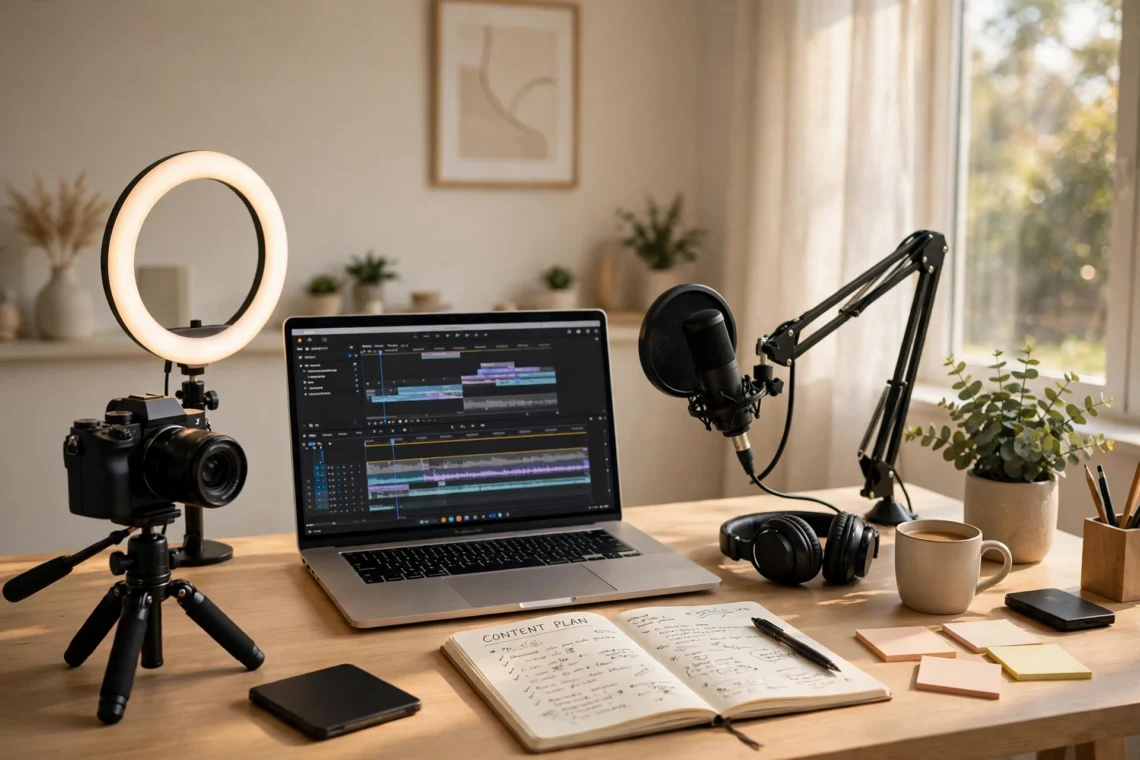
A creator’s week is a long list of small jobs that never quite ends. There is the idea to find, the script or post to write, the video to record, the audio to clean up, the thumbnail to design, the captions to write, the clips to cut for short-form, the post to schedule, and the comments to answer — and most of it has to happen around a day job, or around the next piece of content that is already late. The creating itself is only part of the load; the editing, formatting, repurposing, and scheduling around it takes hours that never show up in a content calendar.
AI tools for content creators are built to take on that surrounding work. Used well, they turn a rough idea into a structured outline, a long video into a week of short clips, a noisy recording into clean audio, a blank page into a first draft you can actually edit, and a single piece of content into versions for every platform you publish on. They do not replace the creator. They clear away the repetitive middle steps so more of your time goes to the ideas, the taste, and the voice that make people follow you in the first place.
This guide covers the 11 best AI tools for content creators in 2026, organised by the job each one does, followed by a simple way to choose your own stack, a free starter setup that costs nothing, what these tools actually cost when you do pay, and the mistakes that waste money or get creators into trouble with copyright and platform rules. Every tool here offers a free tier or trial, except where noted, so you can test each one on real content before paying for anything. Prices and plan names change often, so check the vendor’s own pricing page on the day you decide.
What AI Tools for Content Creators Actually Do
AI tools for content creators are software that uses artificial intelligence to take over a defined task inside a content workflow. A general assistant such as ChatGPT or Claude turns a rough idea into an outline, a script, or a set of captions. A research tool such as Perplexity finds background and sources with citations you can open.
An image tool such as Midjourney or Canva produces thumbnails, headers, and social graphics. A video tool such as Descript lets you edit footage by editing a transcript, while OpusClip cuts a long video into short clips automatically. A voice tool such as ElevenLabs narrates a script when you cannot record. An automation tool such as Zapier moves finished content between your apps without you copying and pasting.
Across all of these jobs, the best AI tools for content creators share one trait: they make the creating more consistent instead of more generic. The useful way to think about them is by job, not by brand. Creating breaks down into a small set of repeating jobs: coming up with ideas, writing, researching, designing visuals, recording, editing, repurposing, and publishing. There is now at least one capable AI tool for every one of those jobs, and the strongest tools are the ones that fit the way you already create rather than the ones with the longest feature list.
Creators are adopting them fast, and the rules around them are still being written. The U.S. Copyright Office has been examining the copyright questions raised by AI since early 2023, and its report on the subject addresses whether AI-generated output can be protected by copyright — a question that matters directly to anyone publishing AI-assisted work.
You can read the Office’s position in full here: the U.S. Copyright Office’s guidance on AI and copyright. The short version for creators is that human creative input still matters: keep your own ideas, choices, and editing in the work, and check the current guidance before you assume an AI-generated image, script, or voiceover belongs to you in the same way your own work does.
The Jobs AI Handles Well
- Brainstorming and outlines: Turning a topic into ten angles, a video into a script structure, or a week of posts into a plan.
- First drafts: Getting from a blank page to something editable — a caption, a newsletter, a video script, a product description.
- Repurposing: Turning one long video into short clips, one article into a thread, one podcast into quote graphics.
- Editing and clean-up: Removing filler words, cutting silences, improving audio, and resizing a design for every platform.
- Visuals at speed: Thumbnails, headers, social graphics, and background images produced in minutes instead of hours.
- Scheduling and admin: Moving finished content between apps, drafting replies, and keeping a publishing queue full.
The Jobs That Still Need You
- The idea itself: No tool knows what your audience cares about this week, or which angle only you can take. The idea is the job.
- Taste and judgement: AI output sounds polished even when it is bland, wrong, or off-brand, so every draft still needs a human decision about what is good enough to publish.
- Fact-checking: AI tools invent quotes, statistics, and sources with total confidence. Every fact in published content needs a real source you have opened and read.
- Your voice: If a tool writes every caption and script, your content starts to sound like everyone else’s. The audience follows a voice, not a workflow.
- Copyright and platform rules: Your platform’s rules and the law decide what counts as acceptable AI use. Using an AI voice clone, a generated image of a real person, or AI-written text without disclosure can break rules you did not know existed.
- Accountability: When a fact turns out wrong or a claim turns out invented, the audience looks to you, not to the tool. Anything published in your name is your responsibility.
11 Best AI Tools for Content Creators in 2026
The tools below are organised by job, starting with the general assistants almost every creator uses daily, then moving through research, visuals, video, voice, ranking, and automation. Each of these AI tools for content creators earns its place by doing one job well, and each entry explains what the tool is best for and how a creator would actually use it.
1. ChatGPT — Best for Brainstorming, Outlines and First Drafts
What it does: ChatGPT is the general-purpose AI assistant most creators reach for first. It brainstorms ideas, builds outlines, drafts scripts and captions, rewrites headlines, summarises research, and answers quick questions, all in one chat window.
How creators use it: Turning a topic into ten video titles, outlining a week’s worth of posts, drafting a newsletter from bullet points, or rewriting a caption in three different tones to see which one fits. It is the fastest way to get from a blank page to a draft worth editing.
Worth knowing: There is a free tier with limits, and the Plus plan costs $20 a month. Because it is a general tool, the quality of the output depends heavily on the quality of your prompt — give it your audience, your format, and an example of your own voice, and the drafts get noticeably better.
2. Claude — Best for Long-Form Writing and Scripts
What it does: Claude, built by Anthropic, is a general AI assistant with a particular strength in long-form writing and careful, detailed work. It handles long scripts, newsletters, and guides well and tends to follow detailed instructions closely.
How creators use it: Writing a full video script from an outline, drafting a long newsletter that keeps a consistent voice, or working through a detailed guide where the structure matters as much as the words. Creators who write long-form often keep Claude alongside ChatGPT and choose between them by task.
Worth knowing: A free tier is available with limits, and the Pro plan costs $20 a month ($17 a month on annual billing). Its document handling makes it a strong choice when the work starts with something long — your own notes, a transcript, a research file — and ends with something careful.
3. Perplexity — Best for Research with Citations
What it does: Perplexity is an AI-powered search engine whose answers carry citations and links to the original sources. Instead of a plain paragraph, you get an answer you can trace back to where it came from.
How creators use it: Starting research for a video or article, checking a claim before stating it on camera, or finding the primary source behind a statistic. Because every answer shows its sources, it is a much safer starting point than a chatbot that answers from memory, and it teaches the habit of verifying before publishing.
Worth knowing: A free tier is available with a limited number of Pro searches each day, and the Pro plan costs $20 a month. Always open the cited source itself before quoting it — a citation is only useful if you have read what it points to.
4. Canva — Best for Graphics, Thumbnails and Social Visuals
What it does: Canva is the design tool most creators already know, and its AI features now generate images, resize designs for every platform, remove backgrounds, and draft text inside the same canvas. It covers thumbnails, headers, quote graphics, carousels, and presentation slides.
How creators use it: Making a YouTube thumbnail in ten minutes, turning one design into every social size at once, or producing a week’s worth of quote graphics from a single podcast episode. It is the fastest route from an idea to a finished visual for creators who are not designers.
Worth knowing: There is a free plan, and the Pro plan costs around $15 a month. Its real value is speed and templates: if you publish visuals every day, the resize and brand-kit features alone can save hours a week.
5. Midjourney — Best for Original Images and Artwork
What it does: Midjourney generates original images from a text prompt — thumbnails, channel art, illustrations, backgrounds, and concept art — with a distinctive, polished look that stock photos cannot match.
How creators use it: Creating a thumbnail image that does not look like everyone else’s, illustrating a story or concept that has no stock photo, or building a consistent visual style across a channel. It works best when you treat the prompt as a brief: subject, mood, lighting, and composition, not just a single word.
Worth knowing: There is no free tier, and paid plans start from $10 a month. Generated images are only as original as your prompt, and you should still check the platform and copyright rules for AI-generated images before using them commercially.
6. Descript — Best for Editing Video and Audio by Transcript
What it does: Descript turns video and audio editing into document editing: record or upload, get an instant transcript, then cut, trim, and rearrange by changing the text. It also removes filler words, cleans up audio, and can overdub a corrected word in your own voice.
How creators use it: Editing a podcast or video by deleting sentences from the transcript instead of scrubbing a timeline, removing every “um” in one click, or fixing a misspoken word without re-recording the whole take. It is the single biggest time-saver on this list for anyone who records regularly.
Worth knowing: A free plan is available with limits, and paid plans start from around $16 a month. The overdub feature needs a short voice sample to clone your voice — use it only on your own voice, and keep it for corrections rather than generating whole performances.

Also Read: AI Tools for Students: 11 Powerful Ways to Study Smarter in 2026
7. OpusClip — Best for Turning Long Videos into Short Clips
What it does: OpusClip watches a long video, finds the strongest moments, and cuts them into short vertical clips with captions and reframing for TikTok, Reels, and Shorts. It scores each clip for likely performance so you can pick the best ones first.
How creators use it: Turning one hour-long video or podcast into a week of short clips without opening an editor, then posting the best two or three and keeping the rest in reserve. It is the repurposing step that most creators skip because it takes too long by hand.
Worth knowing: There is a free plan with a watermark, and paid plans start from around $15 a month. The automatic scores are a guide, not a guarantee — watch each clip before posting, because the tool cannot tell which moment your audience will actually care about.
8. ElevenLabs — Best for AI Voiceovers and Narration
What it does: ElevenLabs turns written scripts into natural-sounding speech, with a library of voices, voice cloning, and dubbing into other languages. It is built for narration, audiobooks, faceless videos, and voiceovers.
How creators use it: Narrating a video script when recording is not practical, producing a voiceover in a second language, or creating consistent narration across a series. It is also useful for turning a written article into an audio version without booking studio time.
Worth knowing: A free plan is available with limits, and paid plans start from around $5 a month. Voice cloning raises real consent questions: only clone a voice you own or have clear permission to use, and say so when the voice in your content is AI-generated.
9. Runway — Best for Generative Video
What it does: Runway generates video from text or images, extends clips, removes backgrounds, and turns still images into moving shots. It is the video-generation tool most creators reach for when a shot cannot be filmed.
How creators use it: Creating a short establishing shot, animating a still image for a video intro, or generating b-roll for a scene that would be expensive or impossible to film. It works best for short clips and visual ideas rather than full scenes with dialogue.
Worth knowing: A free plan is available with limits, and paid plans start from around $12 a month. Generative video is still visibly imperfect on faces, hands, and text, so use it for atmosphere and b-roll rather than anything your audience will study frame by frame.
10. Surfer SEO — Best for Content That Ranks
What it does: Surfer SEO builds a content brief from the pages already ranking for your keyword, then scores your draft against them as you write — covering length, headings, terms to include, and structure. It turns ranking into a checklist instead of a guess.
How creators use it: Briefing a blog post or video description before writing, checking a draft against the top-ranking pages, and finding the subtopics the competition covers that you missed. It fits bloggers and creators whose content needs to be found in search, not just on a feed.
Worth knowing: There is no free tier, and paid plans start from $49 a month. It is the most expensive tool on this list, so it earns its place only if search traffic matters to your content — if your audience comes from social feeds, a cheaper tool will do.
11. Zapier — Best for Automating the Work Around Content
What it does: Zapier connects your apps so finished content moves by itself: a new video can trigger a social post, a new subscriber can join your email list, and a form response can land in your spreadsheet. Its AI features draft posts and summarise content inside those flows.
How creators use it: Auto-posting a new video to every platform, saving published links into a tracker, or sending new email subscribers a welcome sequence without touching anything. It is the tool that makes a one-person operation feel like a small team.
Worth knowing: A free plan covers 100 tasks a month with two-step automations, and paid plans start from $20 a month. Start with one automation that saves you real time every week — a chain of ten automations nobody checks is worse than none at all.
How to Choose the Right AI Tools for Content Creators
The best AI tools for content creators are the ones that match your actual content jobs, not the ones with the longest feature list. Start from the work you do every week and pick one tool per job:
- Writing and ideas: A general assistant such as ChatGPT or Claude for outlines, scripts, and captions.
- Research and fact-checking: A cited search tool such as Perplexity, so every claim in your content traces back to a source.
- Visuals and thumbnails: A design tool such as Canva for speed, plus a generator such as Midjourney when you need an original image.
- Video and audio editing: An editor such as Descript that lets you cut by transcript instead of by timeline.
- Repurposing: A clip tool such as OpusClip that turns one long video into a week of shorts.
- Voice and narration: A voice tool such as ElevenLabs for narration when you cannot record.
- Ranking in search: A tool such as Surfer SEO for briefs and on-page scoring, if search traffic matters to you.
- Automation: A connector such as Zapier so finished content moves between your apps by itself.
Try one tool at a time for a full week of real content before adding another. A stack of three tools you actually use beats a stack of eleven you never open. And check each tool against your platform’s AI rules and the copyright position first — rules differ, especially for AI voices, generated images of real people, and undisclosed AI content, and a tool that is fine for a draft may not be allowed in a published video.
A Free Starter Stack for New Creators
If you are starting from nothing, this combination covers every content job for free and is the best way to learn what AI tools for content creators can actually do for you:
- ChatGPT (free tier): Ideas, outlines, scripts, and captions.
- Perplexity (free tier): Research with cited sources for anything factual.
- Canva (free tier): Thumbnails, headers, and social graphics.
- Descript (free plan): Editing video and audio by transcript.
- OpusClip (free plan): Short clips from your long videos, with a watermark.
- Zapier (free plan): Automating the posting and admin around your content.
That is six tools, all free, covering writing, research, visuals, editing, repurposing, and automation. Use them for a month. Only pay for a tool when you can name the specific limit you keep hitting — the number of clips, the number of voice minutes, the depth of the research — and the paid plan removes exactly that limit.
What AI Tools for Content Creators Cost
Most AI tools for content creators have genuinely useful free tiers, and the paid plans are optional upgrades for heavy users. The figures below are snapshots from the vendors’ own pages and comparison guides as of October and November 2026, and they change often, so confirm on each official pricing page before you buy:
| Tool | Free option | Paid plan (from) |
|---|---|---|
| ChatGPT | Free tier with limits | Plus $20 a month |
| Claude | Free tier with limits | Pro $20 a month ($17 a month annual) |
| Perplexity | Limited free searches daily | Pro $20 a month |
| Canva | Free plan | Pro around $15 a month |
| Midjourney | No free tier | Paid plans from $10 a month |
| Descript | Free plan with limits | Paid plans from around $16 a month |
| OpusClip | Free plan with watermark | Paid plans from around $15 a month |
| ElevenLabs | Free plan with limits | Paid plans from around $5 a month |
| Runway | Free plan with limits | Paid plans from around $12 a month |
| Surfer SEO | No free tier | $49 a month |
| Zapier | Free plan, 100 tasks a month | Paid plans from $20 a month |
A full paid stack of all eleven tools would cost well over $150 a month, which is why the free starter stack matters: most creators never need more than three or four paid tools, and only after the free limits start to bite. Pay for the tool that removes the one limit you hit every week, and leave the rest free until they earn their fee.
7 Mistakes to Avoid with AI Tools for Content Creators
- Publishing AI output unchecked: This is the biggest risk on this list. AI tools invent facts, quotes, and statistics with total confidence. Every claim in published content needs a real source you have opened and read.
- Ignoring copyright and disclosure rules: AI-generated images, voices, and text sit under rules that are still changing. Check the copyright position and your platform’s disclosure rules before you publish AI-assisted work as your own.
- Cloning a voice without permission: An AI voice clone of another person is not a shortcut. Only clone a voice you own or have clear permission to use, and disclose it when the voice in your content is AI-generated.
- Letting AI flatten your voice: If a tool writes every caption and script, your content starts to sound like everyone else’s. Use AI for drafts and structure, then rewrite in your own voice before you publish.
- Paying before testing the free tier: Most creators never hit the free limits. Try the free plan for a month of real content before spending anything, and only upgrade when you can name the exact limit you keep hitting.
- Collecting tools instead of a system: Eleven subscriptions and no routine is worse than three tools used every day. Pick one tool per content job and use it for a full week before adding another.
- Repurposing without watching the result: Automatic clips and generated captions still need a human watch-through. A clip that cuts mid-sentence or a caption that misspells your product name does more damage than posting nothing at all.
Frequently Asked Questions
What is the best AI tool for content creators?
There is no single winner — it depends on the job. For ideas, outlines, and first drafts, ChatGPT is the strongest general choice. For long-form writing and scripts, Claude leads. For video editing, Descript’s transcript-based editing saves the most time. For research, Perplexity leads because every answer carries citations. The best AI tool for content creators is the one that fits your actual content routine and that you will use every week.
Are AI tools for content creators free?
Most of the tools in this guide have genuinely free tiers that cover normal content work. ChatGPT, Claude, Perplexity, Canva, Descript, OpusClip, ElevenLabs, Runway, and Zapier all offer free access. Paid plans mainly remove limits on usage, watermarking, or advanced features. Only Midjourney and Surfer SEO have no free tier on this list.
Can I copyright AI-generated content?
It depends on how much human creativity went into it. The U.S. Copyright Office’s report on AI and copyright, with Part 2 published in January 2025, addresses the copyrightability of AI-generated outputs: purely AI-generated material without human authorship is not protected in the same way as work a person created. Human choices — the idea, the prompt, the selection, the editing — are what make the work yours. Check the current guidance before you rely on copyright in AI-assisted content.
Will AI tools replace content creators?
No — they replace the repetitive work around creating, not the creating itself. AI can draft, cut, resize, and schedule, but it cannot decide what your audience cares about, develop a voice people recognise, or build the trust that makes someone subscribe. Creators who use AI tools for content creators well publish more often and spend more of their time on ideas, not less. Generative AI is already used in at least one business function at 70% of organisations, according to Stanford’s 2026 AI Index Report — the shift is towards creators who use the tools, not towards content without creators.
Do AI tools for content creators work for YouTube, blogging, and social media?
Yes — the tools in this guide are organised by job, not by platform, so the same stack covers all three. Bloggers lean on ChatGPT, Claude, Perplexity, and Surfer SEO for writing and ranking. YouTubers lean on Descript, OpusClip, ElevenLabs, and Runway for video and voice. Social creators lean on Canva and Midjourney for visuals and Zapier for scheduling. Pick the tools for the jobs you actually do, whatever platform you publish on.
Conclusion
AI tools for content creators work best as a production team, not as a replacement creator. Used well, they brainstorm, draft, research, design, edit, repurpose, and schedule — and they give you back hours every week that you can spend on the ideas and the voice that make your content yours. The eleven tools in this guide cover every content job from idea to publish, and the free starter stack costs nothing at all, so there is no reason to pay before you know which tools fit your routine.
Start small. Pick one tool for your hardest job, use it for a week of real content, and judge it on whether you publish more — and better — afterwards, not on how fast it produced a draft. Check the copyright and platform rules, verify every fact against a real source, and keep the thinking yours. The creators who get the most from AI tools for content creators are not the ones who use the most tools. They are the ones who use a few tools deliberately, every day, and still do the creating themselves.