A podcast episode is never just the recording. Behind every hour of published audio sits a chain of smaller jobs: researching the topic, preparing questions, recording, cleaning up the sound, cutting the mistakes, writing the title and show notes, making a clip for social media, and publishing it in the right places. For a solo podcaster or a small team, that chain can easily take five to eight hours for a single episode — several times longer than the recording itself.
AI tools for podcasters are built to shorten that chain. Used well, they draft an episode outline in minutes, turn a rambling interview into clean show notes, remove background noise from a bad recording, cut filler words automatically, and turn one episode into a week of promotional clips. They do not replace your voice, your judgement or your relationship with your listeners. They remove the repetitive middle steps so more of your week goes to the conversations only you can have.
This guide covers the 11 best AI tools for podcasters in 2026, organised by the job each one does, followed by a simple way to choose your own stack, a free starter setup for new podcasters, what these tools cost, and the mistakes that waste money or damage listener trust. Every tool here offers a free tier or trial, so you can test each one on a real episode before paying for anything. Prices and plan names change often, so check the vendor’s own pricing page on the day you decide.
What AI Tools for Podcasters Actually Do
AI tools for podcasters are software that uses artificial intelligence to take over a defined task inside a podcast workflow. A general assistant such as ChatGPT or Claude drafts outlines and show notes. A research tool such as Gemini Notebook works through your source material and answers questions about it. An editing tool such as Descript lets you cut audio by editing a transcript. A recording platform such as Riverside captures clean separate tracks for every guest. A voice tool such as ElevenLabs creates narration or clones a voice. A promotion tool turns one episode into clips, captions and social posts.
Across all of these jobs, the best AI tools for podcasters share one trait: they remove a repetitive step without touching the conversation itself. The useful way to think about them is by job, not by brand. Podcast production breaks down into a small set of repeating jobs: planning, recording, editing, writing show notes, and promoting. There is now at least one capable AI tool for every one of those jobs, and the strongest tools are the ones that fit the way you already record rather than the ones with the longest feature list.
Podcasters are adopting them fast. In a survey of 384 active podcast producers, Podigee found that around half already use AI tools in their production, with ChatGPT the most popular by a wide margin. You can read the survey and the full breakdown here: The Best Podcast AI Tools: How to Create a Podcast with AI.
The Jobs AI Handles Well
- First drafts: Episode outlines, interview questions, titles, show notes and social posts can be drafted in seconds and then edited into shape.
- Transcripts and summaries: A full episode can be transcribed, summarised and turned into chapter markers without you typing a word.
- Audio cleanup: Background noise, echo, filler words and long pauses can be reduced or removed automatically.
- Reformatting: Turning one episode into another format — a transcript into show notes, a long conversation into short clips, an episode into a newsletter — is a natural fit.
- Research starting points: Finding background on a guest, comparing angles for an episode, and explaining an unfamiliar topic are all fast with a good AI research tool.
The Jobs That Still Need You
- The conversation itself: No tool can ask a good follow-up question, notice when a guest hesitates, or steer a discussion somewhere interesting. That is the show.
- Editorial judgement: Deciding what to cut, what to keep, and what your listeners actually care about cannot be delegated to a model.
- Quality control: AI output sounds confident even when it is wrong, so every fact, figure and quote in your show notes still needs a human check.
- Your voice: Listeners subscribe to a person, not a production pipeline. If every episode sounds like a generic assistant wrote it, your show becomes interchangeable.
- Accountability: When a guest says something sensitive or a fact turns out wrong, the listener looks to you, not to the tool. Anything published in your name is your responsibility.
11 Best AI Tools for Podcasters in 2026
The tools below are organised by job, starting with the general assistants almost every podcaster uses daily, then moving through research, recording, editing, voices, transcription, show notes, audio finishing and promotion. Each of these AI tools for podcasters earns its place by doing one job well, and each entry explains what the tool is best for and how a podcaster would actually use it.
1. ChatGPT — Best for Outlines, Questions and Show Notes
What it does: ChatGPT is the general-purpose AI assistant most podcasters reach for first. It drafts and rewrites text, brainstorms episode ideas, explains unfamiliar topics, summarises documents and answers quick questions, all in one chat window.
How podcasters use it: Drafting an episode outline, turning a guest’s bio into interview questions, brainstorming ten title options, summarising a long article before a recording, or turning a finished transcript into show notes and social captions. It is the fastest way to get from a blank page to something editable.
Worth knowing: A free tier is available with limits, and paid plans add more capable models and higher usage. Because it is a general tool, the quality of the output depends heavily on the quality of your prompt — give it context, your show’s tone, and a clear instruction about length and format.
2. Claude — Best for Long Transcripts and Careful Writing
What it does: Claude, built by Anthropic, is a general AI assistant with a particular strength in long-form writing and careful, detailed work. It handles long documents well and tends to follow detailed instructions closely.
How podcasters use it: Working through a full episode transcript to pull out the strongest moments, drafting show notes that sound like a person wrote them, preparing a detailed guest briefing from several sources, or writing careful, nuanced copy for a sensitive episode. Podcasters who work with long interviews often keep Claude alongside ChatGPT and choose between them by task.
Worth knowing: A free tier is available with limits. Its document handling makes it a strong choice when the work involves reading something long first — a transcript, a book, a research paper — and writing something careful second.
3. Gemini Notebook — Best for Researching Guests and Topics
What it does: Gemini Notebook, Google’s AI research notebook formerly called NotebookLM, answers questions using only the sources you upload — PDFs, websites, YouTube transcripts, audio files or Google Docs — with citations to the exact passage. It can also turn your sources into an audio overview, a spoken summary in the style of a short podcast episode.
How podcasters use it: Dropping in a guest’s book, three past interviews and a newsletter archive, then asking for the throughlines: what they care about, what they keep returning to, and what other interviewers never asked. It is also useful for getting up to speed on an unfamiliar topic before you record.
Worth knowing: The free tier is generous, with a large number of notebooks and sources per notebook. Its limit is the source set: it answers from what you upload and gives no response when the answer is not in those sources, which is exactly what makes it trustworthy for research.
4. Descript — Best for Editing Audio by Editing Text
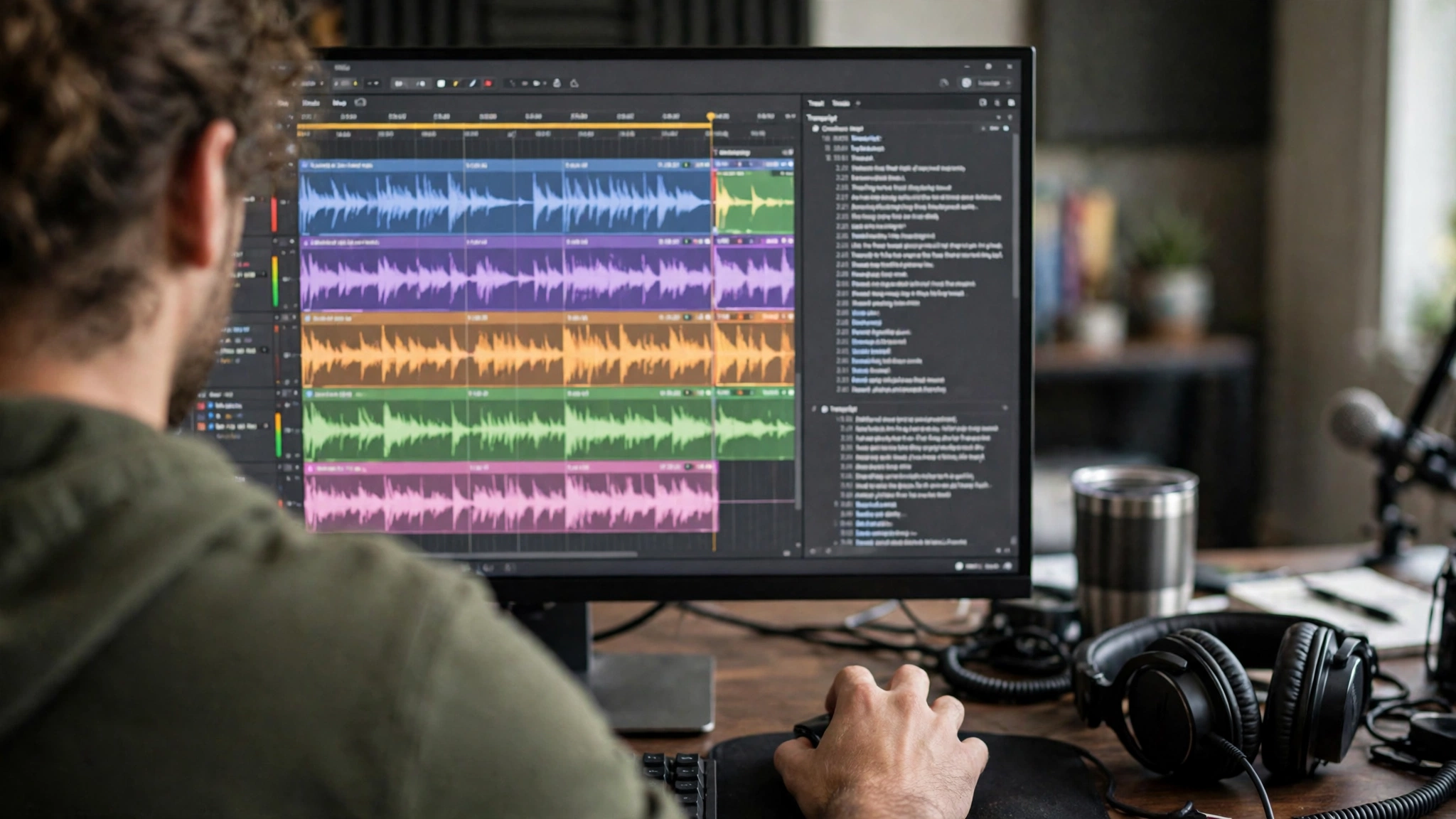
What it does: Descript transcribes your audio and video, then lets you edit the media by editing the transcript — delete a sentence from the text and it disappears from the recording. It also offers AI voices, filler-word removal, studio-quality sound cleanup, and tools that turn long episodes into short clips.
How podcasters use it: Editing an episode the way you would edit a document, removing ums and long pauses in one pass, cutting a rambling answer down to its best minute, and generating clips for social media without opening a second tool. For podcasters who think in words rather than timelines, Descript is one of the AI tools for podcasters that turns hours of editing into a much shorter job.
Worth knowing: A free tier is available with limits on transcription and publishing, and paid plans start in the mid-teens per month. Its Overdub feature can clone your voice to fix a misspoken word by typing, but only with your verified consent — and a cloned voice should never be used to put words in a guest’s mouth.
5. Riverside — Best for Recording Remote Guests in High Quality
What it does: Riverside records remote interviews in your browser, capturing a separate high-quality track for every guest so a bad connection on one side never ruins the other. Its AI features generate transcripts, show notes, chapters and short clips from the recording, and its text-based editor lets you cut the episode from the transcript.
How podcasters use it: Recording a two-person remote show where both voices need to sound clean, then using the built-in AI tools to draft the show notes and pull out shareable clips before the episode goes out. It is the recording step and the first editing step in one place.
Worth knowing: A free tier is available with limits, and the Standard plan was listed at $19 a month when checked in July 2026. Because it records locally on each guest’s device, it is far more forgiving of weak internet than a tool that records the call itself.
6. Adobe Podcast Enhance — Best for Free Audio Cleanup
What it does: Adobe Podcast Enhance is a free browser tool that takes a noisy or echoey recording and cleans it up, removing background noise and making speech sound as if it was recorded in a treated studio. It works on uploaded audio files and needs no editing skill.
How podcasters use it: Rescuing an interview recorded in a noisy room, a kitchen, or over a weak connection, and turning it into something publishable in a few minutes. It is also the fastest way to make a guest’s phone-recorded audio match your studio microphone.
Worth knowing: The basic enhancement tool is free. It works best on audio that was recorded reasonably well in the first place — it can remove noise, but it cannot replace a decent microphone or a quiet room.
7. ElevenLabs — Best for AI Voices, Narration and Dubbing
What it does: ElevenLabs creates realistic AI voices from text, clones a voice with the owner’s verified consent, and dubs audio into other languages while keeping the speaker’s tone. It is the market leader for natural-sounding synthetic speech.
How podcasters use it: Recording intros, outros and ad reads without re-recording every time the wording changes, creating a consistent narration voice for a documentary-style show, or dubbing an episode into another language to reach new listeners. Some podcasters also use it to generate a short trailer voiceover in minutes.
Worth knowing: A free tier is available with a small amount of text-to-speech each month. Voice cloning is only legal with verifiable consent from the person whose voice is being replicated, and reputable tools require verification before a voice can be cloned — never clone a guest’s voice.
8. Otter.ai — Best for Transcripts and Meeting Notes
What it does: Otter.ai records conversations and turns them into searchable transcripts with automatic summaries, action items and speaker labels. It works with common video call platforms and can also transcribe uploaded audio.
How podcasters use it: Transcribing pre-interviews and planning calls, keeping a searchable record of what a guest said before the recording, and generating a quick summary of a planning session. The transcript also becomes a record you can search later when you need a quote from a conversation three months ago.
Worth knowing: A free tier includes a limited number of transcription minutes each month. Always tell everyone on the call that it is being recorded and transcribed — in many places you need their consent, and it is good practice everywhere.
9. Castmagic — Best for Show Notes and Content from Recordings
What it does: Castmagic takes a finished recording and turns it into the content around it: show notes, titles, timestamps, quotes, newsletter drafts, social posts and short video clips, all generated from the transcript in one pass.
How podcasters use it: Uploading the finished episode and getting a full package of publish-ready text back — the show notes, three title options, chapter markers, and a week’s worth of social posts — instead of writing each piece separately. It is the tool that turns one hour of audio into a week of content.
Worth knowing: There is no free plan listed, though a trial is available, and its pricing jumps steeply between tiers, so check the current plans before committing. It works best when the recording is clear and the transcript is accurate, so pair it with a clean recording and a quick transcript check.
10. Auphonic — Best for Automatic Levelling and Mastering
What it does: Auphonic is an automated audio post-production service: it levels loudness between speakers, removes background noise and hum, cuts silence, and masters the finished file to broadcast loudness standards, all without you touching an equaliser.
How podcasters use it: Running the finished edit through Auphonic as the last step before publishing, so a quiet guest and a loud host end up at the same volume and the episode meets the loudness standard podcast apps expect. It is the quiet final polish that makes a show sound professional.
Worth knowing: A free tier covers a limited number of processed hours each month, with paid plans for heavier use. It is a finishing tool, not an editor: it polishes what you give it, so the edit itself still needs to happen first.
11. Podcastle — Best for Recording, Editing and Publishing in One Place
What it does: Podcastle is a browser-based platform that covers the whole podcast workflow: record remote guests, edit by text, enhance the audio, clone a voice, and publish to the major listening apps from one login. Its Magic Dust feature removes background noise, and it can generate show notes and transcripts automatically.
How podcasters use it: Running a small show end to end without juggling four separate tools — record on Tuesday, edit on Wednesday, publish on Thursday, all in the same place. For solo podcasters and small teams, the value is fewer handoffs and fewer subscriptions.
Worth knowing: A free tier is available with limits, and paid plans add more recording hours and AI features. Like any all-in-one tool, it works best when you commit to using it for the whole workflow rather than dipping in for one feature.
How to Choose the Right AI Tools for Your Podcast
The mistake most podcasters make is collecting tools instead of solving problems. A stack of twelve subscriptions does not make you more productive; it makes you poorer and more distracted. The right AI tools for podcasters are the ones that fix a specific, repeating pain in your production week. Start from the pain, not from the product page.
- Start with your biggest bottleneck. If editing takes too long, start with an editor such as Descript. If remote guests sound bad, start with a recorder such as Riverside. If show notes eat your evenings, start with a content tool such as Castmagic. One tool that fixes your worst hour is worth more than five that fix nothing.
- One tool per job. Two general assistants, two editors and two transcription tools just split your attention. Pick one per job, learn it properly, and only add a second when the first clearly cannot do something you need.
- Try the free tier on a real episode. A trial on a toy recording tells you nothing. Run the free tier on an actual episode for a week, and judge it by whether the episode got faster to finish or better to listen to.
- Check how your data is handled. Podcasters handle guest recordings and unpublished material that may be confidential. Read the provider’s data policy before uploading unreleased episodes, and keep sensitive material out of free consumer tools when a business plan is the safer home for it.
- Count the total cost, not the headline price. A tool that costs a little each month but saves five hours per episode is cheap. Five tools that each cost a little and save nothing are expensive. Review your subscriptions every few months and cancel what you have stopped opening.
- Make sure you can leave. Favour tools that let you export your transcripts, show notes and audio. A tool that locks your show inside it is a risk, however good its features look today.
| Tool | Best for | Free tier |
|---|---|---|
| ChatGPT | Outlines, questions and show notes | Yes, with limits |
| Claude | Long transcripts and careful writing | Yes, with limits |
| Gemini Notebook | Researching guests and topics | Yes, generous |
| Descript | Editing audio by editing text | Yes, with limits |
| Riverside | Recording remote guests | Yes, with limits |
| Adobe Podcast Enhance | Free audio cleanup | Yes |
| ElevenLabs | AI voices, narration and dubbing | Yes, with limits |
| Otter.ai | Transcripts and meeting notes | Limited minutes monthly |
| Castmagic | Show notes and content from recordings | Trial available |
| Auphonic | Automatic levelling and mastering | Limited hours monthly |
| Podcastle | Recording, editing and publishing in one place | Yes, with limits |
Also Read: AI Tools for Freelancers: 11 Powerful Ways to Work Smarter in 2026
A Free Starter Stack for New Podcasters
If you are starting out and want to spend nothing, a small free stack of AI tools for podcasters covers most of a podcast week. The point of a starter stack is not to have every feature, but to have every job covered well enough that you can publish before you spend.
- Planning and scripting: ChatGPT on its free tier, for outlines, interview questions and title ideas.
- Research: Gemini Notebook on its free tier, for guest research from your own sources.
- Recording: Riverside on its free tier, for clean separate tracks when you record remote guests.
- Audio cleanup: Adobe Podcast Enhance, free, for removing noise from a rough recording.
- Editing: Descript on its free tier, for cutting the episode by editing the transcript.
- Finishing: Auphonic on its free tier, for levelling and mastering the finished file.
That is six tools, all free, covering planning, research, recording, cleanup, editing and finishing. Add a paid tool only when a specific job outgrows its free tier — when you hit the transcription limit every month, for example, or when you need show-note automation that the free plan cannot run. Paying for a tool should always follow a real limit you have hit, not a feature list you have read.
What AI Tools for Podcasters Cost
Most AI tools for podcasters follow the same pricing shape: a free tier with limits, then one or more paid plans that raise those limits and unlock the stronger features. A general assistant, an editor and a recording platform each typically have a paid tier in the region of a modest monthly subscription, and business or team plans cost more per seat. Exact prices change often and vary by billing period, so treat any figure you read in a round-up as a starting point and check the vendor’s pricing page before you pay.
The honest way to judge cost is per hour saved. Add up your AI subscriptions for a month, then estimate the hours they saved you in that month. If three tools save you ten hours a month, they have almost certainly paid for themselves at any podcasting budget. If a tool saves you nothing, cancel it, however cheap it looks — an unused subscription is not a bargain, it is a leak.
Two cost traps deserve attention. The first is the free tier that quietly limits exports or meters something you did not expect — Descript meters media hours, Riverside meters separate track downloads, Auphonic meters processed hours, and Castmagic meters transcribed hours — so count your real volume before you compare prices. The second is the tool you bought for one show and forgot: subscriptions renew silently, so set a calendar reminder for every trial you start and every annual plan you buy.
7 Mistakes to Avoid with AI Tools for Podcasters
The AI tools for podcasters in this guide are only useful when they are used well. These are the mistakes that undo their value.
- Publishing AI show notes without reading them. Generated text can contain invented facts, wrong figures and confident nonsense. Everything that goes out in your name needs a human read first, every time.
- Letting AI write in your voice without editing. Listeners subscribe to you partly for how you think and talk. If every show note sounds like a generic assistant, your show becomes interchangeable. Use AI for the first draft, then rewrite it until it sounds like you.
- Trusting a transcript without checking it. Names, technical terms and numbers are the parts a transcript gets wrong most often, and they are the parts that matter most in show notes. Check the names and the quotes before you publish.
- Recording badly and expecting AI to rescue it. Cleanup tools are powerful, but they cannot fix a recording made next to a washing machine or over a breaking connection. A decent microphone and a quiet room still matter more than any tool.
- Cloning a voice without consent. Voice cloning is only acceptable with the verified consent of the person whose voice it is. Never clone a guest, and never use a cloned voice to say something the person did not say.
- Putting unreleased episodes into the wrong tool. Guest recordings and unpublished material may be confidential. Check the provider’s data policy before uploading, and keep sensitive material out of free consumer tools.
- Automating promotion and forgetting the listener. Clips and captions are useful, but promotion still needs a human decision about which moment is actually worth sharing. A tool can cut ten clips; only you know which one will make someone press play.
Frequently Asked Questions
What are the best AI tools for podcasters in 2026?
The best AI tools for podcasters depend on the job you need done, but a strong general setup starts with ChatGPT or Claude for planning and writing, Gemini Notebook for guest research, Riverside for recording remote guests, Descript for editing by transcript, Adobe Podcast Enhance for free audio cleanup, ElevenLabs for voices, and Auphonic for the final master. Add Castmagic when show notes and promotion become a regular part of your week.
Are there free AI tools for podcasters?
Yes — the free AI tools for podcasters listed above all offer free tiers or trials, and a six-tool free starter stack covers planning, research, recording, cleanup, editing and finishing. Free tiers have usage limits, so the right moment to pay is when you regularly hit a limit on a tool you already rely on.
Can AI tools replace podcasters?
No. AI tools can draft, transcribe, clean up audio and generate clips, but they cannot replace the conversation, the editorial judgement, the original thinking or the relationship with your listeners. The podcasters most at risk are the ones doing purely repetitive production work with no human judgement attached; the ones who use AI to produce faster while keeping the conversation visibly human are in a stronger position than before.
How do I choose AI tools as a podcaster?
Start with your biggest bottleneck, not with a product list. Name the single task that eats the most hours in your production week, pick one tool that fixes it, and test the free tier on a real episode for a week. Add tools one at a time, one per job, and review your subscriptions every few months to cancel anything you have stopped using.
Is it safe to put unreleased episodes into AI tools?
It depends on the tool and the material. Read the provider’s data-handling policy before uploading guest recordings or unreleased episodes, keep sensitive personal information out of free consumer tools, and use a business plan where one is available for show material. Tell guests on calls when a conversation is being recorded and transcribed, and never upload confidential material into a tool you have not checked.
How much should a podcaster spend on AI tools?
Start at nothing, using free tiers until a real limit forces a decision. Many podcasters settle on a small number of paid tools that together cost less than a few hours of editing time a month. Judge any subscription by hours saved: if a tool does not save you measurable time every month, cancel it.
Conclusion
AI tools for podcasters are at their best when they are boring: an outline drafted before lunch, a noisy interview cleaned up before dinner, show notes written before you forget the episode, a clip posted while the conversation is still fresh. None of that is glamorous, and all of it is the difference between a podcast that ships every week and one that stalls after six episodes.
Start small. Pick the one job that costs you the most hours, choose one tool for it from this guide, and test it on a real episode for a week. Keep what saves time, cancel what does not, and add the next tool only when a real limit forces your hand. The goal is not to own the most AI tools for podcasters. It is to spend more of your week having the conversations only you can have, and less of it on the work a machine can draft, transcribe or clean up for you. That is the whole point of AI tools for podcasters — and it is a goal a small, deliberate stack can deliver.